
Manual of product Kyros MID1024
Editorial note
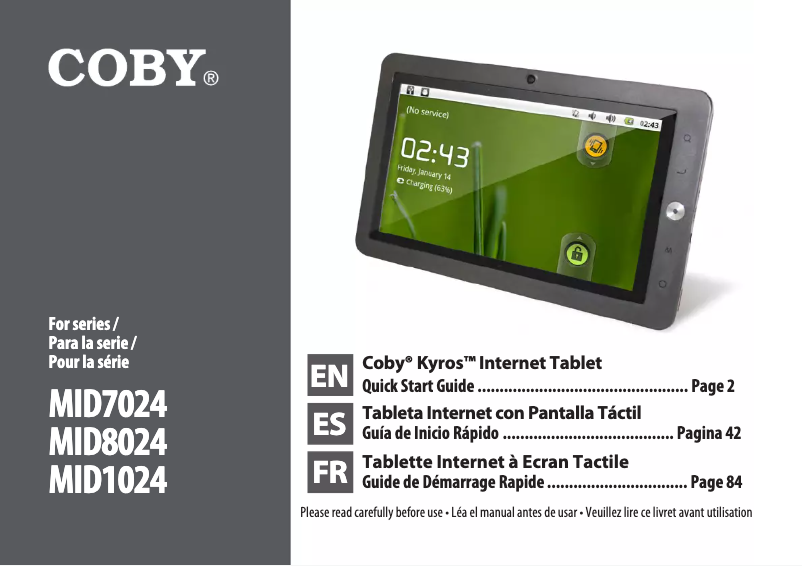
The Coby Kyros MID1024 is a tablet that stands out for its lightness and compactness, making it easy to transport for on-the-go use. The reputation of the Coby brand for quality and innovation is reflected in this model, providing a smooth user experience thanks to an optimized design. Additionally, the presence of a comprehensive user manual allows for a quick grasp of the features, adding to the device's user-friendliness. However, the tablet has some limitations. Its performance is lower than that of its competitors, which can pose issues when using demanding applications. The screen offers a resolution that may reduce visual quality when viewing multimedia content. Furthermore, the internal storage capacity is limited, making it necessary to use a memory card for additional files. The battery life, while average, may require more frequent recharges during intensive use, and the lack of regular software updates could raise concerns regarding security and compatibility. In summary, the Coby Kyros MID1024 offers good value for money for users looking for a simple and portable tablet, but it may disappoint those expecting high performance and superior display quality.Score details
User experience
The user experience is generally positive due to a smooth design, but limited performance may affect the use of demanding applications.
Performance
The performance is lower than that of competing tablets, which can be frustrating when performing intensive tasks.
Battery life
The battery life is average, requiring more frequent recharges during intensive use.
Design
The lightweight and compact design of the tablet makes it easy to transport, making it ideal for on-the-go use.
Value for money
The value for money is reasonable given Coby's brand reputation, but performance limitations may diminish perceived value.
Documentation
The included user manual is comprehensive, making it easier to get started and learn the tablet's features.
Advantages
Reliable and high-performing brand
Smooth and pleasant use
Manual included for handling
Lightweight and easy to carry
Versatile for various tasks
Disadvantages
Limited performance for demanding applications
Lower resolution screen
Restricted internal storage capacity
Average battery life
Lack of software updates
Technical Specifications Kyros MID1024
General Information
-
ModelKYROS MID1024
-
Brand
-
Category
-
Type
-
SKU1127140
-
MPN1127140
Frequently Asked Questions
What factors influence download speed on the Internet?
What are the dimensions of my tablet's screen?
Is the manual for the Coby Kyros MID1024 available in French?
Similar products


More product categories from brand Coby
Audio Coby
Other Coby
More product types from brand Coby


Presentation of product Kyros MID1024 specifications from brand Coby
General Information
The Coby Kyros MID1024 is a tablet manufactured by the brand Coby, known for its reliability and innovation in the electronics sector. This model, the Kyros MID1024, is designed to provide satisfactory performance and a pleasant user experience, thus meeting the varied needs of users.
Advantages
- Quality and innovation: Coby is a respected brand, offering high-performing products that inspire confidence.
- Smooth user experience: The Coby Kyros MID1024 is designed to ensure seamless use, making interactions simple and intuitive.
- User manual included: A guide accompanies the tablet, facilitating the handling and exploration of its features.
- Portability: Its lightweight and compact design makes it easy to carry, ideal for on-the-go use.
- Versatility: The tablet is capable of performing various tasks, from browsing the Internet to viewing documents, thus offering appreciated flexibility.
Disadvantages
- Limited performance: Compared to some competing tablets, the Kyros MID1024 may exhibit below-par performance, especially with demanding applications.
- Lower resolution screen: Visual quality may not be up to par when watching videos or browsing the web.
- Restricted storage capacity: The internal storage space is limited, which may require the use of a memory card to manage additional files.
- Average battery life: During intensive use, the need for frequent recharges can be cumbersome.
- Lack of software updates: The absence of regular updates may lead to security issues and limited compatibility with new applications.


