

Manuals of product G32QC
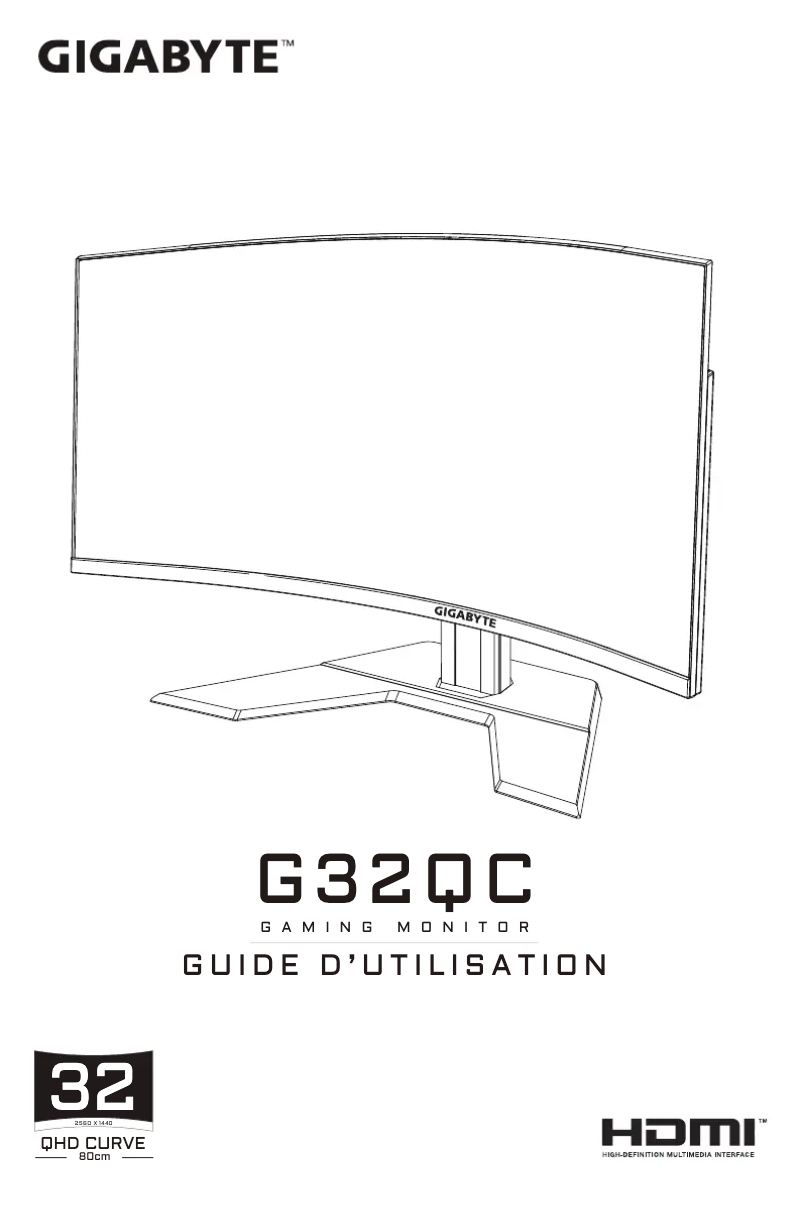

Technical Specifications G32QC
General Information
-
ModelG32QC
-
Brand
-
Category
-
Type
-
SKU1304797
-
MPN1304797
Screen
-
Display technology-
-
Display area-
-
Number of colors displayed-
-
Screen size32 "
-
Screen resolution
-
Image format2560 x 1440 pixels
-
Type of panel16:9
-
Screen brightness (typical)VA
-
Response time350 cd/m²
-
Type HD1 ms
-
Type of feedbackQuad HD
-
Screen shapeEdge LED
-
Supported graphic resolutionsCurved
-
Image format2560 x 1440
-
Contrast ratio16:9
-
Dynamic contrast report3000:1
-
Maximum discount rate12000000:1
-
Vertical viewing angle165 Hz
-
Vertical viewing angle178 °
-
Vertical viewable size178 °
-
Horizontal viewable size392.2 mm
-
No pixel697.3 mm
-
sRGB coverage (max)0.2724 x 0.2724 mm
-
Color depth124 %
-
Screen diagonal (cm)8 bit
-
Touch screen80 cm
-
No
Representation / realization
-
NVIDIA G-SYNC-
-
Support for VESA Adaptive SyncYes
-
Support for VESA Adaptive SyncYes
-
Support for VESA Adaptive SyncYes
-
Support for VESA Adaptive SyncYes
Multimedia
-
Built-in camera-
-
Built-in speakersNo
Design
-
Market positionPlay
-
Product colorBlack
Connectivity
-
DVI Port-
-
Audio input-
-
Headphone outputYes
-
Headphone outputYes
-
Quantity of HDMI ports2
-
HDMI version2.0
-
Quantity of DisplayPort interfaces1
-
DisplayPort version1.2
-
Headphone outputYes
Ergonomics
-
Tilt adjustmentYes
-
VESA standard100 x 100 mm
-
Cable lock location typeKensington
-
Tilt adjustmentYes
-
Tilt adjustmentYes
-
Height adjustment100 mm
-
Tilt adjustmentYes
-
Inclination angle-5 - 20 °
Power
-
Typical electricity consumption75 W
-
Energy consumption (standby mode)0.5 W
-
Electricity consumption (stop)0.3 W
-
Input current4.7 A
-
Energy efficiency class (HDR)G
-
Energy efficiency class (HDR)G
-
Energy consumption (SDR) for 1000 hours39 kWh
-
Energy consumption (HDR) for 1000 hours62 kWh
-
Energy efficiency rangeA to G
-
European Product Registry for Energy Labelling (EPREL)397781
Weight and dimensions
-
Device width (support included)710.5 mm
-
Depth (without support)102.8 mm
-
Height (without support)423.3 mm
-
Weight (without support)7800 g
-
Device width (support included)710.5 mm
-
Depth (support included)234.8 mm
-
Height (support included)552.2 mm
-
Weight (with support)10800 g
Packaging contents
-
Support includedYes
-
Cables includedAV, DisplayPort, HDMI, USB
Similar products


More product categories from brand Gigabyte
More product types from brand Gigabyte


Presentation of product G32QC specifications from brand Gigabyte
Representation / realization
Does the product Gigabyte G32QC have AMD FreeSync? No. This technology helps eliminate screen tearing and ensures a smooth gaming experience. Does the product Gigabyte G32QC have NVIDIA G-SYNC? No. This technology helps eliminate screen tearing and improve gaming smoothness. Does the product Gigabyte G32QC have Low-Blue-Light Technology? Oui. This technology helps reduce eye strain by filtering harmful blue light, thus providing optimal visual comfort. Does the product Gigabyte G32QC have Flicker-Free Technology? Oui. This technology helps eliminate flicker effects, providing a more enjoyable and comfortable visual experience. Does the Gigabyte G32QC support VESA Adaptive Sync? Oui. This feature allows for smooth synchronization between the monitor and the graphics card, thereby reducing screen tearing and enhancing the visual experience.
Generalities
The product model Gigabyte G32QC is G32QC | G32QC. This model ensures optimal performance and an enhanced user experience. The EAN code of the product Gigabyte G32QC is 4719331808181. This code allows for the unique identification of the product in the distribution system. The brand of the product Gigabyte G32QC is Gigabyte. This brand is known for its quality and innovation in the field of household appliances.
Multimedia
Does the product Gigabyte G32QC have built-in speakers? Non. These speakers provide an immersive and convenient audio experience. Does the Gigabyte G32QC have a built-in camera? -. This camera allows you to capture precious moments with ease.
Design
The market position of the product Gigabyte G32QC is Jouer. This product is primarily aimed at professionals, offering features tailored to their specific needs. The color of the product Gigabyte G32QC is Noir. This shade gives it a modern and elegant look.
Ergonomics
The type of cable lock location for the product Gigabyte G32QC is Kensington. This type of lock provides optimal security to protect your device against theft. The product Gigabyte G32QC has the VESA Standard 100 x 100 mm. This standard ensures optimal compatibility with wall mounts and articulated arms, thus facilitating the installation and adjustment of your screen. Does the product Gigabyte G32QC have a cable lock port? No. This product does not have this security feature. Does the product Gigabyte G32QC have VESA Mounting? Oui. This feature allows you to easily attach your screen to a wall mount, thereby optimizing space and improving user comfort. Does the product Gigabyte G32QC have a height adjustment? No. This product does not allow for height adjustment. Does the product Gigabyte G32QC have a height adjustment? No. This product does not allow for height adjustment. Does the product Gigabyte G32QC have an Incline Adjustment? Oui. This feature allows you to adjust the angle according to your needs for optimal comfort. The tilt angle of the product Gigabyte G32QC is -5 - 20 °. This angle allows for adjusting the position for optimal comfort.
Connectivity
Does the product Gigabyte G32QC have a DVI Port? -. This port allows you to connect devices with a digital video interface, ensuring optimal image quality. Does the product Gigabyte G32QC have a built-in USB hub? Oui. This feature allows you to connect multiple USB devices simultaneously, thus enhancing your user experience. Does the Gigabyte G32QC have HDMI? Oui. This connectivity allows for the transmission of both high-quality videos and audios. The number of HDMI ports on the Gigabyte G32QC is 2. This detail is essential for determining compatibility with your multimedia devices. The product Gigabyte G32QC has an HDMI Version 2.0. This specification ensures optimal connectivity for your multimedia devices. The number of DisplayPort interfaces of the product Gigabyte G32QC is 1. This specification allows for optimal connectivity with various devices. The product Gigabyte G32QC has DisplayPort version 1.2. This specification allows for improved connectivity for high resolutions and refresh rates. Does the product Gigabyte G32QC have a headphone output? Oui. This feature allows you to easily connect headphones or a headset for an immersive audio experience. The product Gigabyte G32QC has an audio input. This feature allows you to connect various audio devices for an enhanced sound experience.
Screen
The screen size of the product Gigabyte G32QC is 32 ". This dimension allows for an optimal visual experience for all your content. The screen resolution of the product Gigabyte G32QC is 2560 x 1440 pixels. This feature ensures optimal display quality for a pleasant visual experience. The image format of the product Gigabyte G32QC is 16:9. This format is ideal for an immersive visual experience. The panel type of the product Gigabyte G32QC is VA. This type of panel offers excellent display quality and vibrant colors. The typical screen brightness of the product Gigabyte G32QC is 350 cd/m². This feature ensures optimal visibility in various lighting conditions. The response time of the product Gigabyte G32QC is 1 ms. This fast response time ensures a smooth and responsive visual experience. The HD Type of the product Gigabyte G32QC is Quad HD. This HD Type ensures exceptional image quality for an immersive viewing experience. The type of feedback for the product Gigabyte G32QC is Edge LED. This type of feedback offers optimal display quality and vibrant colors. The display technology of the product Gigabyte G32QC is -. This technology ensures optimal image quality for an immersive visual experience. The image format of the product Gigabyte G32QC is 16:9. This format is ideal for an immersive visual experience. The supported graphic resolutions of the product Gigabyte G32QC are 2560 x 1440. These resolutions provide optimal display quality for your content. The screen shape of the product Gigabyte G32QC is Incurvé. This feature ensures an optimal visual experience for all your multimedia needs. The display area of the product Gigabyte G32QC is -. This area provides a pleasant visual experience and reduces glare. The dynamic contrast ratio of the product Gigabyte G32QC is 12000000:1. This ratio helps enhance image quality by providing deeper blacks and brighter whites. The maximum discount rate of the product Gigabyte G32QC is 165 Hz. This rate ensures optimal display fluidity for an enhanced user experience. The horizontal viewing angle of the product Gigabyte G32QC is 178 °. This angle allows for optimal viewing from different angles, thus providing an immersive and comfortable experience. The contrast ratio of the product Gigabyte G32QC is 3000:1. A high contrast ratio makes images sharper and colors more vibrant, thus providing an enhanced visual experience. The vertical viewing angle of the Gigabyte G32QC is 178 °. This angle allows for optimal viewing from different angles, thus providing an enhanced visual experience. The number of colors displayed for the product Gigabyte G32QC is -. This detail is essential for appreciating the visual quality of the screen. The vertical viewable size of the product Gigabyte G32QC is 392.2 mm. This dimension allows for an optimal visual experience for users. The horizontal viewable size of the product Gigabyte G32QC is 697.3 mm. This specification ensures an optimal visual experience for all your content. The pixel pitch of the product Gigabyte G32QC is 0.2724 x 0.2724 mm. This pixel pitch ensures optimal display quality without distortion. The product Gigabyte G32QC has a sRGB (max) coverage of 124 %. This specification ensures vibrant and accurate colors for an optimal visual experience. The color depth of the product Gigabyte G32QC is 8 bit. This feature ensures more vibrant images and more precise details for an optimal visual experience. The screen diagonal of the product Gigabyte G32QC is 80 cm. This feature allows for an immersive and high-quality visual experience. Does the product Gigabyte G32QC have a touchscreen? Non.
Power
The energy consumption in standby mode of the product Gigabyte G32QC is 0.5 W. This feature helps reduce electricity consumption when the device is not in use, thus contributing to energy savings. The typical power consumption of the product Gigabyte G32QC is 75 W. This feature allows for the assessment of the energy efficiency of the device. The power consumption (standby) of the product Gigabyte G32QC is 0.3 W. This feature helps to minimize energy consumption when the device is in standby mode. The input current of the product Gigabyte G32QC is 4.7 A. This input current ensures optimal performance and increased energy efficiency. The energy efficiency class (SDR) of the product Gigabyte G32QC is G. This class indicates the level of energy performance of the product, which can impact your energy bills and the environment. The energy efficiency class (HDR) of the product Gigabyte G32QC is G. This class indicates the level of energy performance of the product, thus contributing to a more responsible use of energy. The product Gigabyte G32QC has an energy consumption (SDR) for 1000 hours of 39 kWh. This specification allows for the assessment of the product's energy efficiency. The energy efficiency range of the product Gigabyte G32QC is A à G. This range ensures optimal energy consumption, thereby contributing to savings on your bills and protecting the environment. The European Product Register for Energy Labelling (EPREL) code for the product Gigabyte G32QC contains 397781. This code is essential to ensure transparency and energy efficiency of devices. The energy consumption (HDR) of the product Gigabyte G32QC is 62 kWh for 1000 hours. This feature allows for the assessment of the product's energy efficiency over an extended period.
Packaging contents
The included cable of the product Gigabyte G32QC contains a power plug. This cable is essential for ensuring an optimal electrical connection. Does the product Gigabyte G32QC come with a Support included? Oui. This allows you to fully enjoy your purchase without having to worry about buying additional accessories.
Weight and dimensions
The width of the product Gigabyte G32QC is 710.5 mm. This dimension allows for optimal integration into various spaces. The height of the product Gigabyte G32QC is 423.3 mm. This dimension is essential to ensure the product fits your space. The weight of the product Gigabyte G32QC is 7800 g. This weight is essential for assessing the maneuverability and transport of the product. The unsupported depth of the product Gigabyte G32QC is 102.8 mm. This dimension is essential to ensure optimal integration into your space. The width of the device Gigabyte G32QC is 710.5 mm. This dimension includes the stand, ensuring a seamless integration into your space. The depth of the product Gigabyte G32QC is 234.8 mm. This dimension is essential to ensure optimal integration into your space. The height (including support) of the product Gigabyte G32QC is 552.2 mm. This dimension is essential to ensure that the product fits perfectly in your space. The weight (with support) of the product Gigabyte G32QC is 10800 g. This weight includes all the necessary accessories for its use.


