

Manual of product LaserJet M3027x
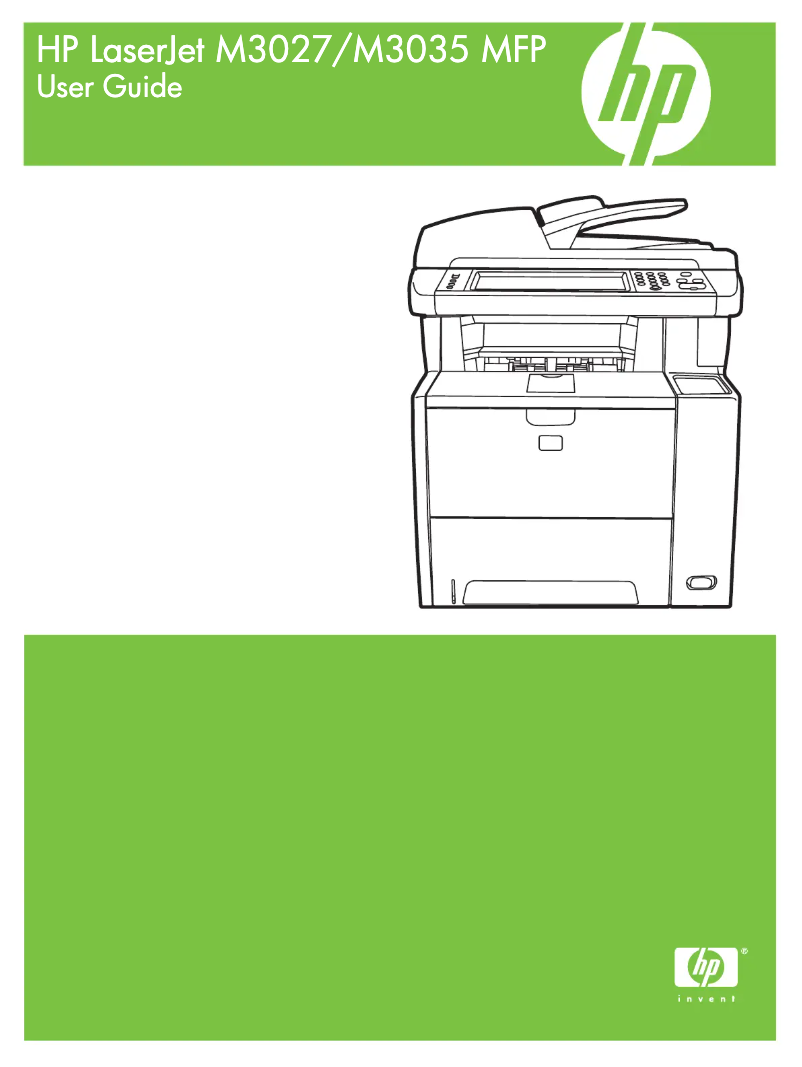
Editorial note
The HP LaserJet M3027x printer stands out for its speed and performance, offering a printing speed of up to 25 pages per minute and a maximum resolution of 1200 x 1200 DPI. These features make it an ideal choice for demanding work environments where quality and efficiency are essential. Additionally, its all-in-one functionality, including printing, scanning, copying, and faxing, allows for the centralization of multiple tasks on a single device, making it convenient to use. However, several drawbacks are worth noting. The lack of compatibility with Mac systems limits its use for some users. Furthermore, its weight of 60.6 lb (approximately 27 kg) can complicate transport and handling, especially in mobile work environments. The power consumption during operation, which amounts to 600 W, could also lead to higher energy costs. Finally, while the maximum service cycle of 75,000 pages per month is impressive, it may be excessive for small businesses, making the printer less economical for moderate use. Overall, the user experience is positive, with scores of 80 in experience, 85 in performance, and 75 in features. However, aspects such as value for money (70) and design (65) could be improved. Compatibility with operating systems other than Mac is a plus, although it limits options for some users.Score details
User experience
The user experience is generally positive thanks to the all-in-one feature that centralizes multiple tasks on a single device, making it more convenient to use.
Performance
With a printing speed of 25 pages per minute and a maximum resolution of 1200 x 1200 DPI, the performance is excellent for demanding work environments.
Features
Features like color scanning and email sending add value, but the lack of built-in Wi-Fi connectivity can be a drawback.
Value for money
Although the maximum service cycle of 75,000 pages per month is impressive, it may not be cost-effective for small businesses that do not need this capacity.
Design
The weight of 60.6 lb (approximately 27 kg) makes transporting and handling the device difficult, especially in mobile work environments.
Support
The product does not support Mac systems, which limits its use for some users, but it is compatible with other operating systems.
Advantages
Fast printing up to 25 pages per minute.
All-in-one function: printing, scanning, copying, faxing.
Print resolution 1200 x 1200 DPI.
Paper capacity of 500 sheets.
Color scanning and emailing.
Disadvantages
Not compatible with Mac systems.
Heavy weight, difficult to transport.
High power consumption at 600 W.
No Wi-Fi, requires an accessory.
Service cycle too high for small businesses.
Technical Specifications LaserJet M3027x
General Information
-
ModelLASERJET M3027X
-
Brand
-
Category
-
Type
-
SKU87786
-
MPN87786
Digitization
-
Gray levels256
-
Maximum scan areaLegal (216 x 356) mm
-
Type of scannerFlatbed scanner and ADF
-
Optical scanning resolution600 x 600 DPI
-
Scanning speed (black)25 inches/minute
-
Supported image formatsJPG, TIF
-
Scan toE-mail
-
DigitizationColor scanning
Representation / realization
-
Processor frequency400 MHz
-
Internal memory256 MB
-
Maximum internal memory512 MB
-
Built-in memory card readerNo
-
Mac CompatibilityYes
Environmental conditions
-
Operating temperature15 - 32 °C
-
Operating relative humidity (H-H)30 - 70 %
-
Relative humidity rate (storage)10 - 90 %
-
Temperature out of operation-20 - 40 °C
-
Operating altitude0 - 3100 m
Other features
-
Formats of scanned filesJPG, PDF, TIFF
-
Pallet dimensions (L x W x H)47.3 x 49.6 x 84.7 "
-
Maximum scan zone (imperial)8.5 "
-
Package dimensions (LxWxH)600 x 630 x 670 mm
-
Dimensions (LxWxH)524 x 485 x 550 mm
-
Connection type SureSupplyDirect and Network
-
Automatic fax reduction supportedYes
-
Automatic fax reduction supportedYes
-
Weight of the box/package70.1 kg
-
Network featuresFast Ethernet
-
Automatic fax reduction supportedYes
-
Function of the "scaling" of the photocopier (Automatic Document Feeder)54 to 400%
-
Printing time for the first page (black and white, letter, ready)10 s
-
Wireless optionOptional, enabled with purchase of a hardware accessory
-
Product dimensions optional (metric)524 x 485 x 686 mm
-
Flatbed scanner scanning size (minimum)No minimum "
-
Acoustic power (ready)Inaudible dB
-
Weight (imperial)60.6 lb kg
-
Standard output capacity for transparencies50 sheets
-
Supported media formatsLetter, legal, executive
-
Maximum scanning surface (ADF) (imperial)8.5 x 11.7 "
-
Auto feeder scan size (minimum)5.9 x 8.3 "
-
Acoustic power (ready)Inaudible dB
-
Acoustic pressure (in operation)56 dB(A)
-
Minimum configuration for Macintosh128MB RAM
-
Control panel25MB HDD
-
Printing time for the first page (black and white, letter, ready)USB
-
Acoustic power (in operation)CCFL backlit STN LCD 640 x 240 with analog touch screen, contrast/adjust thumbwheel, 5 LEDs (Attention, Data, Ready, Sleep, Start), 13-key numeric keypad, 4 keys (Reset, Sleep, Start, Stop)
-
Automatic fax reduction supported10 s
-
Security management68 dB
-
Printing time for the first page (black and white, letter, ready)Yes
-
All-in-one functionsPrivate print, HP Secure Storage Erase, HP Jetdirect (802.1x) for wired networks, SNMPv3 and HTTPS, and Secure IPP (IPP-S) and IPsec
-
All-in-one color functions10 s
-
Copy, Digital sender, Fax, Print, Scan
-
Scanning
Features
-
Service cycle (Maximum)75000 pages per month
-
Languages of the page descriptionPCL 5, PCL 6, PDF 1.5
-
Printing colorsBlack
-
Digital senderYes
-
Number of print cartridges1
-
Service cycle (recommended)6000 pages per month
-
Digital senderYes
Connectivity
-
Standard interfacesEthernet, USB 2.0
-
Direct printingNo
-
Quantity of USB 2.0 Ports2
-
USB portYes
Fax
-
Deferred fax sendingYes
-
Fax transmission100 localizations
-
Deferred fax sendingYes
-
Maximum number of shortcuts for numbers100
-
Deferred fax sendingYes
-
Fax resolution (black)300 x 300 DPI
-
Modem speed33.6 Kbit/s
-
FaxSimple fax
Packaging information
-
Package weight31880 g
Weight and dimensions
-
Weight28700 g
Copier
-
Maximum number of copies1000 copies
-
Max. resolution of copies600 x 600 DPI
-
Resizing copy25 - 400 %
-
Copy speed (normal quality, black, A4)25 cpm
-
CopySingle copy
Print speed
-
Print speed (black, normal quality, A4/US Letter)25 ppm
-
Printing technologyLaser
-
Maximum resolution1200 x 1200 DPI
-
Copy time for the first page (Black, normal)10 s
-
PrintingMonochrome printing
-
Double-sided printingYes
Power
-
Electricity consumption (average operation)600 W
-
Electricity consumption (stop)0.1 W
Paper management
-
Maximum print format216 x 356 mm
-
Type of paper tray supportBond paper
-
ISO, Format Series A (A0...A9)Card stock
-
Non-ISO print support sizesEnvelopes
-
JIS series B format (B0...B9)Labels
-
Support width customizationPlain paper
-
Customization of support lengthRecycled paper
-
Maximum ISO A series paper sizeTransparencies
-
A4
-
A5
-
Executive
-
B5
-
127 - 216 mm
-
210 - 356 mm
-
A4
Network
-
Support for network protocols (IPv4)FTP
-
Ethernet/LANIPP
-
WifiSecure IPP
-
Security-supported algorithmAuto-IP
-
Support for network protocols (IPv6)SLP
-
Management protocolsIGVPv2
-
BOOTP/DHCP
-
WINS
-
SNMPv1/v2c/v3
-
TFTP
-
HTTP
-
HTTPS
-
Port9100
-
LPD
-
Yes
-
No
-
802.1x RADIUS
-
HTTPS
-
DHCPv6
-
HTTP
-
HTTPS
-
Port 9100
-
LPD
-
IIP
-
Secure IIP
-
MLDv6
-
ICMPv6
-
SNMPv1/v2c/v3
Sustainability
-
Sustainability certificatesBlue Angel
Input and output capacity
-
Total power capacity500 sheets
-
Total output capacity250 sheets
-
Automatic document feeder capacity100 sheets
-
Automatic Document Feeder (ADF)Yes
Design
-
Screen-
-
Market positionProfessional
Minimum system requirements
-
Support for the Windows operating systemWindows 2000
-
Support for the Mac operating systemWindows XP Home
-
Support for the Linux operating systemWindows XP Professional
-
Support for the server operating systemWindows XP Professional x64
-
Minimal processorMac OS X 10.2 Jaguar
-
Minimum RAMMac OS X 10.3 Panther
-
Minimal disk spaceMac OS X 10.4 Tiger
-
Mac OS X 10.5 Leopard
-
Mac OS X 10.6 Snow Leopard
-
Mac OS X 10.7 Lion
-
Yes
-
Windows Server 2003
-
Windows Server 2003 x64
-
133 MHz
-
64 MB
-
40 MB
Certificate
-
CertificationcUL-CAN/CSA
-
UL-UL
-
FDA
-
CISPR 22
-
FCC
-
EEC
-
NOM
Frequently Asked Questions
What is the weight of the HP LaserJet M3027x?
What is the recommended method for removing paper jams from the printer?
Why does my printer not recognize the original cartridges?
Why is the quality of my prints poor?
What is the difference between a laser printer and an inkjet printer?
Why does my inkjet printer leave black streaks on prints?
What does the acronym DPI mean?
What certifications does the HP LaserJet M3027x have?
How many cartridges can be installed in the HP LaserJet M3027x?
Is the manual for the HP LaserJet M3027x available in French?
Similar products


More product categories from brand HP
Computers and accessories HP
Other HP
Phones HP
Audio HP
Interior HP
Software HP
More product types from brand HP


Presentation of product LaserJet M3027x specifications from brand HP
General Information
The HP LaserJet M3027x printer is a model from the renowned HP brand, known for its innovation and quality in the field of printing technologies. This model, referenced under the code CC479A, promises top performance and an enhanced user experience. The EAN code, which allows for the unique identification of the product in distribution systems, is as follows: 0882780570511, 0882780570658, 0882780570740, 0883585038626, 0883585038640, 0883585038657, 0883585038671, 0884420111351, 0883585038619, 0883585038633, 0883585038664, 0884420111368.
Scanning
The HP LaserJet M3027x offers impressive scanning capabilities with 256 shades of gray, allowing for detailed and precise nuances. Its maximum scan area, Legal size (216 x 356 mm), ensures support for large documents. Equipped with a flatbed scanner and an automatic document feeder (ADF), it facilitates the quick scanning of multiple pages. With an optical scanning resolution of 600 x 600 DPI and a scanning speed of 25 inches per minute, this device optimizes your workflow. Supported image formats include JPG and TIF, and the color scanning function ensures faithful reproductions of documents.
Representation / Performance
The processor of the HP LaserJet M3027x operates at a frequency of 400 MHz, which directly influences its performance. It is equipped with 256 MB of internal memory, expandable up to 512 MB, allowing for efficient storage of data and applications. However, it does not include a memory card reader and is not compatible with Mac systems.
Environmental Conditions
This printer operates within a temperature range of 15 to 32 °C, with a relative humidity of 30 to 70%. It can withstand extreme conditions with a storage temperature between -20 and 40 °C and an operating altitude of up to 3100 m.
Other Features
The HP LaserJet M3027x supports multiple scanned file formats, including JPG, PDF, and TIFF, providing flexibility for storage. With dimensions of 524 x 485 x 550 mm, this device is suitable for various workspaces. It is equipped with an automatic paper detector and Fast Ethernet network connectivity, ensuring smooth operation. Additionally, it offers a duplex printing function, contributing to paper-saving usage.
Technical Specifications
The maximum service cycle of the printer is 75,000 pages per month, suitable for users with high printing volumes. Print quality is ensured by a maximum resolution of 1200 x 1200 DPI, producing sharp and precise documents. The device is capable of printing in black and color, and it offers all-in-one features including printing, scanning, copying, and faxing.
Connectivity
The HP LaserJet M3027x has standard interfaces for optimal connectivity, with two USB 2.0 ports for fast connections. However, it does not offer a direct printing option or built-in Wi-Fi connectivity, which may require the purchase of additional accessories for wireless connectivity.
Durability
This printer is certified by Blue Angel, attesting to its compliance with energy efficiency and environmental sustainability standards.
Input and Output Capacity
It has a paper input capacity of 500 sheets and an output capacity of 250 sheets, allowing for the management of a large volume of documents. The automatic document feeder can hold up to 100 sheets, facilitating scanning and copying.
Weight and Dimensions
The weight of the HP LaserJet M3027x printer is 28700 g, which may influence its portability in a mobile work environment. The packaging dimensions are 600 x 630 x 670 mm, ensuring adequate protection during transport.
Minimum System Requirements
To operate correctly, the printer requires a processor of at least 133 MHz, 64 MB of RAM, and 40 MB of disk space. It is compatible with several operating systems, including Windows and Linux, but does not support Mac systems.
Certification
The HP LaserJet M3027x is certified by several organizations, including cUL-CAN/CSA, UL-UL, and FCC, ensuring its compliance with safety and performance standards.


