

Manual of product OfficeJet J4680
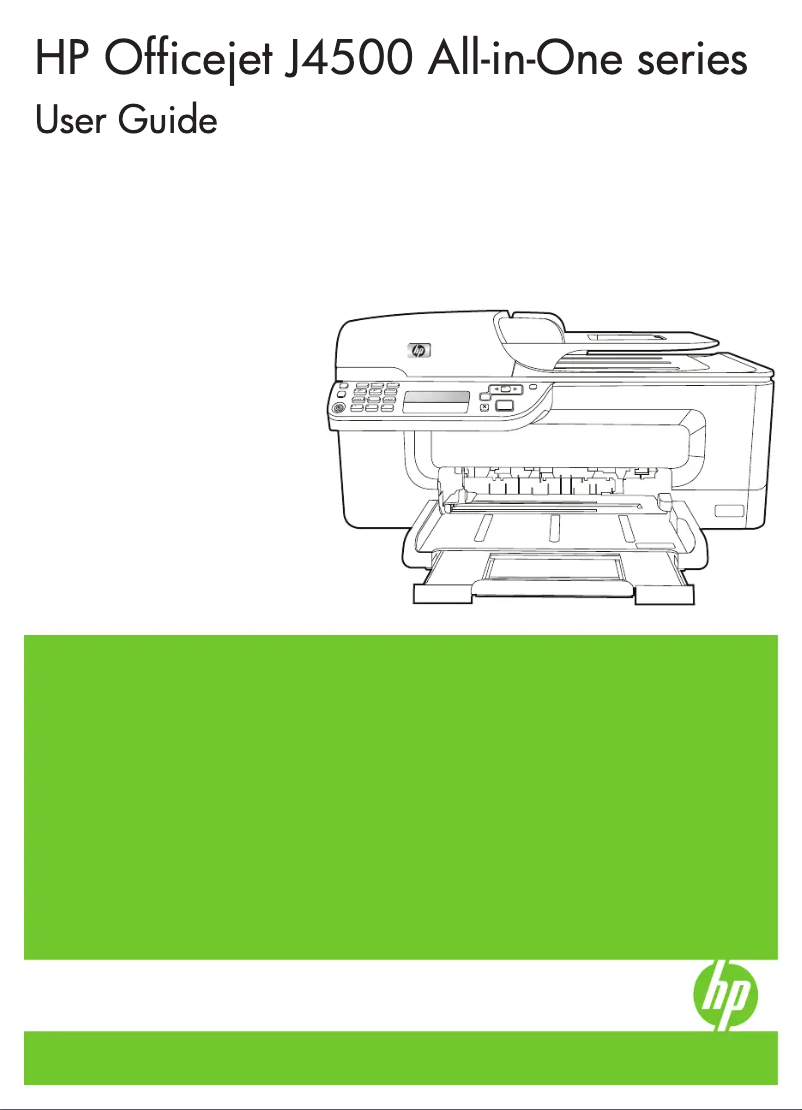
Editorial note
The HP OfficeJet J4680 printer stands out for its all-in-one functionality, combining printing, copying, scanning, and faxing, making it a comprehensive solution for offices. With a printing speed of up to 28 pages per minute in draft mode and a maximum resolution of 4800 x 1200 DPI, it offers exceptional print quality, ideal for professional documents. However, some drawbacks may affect its use. The printing speed in color and high quality is relatively slow, which could hinder productivity in demanding work environments. Additionally, the lack of automatic duplex printing and scanning features limits efficiency and increases paper consumption. Connectivity is also restricted, lacking both Ethernet/LAN and Wi-Fi, which can pose problems in some offices. In terms of performance, the user experience is generally positive, with a rating of 80/100 for its usability. Energy consumption is also a strong point, with low consumption in sleep mode and ENERGY STAR certification, reflecting responsible resource use. However, the internal memory of only 32 MB can lead to slowdowns when using multiple functions simultaneously, thus affecting its overall efficiency. Overall, the value for money of the HP OfficeJet J4680 is satisfactory, with a score of 78/100, thanks to its print quality and all-in-one capabilities. However, the limitations in connectivity and the printing speed in color should be considered by potential users.Score details
User experience
The user experience is generally positive thanks to the all-in-one feature that combines printing, copying, scanning, and faxing, thus providing a comprehensive solution for offices.
Performance
The printing speed is fast in draft mode, but it can be relatively slow for color and high-quality prints, which could affect productivity in intense work environments.
Battery life
The printer has low power consumption in sleep mode and is ENERGY STAR certified, thus contributing to responsible resource use.
Features
Although the device offers convenient wireless connectivity, the lack of automatic duplex printing and scanning features limits its efficiency and increases paper consumption.
Value for money
With exceptional print quality and all-in-one functionality, the value for money is satisfactory, although the limited internal memory may cause slowdowns when using multiple functions simultaneously.
Usability
The absence of Ethernet/LAN connectivity and Wi-Fi may restrict connectivity options in certain office environments, making the device less convenient for some users.
Advantages
Fast printing up to 28 pages per minute.
All-in-one function: printing, copying, scanning, faxing.
Print quality up to 4800 x 1200 DPI.
Wireless connectivity for various devices.
Reduced energy consumption, ENERGY STAR certified.
Disadvantages
Slow print speed for colors.
No automatic duplex printing.
Lack of Ethernet and Wi-Fi connectivity.
No built-in memory card reader.
Internal memory limited to 32 MB.
Technical Specifications OfficeJet J4680
General Information
-
ModelOFFICEJET J4680
-
Brand
-
Category
-
Type
-
SKU987041
-
MPN987041
Print speed
-
Print speed (black, normal quality, A4/US Letter)9 ppm
-
Print speed (colour, high quality, A4)2.5 ppm
-
Print speed (black, draft quality, A4/US Letter)28 ppm
-
Print speed (colour, high quality, A4)2.5 ppm
-
Print speed (color, draft quality, A4/US Letter)22 ppm
-
Print speed (color, normal quality, A4/US Letter)6.5 ppm
-
Printing technologyThermal inkjet
-
Print speed (color, high quality, letter)< 2.5 ppm ppm
-
Print speed (color, high quality, letter)< 2.5 ppm ppm
-
Print speed (color, draft quality, letter)< 22 ppm ppm
-
Maximum resolution4800 x 1200 DPI
-
PrintingMonochrome printing
-
Double-sided printingNo
Other features
-
Sound power emitted7.0 B(A)
-
Compatible ink typesDye-based (colour), pigment-based (black)
-
Maximum support size (custom)77 x 127 to 216 x 356 mm
-
Dimensions (LxWxH)434 x 402 x 217 mm
-
Double-sided printing optionsNone (not supported)
-
Package dimensions (LxWxH)475 x 250 x 345 mm
-
Standard average formatsA4 (210 x 297 mm), A5 (148 x 210 mm), B5 (176 x 250 mm), C6 (114 x 162 mm), DL (99 × 210 mm) 130 x 180 mm, 100 x 150 mm (with or without tear-off/cut-off tab)
-
Modem type33.6 Kbps
-
Print quality (black, premium quality)600 x 600 DPI
-
Scale or enlargement change rate of the image25 - 400%
-
Compatible operating systemsWindows 2000, XP Home, XP Professional, XP Professional x64; Windows Vista, x64; Mac OS X v10.3.9, v10.4.x, v10.5.
-
FontsNo
-
UNSPSC Code43212110
-
I/O Ports1 USB, 1 Phone, 1 Ext Phone
-
SureSupply supportedYes
-
Pallet dimensions (L x W x H)1219.2 x 1016 x 2542 mm
-
Standard input paper trays1
-
Standard output capacity for labels10 sheets
-
Support formats, tray 1A4, B4, B5, C7, 175 x 440 to 150 x 150 mm
-
Maximum scan zone (imperial)8.5 "
-
Packaging dimensions (L x W x H)18.70 x 9.84 x 13.58 "
-
Pallet dimensions (L x W x H)48 x 40 x 100.1 "
-
Weight per pallet1300 kg
-
Size (imperial)17.07 "
-
SureSupply supportedYes
-
Rejection of unwanted faxes supportedYes (requires Caller ID)
-
Maximum scanning surface (ADF) (imperial)8.5 x 14 "
-
Supported media formatsLetter, legal, executive, cards
-
Weight of the box/package17.93 kg
-
Recommended substrate weight (imperial)16 to 24 lb
-
FontsNo
-
Standard power supply capacity for legal format100 sheets
-
Standard output capacity for labels10 sheets
-
Standard capacity in legal output25 sheets
-
SureSupply supportedYes
-
FontsNo
-
Wireless optionYes, with built-in wireless 802.11 b/g
-
Main carton capacity28 piece(s)
-
All-in-one color functionscopy, fax, scan
-
All-in-one functionsCopy, Fax, Print, Scan
-
FontsNo
Copier
-
Max. resolution of copies4800 x 1200 DPI
-
Maximum copy speed (black, A4)28 cpm
-
Maximum number of copies90 copies
-
Maximum copy speed (black, A4)28 cpm
-
Maximum copy speed (color, A4)22 cpm
-
Copy resolution (black graphics)Up to 600 x 1200 dpi Optimized on select HP photo papers with 600 scan dpi
-
Copying settingsStand-alone copying: Actual size, Fit to page, Custom, Full page, Legal to letter
-
Copy speed (US letter, color, normal)7.6 cpm
-
Copy speed (black, high, letter)Up to 0.8 cpm
-
Resizing copy25 - 400 %
-
Copy speed (normal quality, color, A4)5.5 cpm
-
CopyColor copy
-
Duplex copyNo
Sustainability
-
Sustainability certificatesENERGY STAR
Digitization
-
Gray levels256
-
Maximum scan area216 x 297 mm
-
Type of scannerFlatbed scanning
-
Input color display depth48 bit
-
Optical scanning resolution1200 x 1200 DPI
-
Version TWAINVersion 10.0
-
Scanning technologyCIS
-
Scanning modesFront Panel, HP photo and imaging software, TWAIN compliant program, WIA compliant program
-
DigitizationColor scanning
-
Double-sided scanningNo
Connectivity
-
Standard interfacesUSB 2.0
-
Direct printingNo
-
USB portYes
Representation / realization
-
Maximum internal memory32 MB
-
Processor frequency120 MHz
-
Maximum internal memory32 MB
-
Built-in memory card readerNo
-
Sound pressure level (impression)56 dB
Input and output capacity
-
Maximum input capacity for envelopesUp to 15
-
Maximum input capacity for transparents25 sheets
-
Automatic document feeder capacity20 sheets
-
Maximum input capacity for 10 x 15 cm photos40 sheets
-
Maximum input capacity for labelsUp to 20 sheets
-
Automatic document feeder capacity20 sheets
-
Total power capacity120 sheets
-
Standard output capacity for cardsUp to 10 cards
-
Automatic document feeder capacity20 sheets
-
Maximum input capacity100 sheets
-
Automatic Document Feeder (ADF)Yes
Environmental conditions
-
Operating relative humidity (H-H)15 - 85 %
-
Recommended operating temperature15 - 32 °C
-
Temperature out of operation-40 - 60 °C
-
Operating temperature5 - 40 °C
-
Operating temperature59 - 90 °F
Packaging information
-
Package weight7640 g
-
Package depth250 mm
-
Package height345 mm
-
Package width475 mm
Paper management
-
Maximum input capacity for cards40
-
Paper management in standard/input100-sheet input tray, 20-sheet Automatic Document Feeder (ADF)
-
Paper management in standard/output20-sheet output tray
-
Envelope chargerNo
-
Recommended weights70 - 90 g/m²
-
Management of supportsSheets
-
Maximum number of paper bins1
-
Optional paper management/inputNone
-
Maximum print format210 x 297 mm
-
Type of paper tray supportCard stock, Envelopes, Iron-On Transfers, Labels, Photo paper, Plain paper
-
ISO, Format Series A (A0...A9)A4, A5
-
ISO, Formats Series-B (B0...B9)B5
-
Envelope sizesC6, DL
-
Maximum ISO A series paper sizeA4
Weight and dimensions
-
Weight5900 g
-
Height217 mm
-
Width434 mm
-
Depth402 mm
Fax
-
Distinctive ringtoneYes
-
Fax transmission48 locations
-
Distinctive ringtoneYes
-
Fax memory100 pages
-
Maximum number of shortcuts for numbers99
-
Distinctive ringtoneYes
-
Distinctive ringtoneYes
-
Fax resolution (black)300 x 300 DPI
-
Fax transmission speed3 sec/page
-
FaxColor fax
-
Duplex faxNo
Design
-
ScreenLCD
-
Built-in screenYes
-
Market positionDomestic and professional
-
Product colorBlack, White
Features
-
All-in-one multitaskingYes
-
Number of print cartridges2
-
Printing colorsBlack, Cyan, Magenta, Yellow
-
Service cycle (Maximum)3000 pages per month
-
Digital senderNo
Logistics data
-
Gross weight of the pallet590000 g
-
Products by pallet70 piece(s)
-
Main locker (external) per pallet10 piece(s)
-
Layers per pallet7 piece(s)
Power
-
Electricity consumption (stop)0.4 W
-
Electricity consumption (average operation)9.6 W
-
AC input frequency50 - 60 Hz
Network
-
WifiNo
-
WifiNo
Minimum system requirements
-
Support for the Windows operating systemWindows 2000
-
Support for the Mac operating systemWindows 7
-
Support for the Linux operating systemWindows Vista
-
Support for the server operating systemWindows XP
-
Mac OS X 10.3 Panther
-
Mac OS X 10.4 Tiger
-
Mac OS X 10.5 Leopard
-
Mac OS X 10.6 Snow Leopard
-
Yes
-
Windows Server 2008
Frequently Asked Questions
What is the weight of the HP OfficeJet J4680 printer?
What is the recommended method for removing jammed paper from the printer?
Why is my printer not recognizing the original cartridges?
What are the possible reasons for poor print quality?
What is the difference between a laser printer and an inkjet printer?
Why is my inkjet printer leaving black streaks on prints?
What does the term DPI mean?
How many cartridges are compatible with the HP OfficeJet J4680?
What is the height of the HP OfficeJet J4680 printer?
What is the width of the HP OfficeJet J4680 printer?
What is the depth of the HP OfficeJet J4680 printer?
How do I set up the wireless connection on my HP OfficeJet J4680 printer?
What should I do if my printer is printing blank pages?
How do I troubleshoot paper jams in my HP OfficeJet J4680 printer?
What should I do if my printer displays an 'Ink Cartridge' error message?
How do I send a fax with my HP OfficeJet J4680 printer?
What standard interfaces are present on the HP OfficeJet J4680 printer?
Is the manual for the HP OfficeJet J4680 available in French?
Similar products


More product categories from brand HP
Computers and accessories HP
Other HP
Phones HP
Audio HP
Interior HP
Software HP
More product types from brand HP


Presentation of product OfficeJet J4680 specifications from brand HP
General Information
The HP OfficeJet J4680 model is a multifunction printer from the HP brand, known for its innovation and quality in the office equipment sector. This model, listed under the code CB783A, is designed to provide reliable performance while enhancing the user experience. The product is identified by various EAN codes, allowing for effective traceability in the distribution system.
Print Speed
With a print speed of up to 28 pages per minute in draft mode and 9 pages per minute in normal quality, the HP OfficeJet J4680 is optimized for high-volume work environments. For color prints, the speed can reach 22 ppm in draft mode and 6.5 ppm for normal quality. Its thermal inkjet printing technology ensures high-quality results, with a maximum resolution of 4800 x 1200 DPI.
Additional Features
The HP OfficeJet J4680 stands out for its versatility, integrating printing, copying, scanning, and faxing functions, all in a compact format. It supports various media types up to 216 x 356 mm and is compatible with dye-based inks for color printing and pigment-based inks for black printing. In terms of connectivity, it is equipped with a USB port but does not support Wi-Fi or Ethernet, which may limit connection options in certain environments.
Dimensions and Weight
The dimensions of the printer are 434 x 402 x 217 mm and its weight is 5900 g, making it easy to integrate into various workspaces. The product is also delivered in packaging measuring 475 x 250 x 345 mm, ensuring adequate protection during transport.
Copying and Scanning Features
The built-in copier allows for up to 90 copies with a speed of 28 cpm in black and 22 cpm in color. Scanning is also efficient, with an optical resolution of 1200 x 1200 DPI and options for direct email sending or optical character recognition (OCR).
Operating Conditions
For optimal performance, the HP OfficeJet J4680 operates within a temperature range of 15 to 32 °C and a relative humidity of 15 to 85 %. In standby mode, it consumes only 0.4 W, thus contributing to energy-efficient use.
Advantages and Disadvantages
Advantages:
- Fast print speed of up to 28 ppm in draft mode.
- All-in-one functionality, combining printing, copying, scanning, and faxing.
- Exceptional print quality with a resolution of up to 4800 x 1200 DPI.
- Energy savings with ENERGY STAR certification.
Disadvantages:
- Relatively slow color print speed for high-quality prints.
- No automatic duplex printing, increasing paper consumption.
- No Ethernet/LAN and Wi-Fi connectivity, limiting connection options.
- Limited internal memory of 32 MB, which may slow down multitasking operations.


