

Manuals of product PixPro AZ652



Editorial note
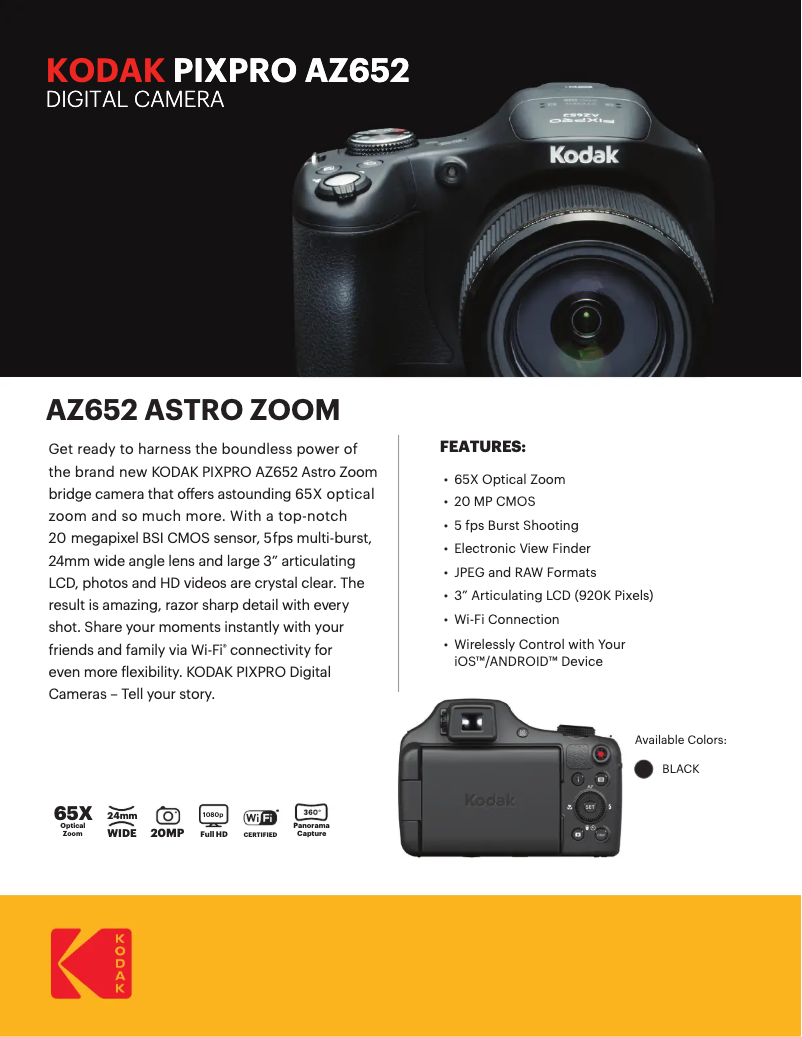
The Kodak PixPro AZ652 is a camera that stands out for its superior image quality, thanks to Kodak's advanced technology. Users can expect sharp and detailed photos, making it an interesting choice for those looking for good performance in standard photography. Additionally, the ergonomic and compact design makes it easy to carry, making this device ideal for travel. However, several drawbacks should be considered. The battery life may be insufficient for extended shooting sessions, leading to frequent recharges. Furthermore, the image quality in low light may disappoint, with the appearance of digital noise. The user interface, while feature-rich, may seem complex for beginners, making navigation difficult. Finally, the lack of Wi-Fi or Bluetooth connectivity limits the quick sharing of photos, which could frustrate some users. Overall, the user experience is positive thanks to the ease of use of the provided support documents, such as the quick start guide and the user manual. The value for money is satisfactory, especially considering the photographic performance, although some users may wish for additional features. In summary, the Kodak PixPro AZ652 is a solid choice for photography enthusiasts, but it is important to consider its limitations before making a purchase.Score details
User experience
The user experience is generally positive due to the ease of use of the support documents, but the interface may seem complex for beginners.
Performance
The performance is good for standard photography, but the image quality in low light can be disappointing, producing digital noise.
Battery life
The battery life is limited, requiring frequent recharges during extended shooting sessions.
Design
The ergonomic and compact design of the device makes it easy to transport, with a modern design that appeals to many users.
Features
The versatility of the features allows for capturing various moments, but the lack of Wi-Fi or Bluetooth connectivity may limit quick photo sharing.
Value for money
The value for money is satisfactory, especially considering the superior image quality, but some users may wish for additional features.
Advantages
Sharp images thanks to Kodak technology
Intuitive use with quick guide
Versatile features for photos and videos
Compact and ergonomic design
Included support documents for assistance
Disadvantages
Heavy and not portable device
Insufficient battery for long sessions
Poor quality in low light
Complex user interface for beginners
No Wi-Fi or Bluetooth connectivity
Technical Specifications PixPro AZ652
General Information
-
ModelPIXPRO AZ652
-
Brand
-
Category
-
Type
-
SKU1181928
-
MPN1181928
Frequently Asked Questions
How can I change the aperture on my Kodak PixPro AZ652?
How do I change the ISO sensitivity on my Kodak PixPro AZ652?
How do I perform manual focus with my Kodak PixPro AZ652?
Is it possible to change the shutter speed on my Kodak PixPro AZ652?
How do I set a custom white balance on my Kodak PixPro AZ652?
Is the manual for the Kodak PixPro AZ652 available in French?
Similar products


More product categories from brand Kodak
More product types from brand Kodak






Presentation of product PixPro AZ652 specifications from brand Kodak
General Information
The Kodak PixPro AZ652 is a digital camera from the renowned brand Kodak, known for its expertise and innovation in the photography sector. This model stands out for its high performance, providing an enriching user experience thanks to a user-friendly interface and various features.
Advantages
The Kodak PixPro AZ652 is distinguished by its exceptional image quality, a result of Kodak's advanced technology, which ensures sharp and detailed shots. Its ease of use is also a plus, thanks to a quick start guide and an instruction manual, making it intuitive to use even for beginners. Moreover, this device proves to be versatile, capable of capturing a multitude of moments, whether in photo or video mode. Its ergonomic and compact design makes it easy to carry, making it an ideal choice for users on the go. Finally, support documents such as a technical sheet and warranty information are provided, allowing the user to navigate their experience smoothly.
Disadvantages
However, the Kodak PixPro AZ652 also has some limitations. Its weight can be a drawback for those who prefer a lighter and more portable model. Additionally, the battery life may not be sufficient for extended photography sessions, leading to frequent recharges. In low light, the image quality may suffer from digital noise, which can disappoint some users. Furthermore, the user interface can sometimes seem complex for beginners, making navigation less smooth. Finally, the lack of Wi-Fi or Bluetooth connectivity limits the quick sharing of photos and their synchronization with other devices.


