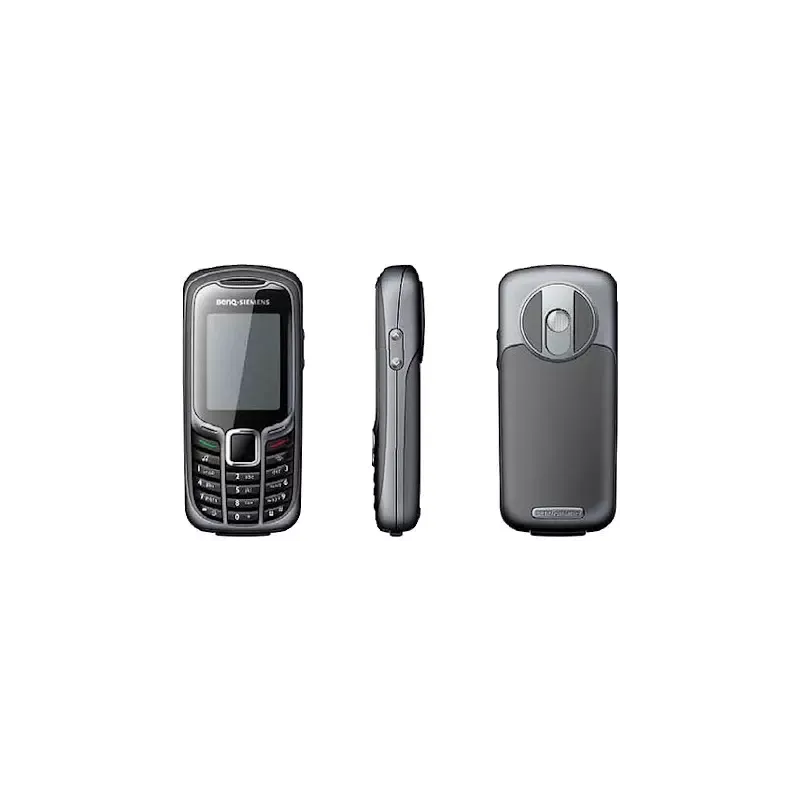
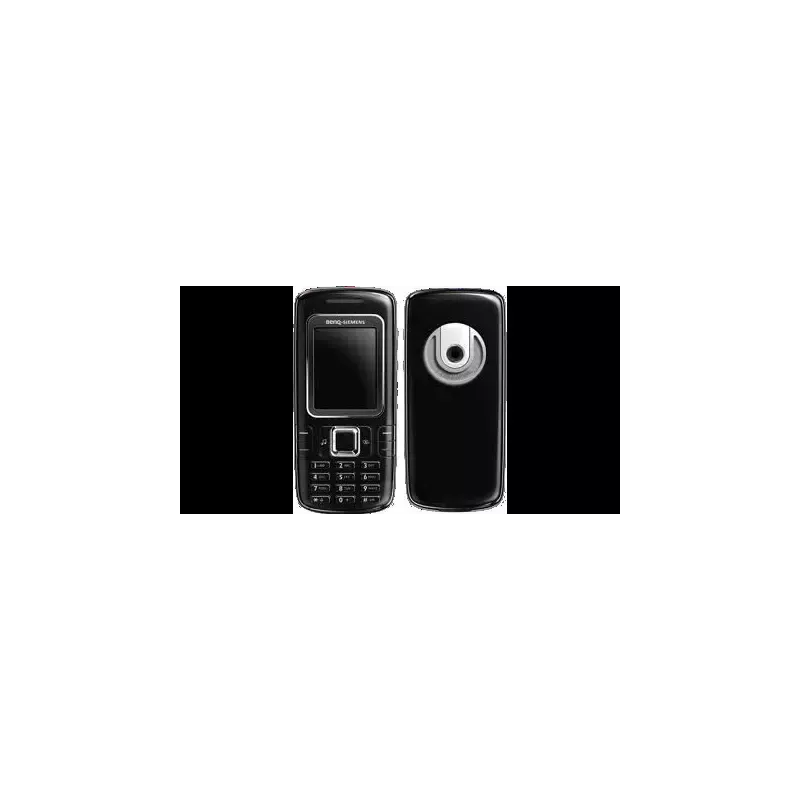
Thumbnail of product Lunar from brand Logicom
Logo of brand Logicom

Mobile phone Logicom Lunar

The Logicom Lunar is a mobile phone from the Logicom brand, known for its quality and innovation in the field of electronic devices. This model is designed to offer optimal performance and an enhanced user experience.

The Logicom Lunar stands out for its ease of use, making it accessible to a wide audience. It is ideal for those looking for a functional phone without superfluous features. Additionally, it comes with a user manual to facilitate handling.

In summary, the Logicom Lunar is a practical choice for users seeking a reliable and efficient mobile phone for their daily needs.

Manual of product Lunar

7 10

Editorial note

The Logicom Lunar stands out for its optimal performance and ergonomic design, providing a pleasant user experience on a daily basis. The build quality of Logicom enhances the durability of this model, and the value for money is interesting given the technological innovations it offers. Moreover, the included user manual greatly facilitates the handling, making the phone accessible even to novices. However, some drawbacks deserve to be highlighted. The battery life is limited, requiring frequent recharges, which can be burdensome for active users. The performance may also be insufficient for resource-intensive applications, and the quality of the camera will not satisfy users looking for high-quality shots. Furthermore, the user interface is considered not very intuitive, which can complicate navigation for some. Finally, the lack of regular updates to the operating system may limit access to new features and compromise long-term security. In summary, the Logicom Lunar is a relevant choice for those looking for a phone with good value for money and comfortable use, but it may disappoint demanding users in terms of performance and photography.

Score details

User experience

The user experience is mixed due to a non-intuitive interface, which can complicate navigation for some users.

Performance

Performance is generally good for everyday use, but may be insufficient for resource-intensive applications.

Battery life

Battery life is limited, requiring frequent recharges throughout the day.

Design

The ergonomic design of the Logicom Lunar offers a pleasant and intuitive grip, contributing to comfortable use.

Value for money

The value for money is interesting, especially considering the technological innovations and the build quality of the Logicom brand.

Support

The included user manual makes it easy to get started, but the lack of regular updates may limit long-term support.

Features

Although the model offers modern features, the quality of the camera may not meet the expectations of demanding users.


Advantages

High performance for smooth use

Modern and practical features

Easy handling with included manual

Guaranteed durability and reliability

Ergonomic design for optimal comfort

Disadvantages

Limited battery life.

Insufficient performance for gaming.

Disappointing photo quality.

Unintuitive user interface.

Lack of system updates.

Technical Specifications Lunar

General Information

Frequently Asked Questions

How do I remove the screen protector from the Logicom Lunar phone?
To remove the screen protector from your Logicom Lunar phone, follow these steps: 1. Consider the warning in the manual that advises against removing the screen protector, as it protects the screen from scratches and minor drops. Logicom cannot be held responsible for any damage resulting from this action. 2. Locate the screen protector on the screen, which is under an anti-static film with a tab for easy removal. 3. Gently peel off the anti-static film from one corner of the screen, holding the tab to avoid touching the screen directly. 4. Continue to slowly and carefully peel off the anti-static film, ensuring that you also remove the underlying screen protector. 5. Once both films are completely removed, dispose of them properly. Removing the screen protector is a personal choice, but it may expose the screen to scratches and damage. If you choose to remove it, do so carefully to avoid damaging the screen.
What should I do if I accidentally remove the screen protector from the Logicom Lunar?
If the screen protector of your Logicom Lunar is accidentally removed, here’s what you should do: 1. Refer to the warning in the manual, which advises against removing the screen protector due to its function of protecting against scratches and drops. Logicom will not be responsible for any potential injuries related to this action. 2. Consult specialized smartphone retailers to find out how to replace the screen protector. They have the skills and equipment necessary to perform the replacement. It is essential to note that the screen protector serves to protect the screen, and its removal may make it vulnerable. Therefore, it is advisable to seek professional help to ensure the protection of your screen.
How can I access the EU Declaration of Conformity for the Logicom Lunar?
To view the full text of the EU Declaration of Conformity for the Logicom Lunar, proceed as follows: 1. Visit the official Logicom website, the manufacturer of the phone. 2. Go to the support or downloads section of the site. 3. Look for a section dedicated to regulatory compliance or certifications. 4. In this section, find the EU Declaration of Conformity for the Logicom Lunar. 5. Click on the link or download button to obtain the full text. If you cannot find the Declaration on the site, contact Logicom's customer service for assistance. They can provide you with the necessary information or direct you to the appropriate resource.
How do I contact the authorized technical service for the Logicom Lunar?
To contact the authorized technical service for your Logicom Lunar, follow these steps: 1. If you are experiencing issues with your phone, start by visiting the support section of the Logicom website. 2. You will find a contact form and a FAQ that may help you resolve common issues. 3. If you do not find a solution through these means, do not hesitate to contact your retailer for further assistance. 4. It is important to note that only the authorized technical service is allowed to work on Logicom products, and the company does not provide spare parts. 5. If your situation requires the intervention of the authorized technical service, they will be able to provide the necessary support. Be sure to provide specific details about the problem you are experiencing to facilitate their understanding.
What should I do if my Logicom Lunar is malfunctioning?
If your Logicom Lunar is not functioning properly, try these troubleshooting steps: 1. Check the safety instructions and user guidelines in the manual to ensure you have followed all recommendations. 2. Clean your phone with a soft, dry, or slightly damp cloth. Avoid applying cleaning products directly to the screen and do not press hard on it. 3. Use only the spare parts and accessories recommended by the manufacturer. 4. In case of damage caused by liquids, shocks, or exposure to moisture, seek professional help for repairs. 5. Avoid exposing the phone to extreme temperatures, direct sunlight, or magnetic fields, as this could lead to data loss or damage. 6. Consider backing up your device's data to prevent any loss. 7. If the problem persists, contact the authorized technical service for further assistance. They can provide advice tailored to your situation. Remember to follow the instructions in the manual for safe use and troubleshooting.
Is the manual for the Logicom Lunar available in French?
Unfortunately, the manual for the Logicom Lunar is not available in French. It is only offered in English.

Similar products


Discover the technical sheet of L-Ement 450L from Logicom and its manuals...
Available manuals:
Discover the technical sheet of L-310 from Logicom and its manuals...
Available manuals:
Discover the technical sheet of L-Ement 400 from Logicom and its manuals...
Available manuals:
Discover the technical sheet of M81 from BenQ-Siemens and its manuals...
Available manuals:
Discover the technical sheet of S68 from BenQ-Siemens and its manuals...
Available manuals:
Discover the technical sheet of L-195 from Logicom and its manuals...
Available manuals:
Discover the technical sheet of C81 from BenQ-Siemens and its manuals...
Available manuals:
Discover the technical sheet of Le Solar from Logicom and its manuals...
Available manuals:
Discover the technical sheet of L-Xtrem 30 from Logicom and its manuals...
Available manuals:
Discover the technical sheet of EL71 from BenQ-Siemens and its manuals...
Available manuals:
Discover the technical sheet of E61 from BenQ-Siemens and its manuals...
Available manuals:
Discover the technical sheet of S81 from BenQ-Siemens and its manuals...
Available manuals:

Presentation of product Lunar specifications from brand Logicom

General Information

The Logicom Lunar is a smartphone from the brand Logicom, known for its commitment to quality and innovation in the mobile technology sector. This model stands out for its optimal performance, providing an enhanced user experience that meets the daily needs of its users.

Advantages

This mobile phone is designed to ensure high performance, allowing for smooth and enjoyable use, whether for browsing, communication, or everyday applications. Logicom also stands out for its technological innovation, integrating modern features that facilitate daily use. Additionally, the user manual provided allows for simplified handling, making the phone accessible even to novice users.

In terms of build quality, the Logicom Lunar is designed to ensure durability and reliability over time, reflecting the brand's commitment to its customers. Its ergonomic design promotes a comfortable grip, contributing to an intuitive user experience.

Disadvantages

Despite its many strengths, the Logicom Lunar has some limitations. The battery's autonomy can be limited, requiring frequent recharges throughout the day. Additionally, its performance may not be sufficient for demanding applications, such as gaming or intensive multitasking. The camera quality may also disappoint those looking for high-quality images.

Finally, the user interface may seem unintuitive to some, making navigation more complex. The lack of regular updates to the operating system limits access to new features and security improvements.