

Manual of product C3600N
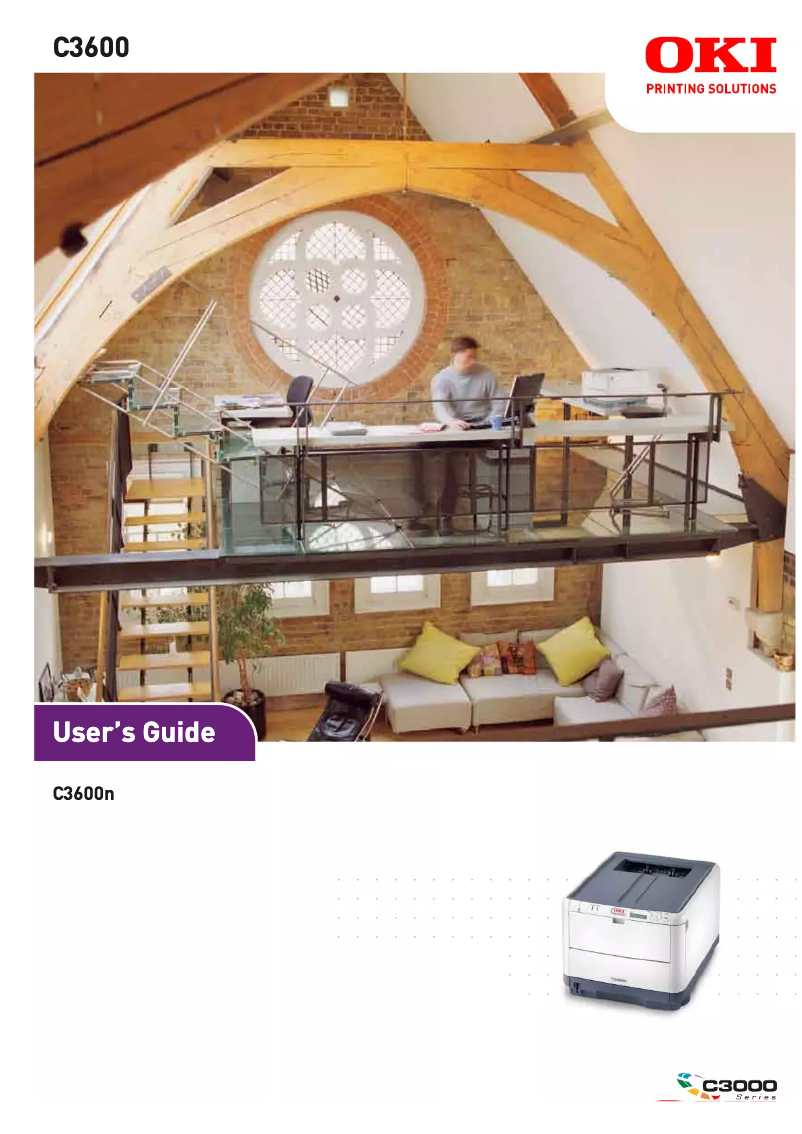
Editorial note
The OKI C3600N printer stands out for its impressive performance, particularly with a printing speed of 20 pages per minute in black and 16 pages in color, making it a wise choice for daily use. Its maximum resolution of 600 x 1200 DPI ensures high-quality prints, ideal for professional documents and presentations. Additionally, the duplex printing feature helps reduce paper waste, thereby optimizing resources. However, there are a few drawbacks to consider. Weighing 20.9 kg, the printer can be difficult to move and install in tight spaces. The input capacity of the multipurpose trays, limited to a single sheet, may also pose a problem for frequent printing of varied documents. Furthermore, the power consumption of 400 W during operation can lead to higher energy costs, especially during intensive use. It is also worth noting that the model does not support the latest versions of Windows, which may restrict its use. Overall, the OKI C3600N offers good value for money, particularly for demanding users with high printing needs. Features such as reliable network connectivity and web-based management facilitate the administration of printing tasks, adding significant value to this device. Despite some limitations, its strengths make it a relevant choice for high-volume work environments.Score details
User experience
The user experience is generally positive thanks to an intuitive interface and well-thought-out features, such as double-sided printing.
Performance
The print speeds of 20 ppm in black and 16 ppm in color ensure good performance, although the color speed may seem slow compared to other models.
Design
The weight of 20.9 kg can make moving and installing it difficult, particularly in tight spaces.
Value for money
Despite some drawbacks, the exceptional print quality and ability for heavy use make it a good value for demanding users.
Usability
The limited input capacity of 1 sheet for multi-purpose trays can be restrictive for frequent printing.
Features
Features like reliable network connectivity and web-based management are major assets for facilitating print job administration.
Advantages
Fast printing: 20 ppm black, 16 ppm color
Print quality: 600 x 1200 DPI
Double-sided printing to save paper
Reliable OkiLAN 10/100 network connectivity
Monthly capacity: up to 35,000 pages
Disadvantages
Heavy weight, difficult to move
Input capacity limited to 1 sheet
High power consumption, increased costs
Limited support for new Windows versions
Relatively slow color printing speed
Technical Specifications C3600N
General Information
-
ModelC3600N
-
Brand
-
Category
-
Type
-
SKU1369741
-
MPN1369741
Print speed
-
Double-sided printingYes
-
Maximum resolution600 x 1200 DPI
-
Print speed (black, normal quality, A4/US Letter)20 ppm
-
Print speed (color, normal quality, A4/US Letter)16 ppm
-
Copy time for the first page (color, normal)12 s
-
Copy time for the first page (Black, normal)10 s
-
Double-sided printingYes
Representation / realization
-
Processor modelPowerPC CPU
-
Processor frequency400 MHz
-
Internal memory128 MB
-
Maximum internal memory640 MB
-
Integrated into the processorYes
Input and output capacity
-
Total power capacity250 sheets
-
Input capacity of multi-purpose trays1 sheet
-
Multifunctional trayYes
Other features
-
Standard average formats4.1" x 5.8" - 8.5" x 48"
-
Network featuresOkiLAN 10/100 Base-T Ethernet
-
Compatible operating systemsWindows Vista, XP, 2003 Server, 2000; Mac OS X 10.2.8; UNIX; Linux
-
EmulationsPCL 5c, PostScript 3; SIDM (IBM ProPrinter, Epson FX)
-
Included fontsYes
-
Electricity consumption in operation400 W
Paper management
-
Weight/Grammage of the support, bin 164 - 120 gsm
Network
-
Embedded web serverYes
-
Support for network protocols (IPv4)TCP/IP
-
Embedded web serverYes
-
Embedded web serverYes
Weight and dimensions
-
Dimensions (LxWxH)372 x 478 x 289 mm
-
Weight20900 g
Features
-
Service cycle (Maximum)35000 pages per month
-
Printer fontsPCL, PostScript
-
PostScript® Fonts80
-
PostScript® Fonts80
Frequently Asked Questions
What is the weight of the OKI C3600N printer?
What is the recommended method for removing jammed paper from the printer?
Why is my printer not recognizing the original cartridges?
What could be the reasons for poor print quality?
What is the difference between a laser printer and an inkjet printer?
Why is my inkjet printer printing black streaks?
What does the acronym DPI mean?
Is the manual for the OKI C3600N printer available in French?
Similar products


More product categories from brand OKI
More product types from brand OKI


Presentation of product C3600N specifications from brand OKI
General Information
The model OKI C3600N is a printer from the brand OKI, known for its commitment to quality and innovation in the printing device sector. This model, identified by the reference C3600N | 62431004, ensures high performance and an optimized user experience. The EAN code, 0051851181578 and 0051851181608, allows for unique identification in the distribution system.
Print Speed
The OKI C3600N printer is capable of printing in color, which meets various aesthetic needs. With a maximum resolution of 600 x 1200 DPI, it produces high-quality prints, ideal for professional documents. Its print speed reaches 20 ppm in black and 16 ppm in color, which is suitable for daily use. The first page print time is 10 seconds for black prints and 12 seconds for color prints. Additionally, this printer offers a duplex printing feature, allowing for optimized paper usage.
Representation / Execution
Equipped with a PowerPC processor running at 400 MHz, the OKI C3600N guarantees fast execution of printing tasks. Its internal memory of 128 MB is expandable up to 640 MB, providing sufficient storage capacity for various data. This model also includes integrated components that ensure maximum efficiency.
Input and Output Capacity
The paper feed capacity of the OKI C3600N is 250 sheets, allowing for the management of a considerable volume of documents without the need for frequent reloading. However, the input capacity of the multipurpose trays is limited to 1 sheet, which can be restrictive for varied prints. A multifunction tray is also included for versatile use.
Other Features
The paper format supported by the OKI C3600N ranges from 4.1" x 5.8" to 8.5" x 48", suitable for various applications. Its connectivity is ensured by OkiLAN 10/100 Base-T Ethernet network features, guaranteeing a fast and reliable connection. Compatible with Windows XP, Windows Vista, and Windows 7 operating systems, it facilitates integration into different environments. It also supports multiple emulation modes, such as PCL 5c and PostScript 3, for extended compatibility.
Paper Management
This printer supports a paper weight ranging from 64 to 120 gsm, ensuring optimal print quality for different types of documents.
Network
The OKI C3600N is ready to use with an integrated network, facilitating immediate connectivity. It supports the TCP/IP protocol for efficient print management and offers a web-based management interface, allowing easy access and administration from any connected device. An integrated web server simplifies the management of online resources.
Weight and Dimensions
The dimensions of the OKI C3600N are 372 x 478 x 289 mm, allowing for optimal integration into your workspace. Its weight of 20.9 kg may, however, make it more difficult to move.
Features
The service cycle of the OKI C3600N is 35,000 pages per month, suitable for intensive printing needs. It includes PCL and PostScript printer fonts, ensuring high-quality printing and a wide range of styles. In total, it has 66 PCL® Fonts and 6 PostScript® Fonts, offering flexibility and diversity for all your printing projects.


