

Manual of product C5600n
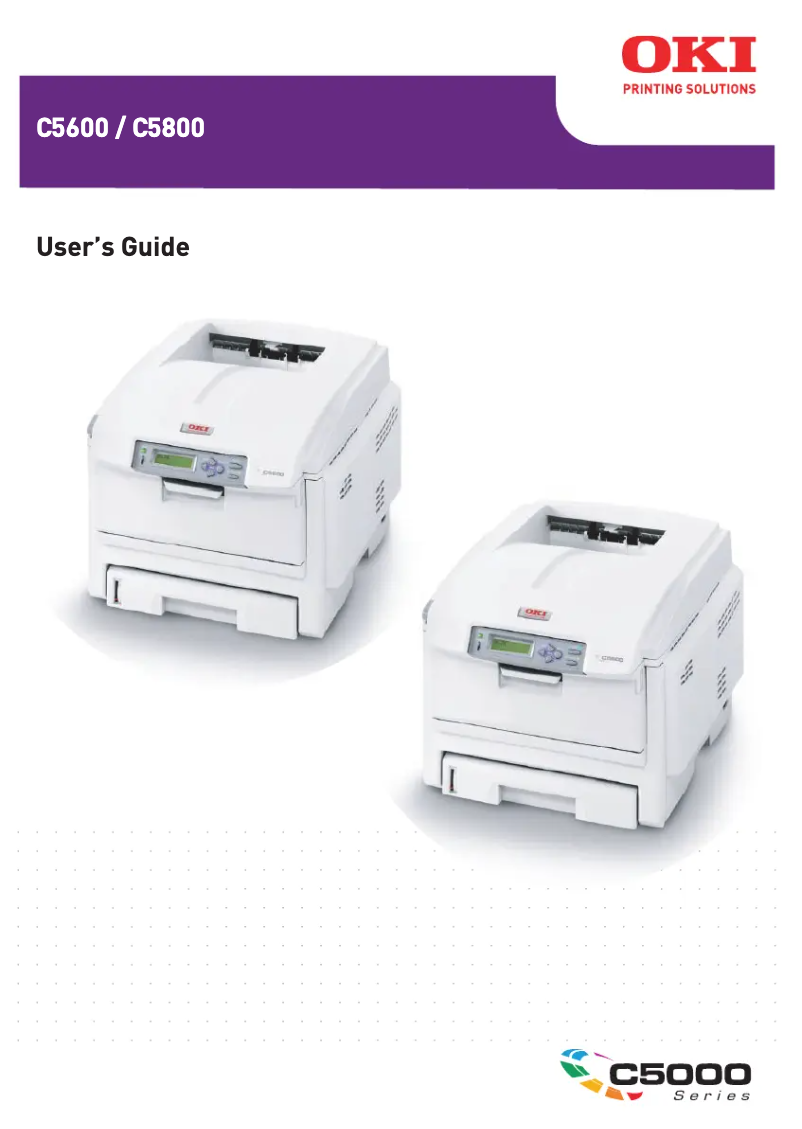
Editorial note
The OKI C5600n printer stands out for its impressive printing speed, reaching 32 pages per minute in black and 20 pages per minute in color. This performance makes it an ideal choice for users with high productivity needs. Additionally, its maximum resolution of 600 x 1200 DPI ensures professional-quality prints suitable for various types of documents. However, the model has some notable drawbacks. Its incompatibility with Mac systems may disappoint some users, thus limiting its accessibility. Furthermore, its weight of 26 kg makes moving and installing it inconvenient, especially in tight workspaces. Moreover, while the printing speed is satisfactory, the quality of color prints may not meet the demands of graphic documents. In terms of value for money, the OKI C5600n is considered good, but its power consumption in printing mode, reaching 490 W, could lead to higher long-term operating costs. The provided documentation is adequate, but the lack of updates for Mac users may limit the available support. In summary, the OKI C5600n is a high-performing and robust printer, ideal for office environments requiring efficient paper management and fast printing. However, its limitations in terms of compatibility and weight should be considered when making a purchase.Score details
User experience
The user experience is satisfactory due to well-thought-out features, but the incompatibility with Mac systems may frustrate some users.
Performance
The printing speed is high at 32 ppm in black and 20 ppm in color, although the quality of color prints may not meet expectations for graphic documents.
Design
The weight of 26 kg can complicate moving and installation, especially in tight workspaces.
Value for money
The value for money is good, considering the performance and print quality, but the high power consumption could increase operating costs.
Features
The laser printing technology and paper handling capacity are major assets, allowing for a large volume of documents to be processed without interruption.
Support
The available documentation is adequate, but the lack of compatibility with Mac systems may limit support for some users.
repairability
Repairing the product can be complicated due to its weight and integrated technology, but repair services are available.
Robustness
The build quality is solid, but the weight can be an issue during frequent moves.
Documentation
The user manual is comprehensive but could benefit from updates to reflect the latest features.
Advantages
32 ppm black, 20 ppm color
Resolution 600 x 1200 DPI
Capacity of 300 sheets
Precise and durable laser printing
Built-in Ethernet connectivity
Disadvantages
Not compatible with Mac systems
Weight of 26 kg, difficult to move
Insufficient color print quality
Limited internal memory of 64 MB
High power consumption during printing
Technical Specifications C5600n
General Information
-
ModelC5600N
-
Brand
-
Category
-
Type
-
SKU1514679
-
MPN1514679
Print speed
-
ColorYes
-
Print speed (black, normal quality, A4/US Letter)32 ppm
-
Maximum resolution600 x 1200 DPI
-
Print speed (color, normal quality, A4/US Letter)20 ppm
-
Copy time for the first page (color, normal)11 s
-
Copy time for the first page (Black, normal)8 s
-
Printing technologyLaser
Representation / realization
-
Internal memory64 MB
-
Processor frequency200 MHz
-
Sound power level (standby)37 dB
-
Sound pressure level (impression)55.6 dB
-
Maximum internal memory320 MB
Paper management
-
Maximum print format210 x 297 mm
-
Support formats, tray 1A4, A5, B5, A6
-
Weight/Grammage of the support, bin 180 g/m2
-
ISO, Format Series A (A0...A9)A4, A5, A6
-
ISO, Formats Series-B (B0...B9)B5
-
Envelope sizes9, 10, C5, DL
-
Type of paper tray supportEnvelopes, Labels, Plain paper, Transparencies
-
Maximum ISO A series paper sizeA4
Features
-
Number of print cartridges4
-
Service cycle (Maximum)60000 pages per month
Input and output capacity
-
Total power capacity300 sheets
-
Paper tray 2 feed capacity100 sheets
-
Total output capacity250 sheets
Other features
-
Standby LEDYes
-
Compatible operating systemsWindows 98/Me/NT/2000/XP/XP x64/2003
-
Network featuresMac OS 9.0 +
-
Memory increaseMac OS X PowerPC 10.2 +
-
Power requirementsMac OS X Intel 10.4.4 +
-
Standby LEDEthernet 10/100Base-TX
-
Yes Go
-
220–240V; 50Hz
-
Yes
Weight and dimensions
-
Dimensions (LxWxH)339.5 x 400 x 528 mm
-
Weight26000 g
Power
-
Average power consumption in Print mode490 W
Environmental conditions
-
Operating relative humidity (H-H)20 - 80 %
-
Operating temperature10 - 32 °C
Network
-
Ready-to-use networkYes
Frequently Asked Questions
What is the weight of the OKI C5600n printer?
What is the recommended procedure for removing a paper jam from the printer?
Why is my printer refusing to accept original cartridges?
What are the possible reasons for poor print quality?
What are the differences between a laser printer and an inkjet printer?
Why is my inkjet printer leaving black streaks on prints?
What does the acronym DPI mean?
How many cartridges can be installed in the OKI C5600n?
Is the manual for the OKI C5600n available in French?
Similar products


More product categories from brand OKI
More product types from brand OKI


Presentation of product C5600n specifications from brand OKI
General Information
The OKI C5600n printer, manufactured by the brand known for its innovation and quality, offers reliable performance to meet varied printing needs. This model, identified by the code C5600n | 01181301, is designed to provide an optimized user experience. Its EAN code, 5031713030836, allows for precise identification in distribution systems.
Print Speed
The OKI C5600n offers color printing at a speed of 20 pages per minute (ppm) and in black, it reaches 32 ppm, making this printer ideal for fast and efficient printing tasks. Its maximum resolution of 600 x 1200 DPI ensures prints of exceptional clarity, suitable for both professional documents and personal materials. Print delays are also competitive, with only 8 seconds for the first page in black and 11 seconds in color, allowing for appreciable responsiveness in dynamic work environments. This printer uses laser printing technology, ensuring precise and high-quality results.
Representation / Performance
Equipped with 64 MB of internal memory, the OKI C5600n allows for the storage of a significant volume of data for smooth usage. Its processor, operating at 200 MHz, ensures rapid task execution. In terms of noise, the printer reaches a sound level of 37 dB in standby and 55.6 dB during printing, ensuring discreet use even in noise-sensitive environments. Additionally, the internal memory can be expanded up to 320 MB, providing extra capacity for more complex tasks.
Paper Management
The OKI C5600n is capable of handling various paper formats, with a maximum print size of 210 x 297 mm. It supports A4, A5, B5, and A6 formats and can print on media of 80 g/m². The total feed capacity is 300 sheets, spread across several trays, including a secondary tray of 100 sheets, ensuring efficient print management. Compatible envelope sizes include 9, 10, C5, and DL, while the tray supports various types of media such as envelopes, labels, plain paper, and transparencies.
Features
The OKI C5600n uses four print cartridges to ensure optimal quality. Its monthly duty cycle can reach up to 60,000 pages, making it suitable for high-volume work environments.
Input and Output Capacity
This printer has a total feed capacity of 300 sheets and an output capacity of 250 sheets, allowing it to handle a large volume of documents without interruption. The secondary paper tray can hold up to 100 sheets, providing great autonomy for multiple prints.
Other Features
The OKI C5600n is not compatible with Mac systems, which may limit its use for some users. However, it is compatible with Windows XP, Vista, and 7 operating systems, ensuring smooth integration in these environments. Its Ethernet 10/100Base-TX network connectivity facilitates shared access to prints. Additionally, the printer offers a memory expansion option, which enhances performance when using multiple applications simultaneously. The power requirements are 220–240V and 50Hz, ensuring efficient operation. Finally, a standby LED indicator is present to reduce energy consumption.
Weight and Dimensions
The dimensions of the OKI C5600n are 339.5 x 400 x 528 mm, allowing for adequate adjustment in various office spaces. Weighing 26 kg, its movement may require special attention in confined environments.
Power
In print mode, the average power consumption of the OKI C5600n is 490 W, which can influence long-term energy costs.
Environmental Conditions
This model operates optimally in a relative humidity ranging from 20 to 80 % and in a temperature range of 10 to 32 °C, making it adaptable to various environmental conditions.
Network
The OKI C5600n is equipped with a ready-to-use network feature, allowing for quick and hassle-free connectivity right from the start.


