

Manual of product C8800N
Editorial note
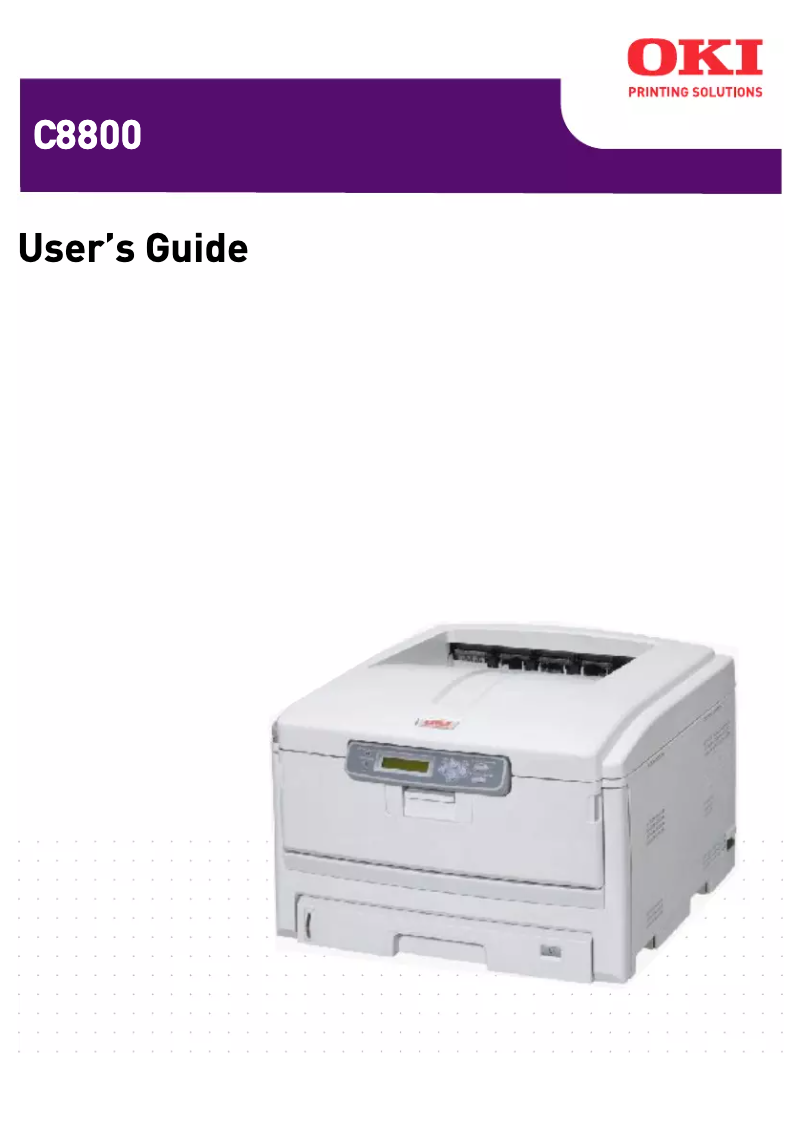
The OKI C8800N printer stands out for its impressive printing performance, reaching up to 32 pages per minute in black and 26 pages per minute in color. This speed makes it a preferred choice for demanding work environments where productivity is paramount. With a maximum resolution of 600 x 1200 DPI, prints are exceptionally clear, meeting various needs, whether professional or personal. Additionally, the built-in duplex printing feature optimizes paper usage, which is an asset for resource management. However, several drawbacks must be considered. The incompatibility with Mac systems may restrict its use for some users, which is a notable limitation. Furthermore, its weight of 40 kg can pose challenges during installation and handling, especially in tight spaces. The high power consumption of 1300 W during operation is also a consideration, particularly for intensive use, as is the 90-second warm-up time, which can be frustrating for those seeking immediate printing. In terms of user experience, most features are well thought out, although the score of 75 highlights that limited compatibility may hinder accessibility for some. The provided documentation, with a 179-page manual, is a strong point, facilitating product familiarization. Overall, the OKI C8800N offers good value for money, particularly due to its input capacity of 930 sheets, allowing for the management of a large volume of documents without interruption.Score details
User experience
The user experience is generally positive with a built-in duplex printing feature, but the incompatibility with Mac systems may be a drawback for some users.
Performance
The printing performance is excellent, with speeds of up to 32 pages per minute in black and 26 pages per minute in color, which is ideal for demanding work environments.
Design
The weight of 40 kg can make handling and installation difficult, especially in tight spaces, which affects the perception of design and ergonomics.
Value for money
Despite a high power consumption of 1300 W, the performance features and input capacity of 930 sheets offer good value for money.
Usability
The warm-up time of 90 seconds can be a disadvantage for users seeking immediate printing, but the ability to handle a large volume of documents compensates for this.
Support
Support is limited to Windows systems, which can be problematic for Mac users.
Documentation
The 179-page user manual provides detailed information, making it easier to get started with the product.
Advantages
Fast printing: up to 32 pages/min.
Laser quality: 600 x 1200 DPI.
Built-in duplex printing.
Input capacity: 930 sheets.
Quiet operation at 54 dB.
Disadvantages
Not compatible with Mac systems
Weight of 40 kg, difficult to handle
High power consumption during operation
Preheating time of 90 seconds
High noise level of 54 dB
Technical Specifications C8800N
General Information
-
ModelC8800N
-
Brand
-
Category
-
Type
-
SKU1369383
-
MPN1369383
Print speed
-
Double-sided printingYes
-
Maximum resolution600 x 1200 DPI
-
Print speed (black, normal quality, A4/US Letter)32 ppm
-
Preheating time90 s
-
Print speed (color, normal quality, A4/US Letter)26 ppm
-
Copy time for the first page (color, normal)10 s
-
Copy time for the first page (Black, normal)9.5 s
-
Printing technologyLaser
-
Double-sided printingYes
Representation / realization
-
Processor modelPowerPC750
-
Processor frequency500 MHz
-
Internal memory256 MB
-
Sound pressure level (impression)54 dB
-
Integrated into the processorYes
Input and output capacity
-
Maximum input capacity930 sheets
-
Total power capacity400 sheets
-
Paper tray 2 feed capacity530 sheets
-
Total output capacity350 sheets
Other features
-
Standard average formatsA6
-
Mac CompatibilityA5
-
Compatible operating systemsA4
-
Support weight, bin 2A3
-
Support weight, bin 3A3
-
Type of power supplyYes
-
Electricity consumption in operationWindows 2000/XP/XP x64/Server 2003/Server 2003 x64/Vista (32-bit)/Vista (64-bit)
-
SecurityMac OS X PowerPC 10.2/Mac OS X Intel 10.4.4
-
Recommended humidity level for use64–176gsm
-
Recommended operating temperature64–200gsm
-
220-240 VAC
-
1300 W
-
IPV6, 802.1x, SNMP V3, SSL3/TLS HTTPS
-
50 - 70 %
-
17 - 27 °C
Paper management
-
Support formats, tray 1A3
-
Weight/Grammage of the support, bin 1A4
-
Support weight supported in duplex modeA5
-
B4
-
B5
-
A6
-
64–120gsm
-
64 - 105 g/m²
Network
-
Ready-to-use networkYes
Minimum system requirements
-
Minimum RAM256 MB
Weight and dimensions
-
Dimensions (LxWxH)485 x 593 x 341 mm
-
Weight40000 g
Features
-
Service cycle (Maximum)75000 pages per month
-
Languages of the page descriptionPCL 5c, PCL 6
Power
-
Energy consumption (eco mode)17 W
-
Energy consumption (standby mode)200 W
-
Average power consumption in Print mode550 W
Environmental conditions
-
Operating relative humidity (H-H)20 - 80 %
-
Operating temperature10 - 32 °C
Frequently Asked Questions
What is the weight of the OKI C8800N printer?
What is the recommended method for removing jammed paper from the printer?
Why does my printer not recognize original cartridges?
What could be the reasons for poor print quality?
What is the difference between a laser printer and an inkjet printer?
Why is my inkjet printer producing black streaks?
What does the acronym DPI mean?
Is the manual for the OKI C8800N available in French?
Similar products


More product categories from brand OKI
More product types from brand OKI


Presentation of product C8800N specifications from brand OKI
General Information
The model OKI C8800N, manufactured by the brand known for its innovation and quality, OKI, offers optimal performance in the field of printing. This model is identified by the EAN code 0051851180601, 0051851180632, 0051851181561, allowing for unique identification in the distribution system.
Print Speed
The OKI C8800N offers color printing, thus meeting the aesthetic needs of users. With a maximum resolution of 600 x 1200 DPI, it ensures exceptional print clarity, suitable for both professional and personal documents. Its print speed reaches 32 pages per minute in black and 26 pages per minute in color, making it ideal for daily use. Additionally, the warm-up time is 90 seconds, allowing for efficiency during use. The first page print times are 9.5 seconds for black prints and 10 seconds for color prints. The printer is equipped with laser printing technology and offers duplex printing functionality, optimizing paper usage.
Representation / Performance
The OKI C8800N is equipped with a PowerPC750 processor running at a frequency of 500 MHz, ensuring smooth task execution. With an internal memory of 256 Mo, it allows for the storage of numerous data and applications. Its operation creates a noise level of 54 dB, making it relatively quiet in noise-sensitive work environments. The processor integrates essential components for increased efficiency.
Input and Output Capacity
This printer has a maximum input capacity of 930 sheets, facilitating the management of large volumes of documents. The total feed capacity is 400 sheets, while paper tray 2 can hold up to 530 sheets. For outputs, the capacity is 350 sheets, ensuring optimal performance during printing.
Other Features
The OKI C8800N supports several standard formats, such as A3, A4, A5, B4, B5, and A6, thus adapting to various printing needs. However, it is important to note that it is not compatible with Mac systems. On the other hand, it operates optimally with Windows XP, Vista, and 7 operating systems. The supported weights range from 64–176 gsm for tray 2 and 64–200 gsm for tray 3, ensuring adequate print quality. The power supply type is 220-240 VAC, with a power consumption of 1300 W during operation. This model incorporates security protocols such as IPV6, 802.1x, SNMP V3, SSL3/TLS HTTPS, to ensure effective protection.
Paper Management
The media specifications include various formats such as A3, A4, A5, B4, B5, and A6, with a weight of 64–120 gsm, ensuring compatibility with different applications. For duplex printing, the supported weight is 64 - 105 g/m², allowing for quality prints on various types of paper.
Network
The OKI C8800N is designed to offer ready-to-use network connectivity, facilitating internet access from the moment it is set up.
Minimum System Requirements
To operate optimally, the OKI C8800N requires a minimum RAM of 256 Mo.
Weight and Dimensions
The dimensions of the printer are 485 x 593 x 341 mm, ensuring a proper fit in various workspaces. Its weight is 40 kg, which may complicate handling and installation in confined environments.
Features
The maximum monthly duty cycle is 75000 pages, meeting the demands of heavy users. The model supports page description languages PCL 5c and PCL 6, allowing for customization based on language preferences.
Power
In economy mode, the power consumption is 17 W, contributing to energy savings. In standby mode, it is 200 W, while the average consumption in print mode is 550 W, an important figure for assessing the device's energy efficiency.
Environmental Conditions
For optimal operation, the relative humidity should be between 20 - 80 %, and the operating temperature should be between 10 - 32 °C.


