

Manual of product ES8140
Editorial note
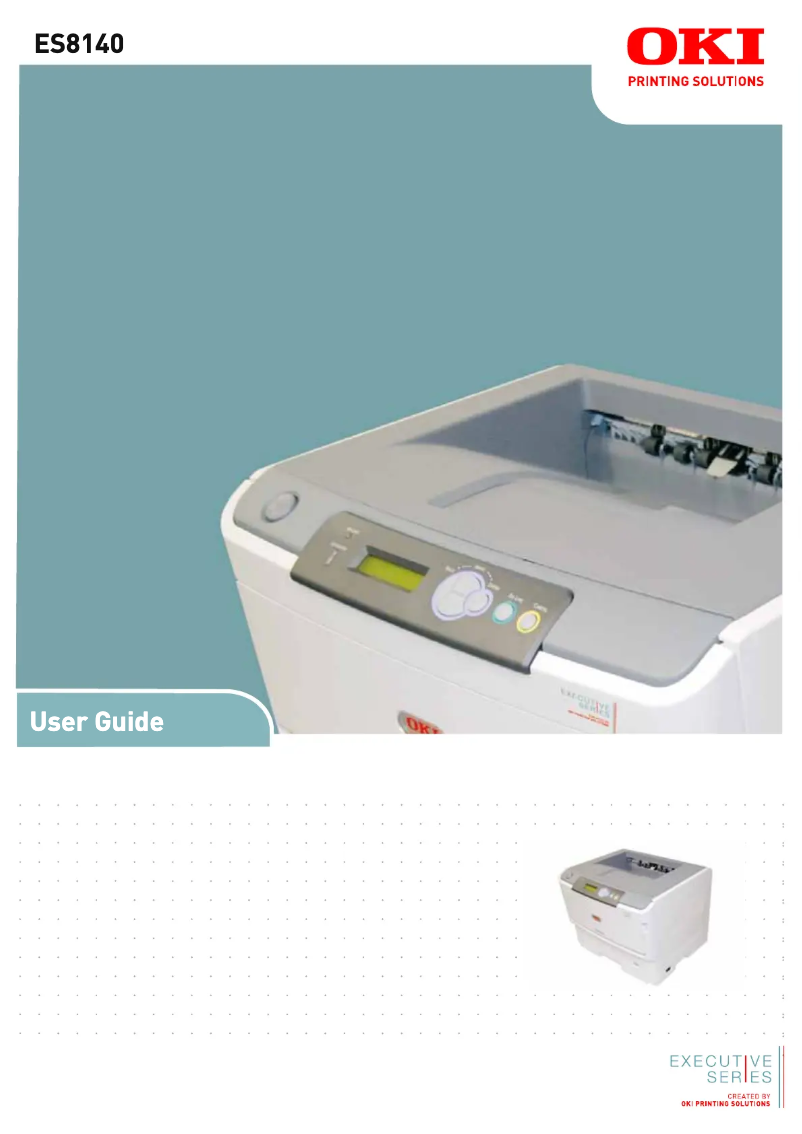
The OKI ES8140 printer stands out for its impressive performance, offering a printing speed of up to 40 pages per minute in black and 22 pages in color. This speed makes it an ideal choice for demanding work environments. Additionally, its LED printing technology ensures exceptional print quality with a maximum resolution of 1200 x 1200 DPI, allowing for precise details and vibrant colors. The OKI ES8140 is also equipped with a built-in duplex printing feature, which helps optimize resource use and reduce paper waste. With an impressive paper capacity of 1690 sheets, this printer can handle a large volume of documents without interruption. Its compatibility with various operating systems, such as Windows, Mac, and Linux, offers appreciated flexibility of use. However, some drawbacks are worth noting. The lack of Wi-Fi connectivity limits usage flexibility, requiring an Ethernet connection for remote printing. Furthermore, although its printing speed is high, the 19-second warm-up time can be a disadvantage for those needing immediate prints. Its weight of 28 kg may also pose mobility issues, making installation difficult in tight spaces. Finally, while its design is functional, the absence of a touchscreen reduces the intuitiveness of interaction with the device. Regarding noise, the sound level of 54 dB during printing could be considered too high for noise-sensitive environments, such as shared offices. In summary, the OKI ES8140 is a high-performing and reliable printer, offering good value for money, but its limitations in connectivity and mobility should be taken into account when assessing its suitability for your needs.Score details
User experience
The user experience is generally good thanks to practical features like duplex printing, but the lack of a touchscreen can make interaction less intuitive.
Performance
The printing speed is impressive at 40 ppm in black and 22 ppm in color, ideal for demanding work environments.
Design
The design is functional, but the weight of 28 kg can pose mobility issues in tight spaces.
Value for money
With a paper capacity of 1690 sheets and LED print quality, the value for money is generally satisfactory.
Usability
Limited connectivity, without Wi-Fi, reduces usage flexibility, and the warm-up time of 19 seconds can be a drawback.
Support
Compatible with various operating systems, providing good usage flexibility for different users.
Documentation
The user manual is comprehensive with 83 pages, offering detailed information for optimal use.
Advantages
Fast printing: up to 40 pages/minute
LED print quality, 1200 x 1200 DPI
Built-in duplex printing
Paper capacity of 1690 sheets
Compatible with Windows, Mac, and Linux
Disadvantages
No Wi-Fi connectivity.
Preheating time of 19 seconds.
Heavy weight of 28 kg.
No touchscreen.
Noise level of 54 dB.
Technical Specifications ES8140
General Information
-
ModelES8140
-
Brand
-
Category
-
Type
-
SKU87300
-
MPN87300
Print speed
-
ColorNo
-
Color resolution1200 x 1200 DPI
-
Double-sided printingYes
-
Printing technologyLED
-
Print speed (black, normal quality, A4/US Letter)40 ppm
-
Print speed (color, normal quality, A3)22 ppm
-
Copy time for the first page (Black, normal)5 s
-
Preheating time19 s
-
Color resolution1200 x 1200 DPI
Input and output capacity
-
Paper tray 2 feed capacity530 sheets
-
Input capacity of multi-purpose trays100 sheets
-
Paper tray 2 feed capacity530 sheets
-
Maximum input capacity1690 sheets
-
Total output capacity250 sheets
-
Multifunctional trayYes
Features
-
Number of print cartridges-
-
Service cycle (Maximum)1690 pages per month
Paper management
-
Type of paper tray support-
-
Maximum ISO A series paper sizeA3
-
ISO, Format Series A (A0...A9)A3, A5, A4
-
ISO, Formats Series-B (B0...B9)B4, B5
-
Weight of the multifunctional tray support60 - 200 g/m²
-
Weight of the multifunctional tray support60 - 200 g/m²
-
Support weight supported in duplex mode60 - 105 g/m²
Network
-
Support for network protocols (IPv4)TCP/IP: ARP
-
Support for network protocols (IPv6)CMP, TCP, UDP, LPR, PORT9100, FTP, HTTP, HTTPS, IPP, SNMP v1/v3, TELNET, BOOTP, DHCP, DNS, DDNS, UPnP, Bonjour, WINS, SMTP, POP3, SNTP, WSDPrint, LLTD; NetWare 4.1J/5J/6J with full NDS support:- PServer, RPrinter; EtherTalk: ELAP, AARP, DDP, AEP, NBP, ZIP, RTMP, ATP, PAP; IEEE802.1x; NetBEUI: SMB, NetBIOS; Other: EAP-TLS, PEAP, IPSec
-
Ethernet/LANYes
-
Ready-to-use networkNo
-
Ready-to-use networkNo
-
Mobile printing technologiesNot supported
Weight and dimensions
-
Height373 mm
-
Depth521 mm
-
Width485 mm
-
Weight28000 g
Representation / realization
-
Sound pressure level (duplex printing)54 dB
-
Sound level, on hold37 dB
-
Sound pressure level (duplex printing)54 dB
-
Internal memory128 MB
-
Maximum internal memory640 MB
-
Flash memory16000 MB
-
Sound level, on hold37 dB
Power
-
AC input voltage220 - 240 V
-
AC input frequency50 - 60 Hz
-
Consumption (max)1200 W
-
Energy consumption (eco mode)15 W
-
Energy consumption (standby mode)75 W
Design
-
Built-in screenYes
-
Touch screenNo
-
Product colorGrey, White
Minimum system requirements
-
Support for the Windows operating systemWindows 8
-
Support for the Mac operating systemWindows XP Home
-
Support for the Linux operating systemWindows 8 x64
-
Support for other operating systemsWindows XP Home x64
-
Minimum RAMWindows 8.1
-
Windows 7 Ultimate
-
Windows Vista Home Basic
-
Windows 3.x
-
Windows 7 Ultimate x64
-
Windows 8.1 x64
-
Windows Vista Home Basic x64
-
Mac OS X 10.7 Lion
-
Mac OS X 10.8 Mountain Lion
-
Mac OS X 10.9 Mavericks
-
Mac OS X 10.10 Yosemite
-
Mac OS X 10.6 Snow Leopard
-
SuSE Linux 11
-
Fedora 18
-
RedHat EL Linux 5.0
-
RedHat EL Linux 6.0
-
Ubuntu 11.04
-
Ubuntu 11.10
-
SuSE Linux 10
-
Ubuntu 12.04
-
RedHat EL Linux 4.0 U5
-
Ubuntu 12.10
-
IBM AS/400
-
Novell NetWare 6.x
-
Novell NetWare 5.x
-
128 Mo
Environmental conditions
-
Operating temperature10 - 32 °C
-
Operating relative humidity (H-H)20 - 80 %
-
Temperature out of operation-10 - 43 °C
-
Relative humidity rate (storage)10 - 90 %
Connectivity
-
Standard interfacesEthernet
-
USB 2.0
Frequently Asked Questions
What is the weight of the OKI ES8140 printer?
What is the recommended method for removing a paper jam from the printer?
Why is my printer not recognizing the original cartridges?
Why is the quality of my prints poor?
What is the difference between a laser printer and an inkjet printer?
Why does my inkjet printer leave black streaks on prints?
What does the acronym DPI mean?
How many cartridges can be installed in the OKI ES8140?
What is the height of the OKI ES8140?
What is the width of the OKI ES8140?
What is the depth of the OKI ES8140?
Is the manual for the OKI ES8140 available in French?
Similar products


More product categories from brand OKI
More product types from brand OKI


Presentation of product ES8140 specifications from brand OKI
General Information
The OKI ES8140 model, offered by the renowned brand OKI, is designed to provide superior print quality and reliable performance. This model, identified by the code ES8140 | 01308101, is ideal for demanding work environments. Its EAN code, 5031713050599, allows for unique identification in the distribution system.
Print Speed
Although the OKI ES8140 is a monochrome printer, its maximum resolution of 1200 x 1200 DPI ensures prints of remarkable clarity, suitable for both professional needs and personal use. The printer features a built-in duplex printing function, helping to reduce paper waste while optimizing resource use. Its print speed reaches 40 pages per minute in black and 22 pages per minute in color, making the printing process fast and efficient. Additionally, the first page print time is only 5 seconds, and the warm-up time is 19 seconds, ensuring responsive performance.
Input and Output Capacity
The OKI ES8140 stands out with its impressive feeding capacity, able to handle up to 1690 sheets in input, which is ideal for high print volumes. The main tray has a feeding capacity of 530 sheets, while the multifunction tray can hold 100 sheets, providing flexibility for various document types. The output capacity is 250 sheets, ensuring efficient print management.
Features
This model is designed to support a maximum service cycle of 1690 pages per month, thus meeting the demands of intensive users. It operates with a single cartridge that ensures quality printing without additional complexity.
Paper Management
The paper sizes supported by the OKI ES8140 include A3, A4, and A5 formats, ensuring compatibility with standard sizes. The accepted paper weight ranges from 60 to 200 g/m², allowing for a wide variety of printing media. In duplex mode, the supported weight is 60 to 105 g/m², ensuring optimal print quality.
Network
For connectivity, the OKI ES8140 supports various network protocols, including IPv4 and IPv6, facilitating its integration into modern environments. Although it has an Ethernet connection, it does not support Wi-Fi, thus limiting wireless use. Furthermore, it is compatible with several operating systems, including Windows, Mac, and Linux, offering usage flexibility.
Weight and Dimensions
The dimensions of the OKI ES8140 are 373 mm in height, 521 mm in depth, and 485 mm in width, allowing it to fit easily into different workspaces. Its weight of 28 kg makes it less mobile but ensures stability during use.
Representation / Performance
The noise level during printing is 54 dB, which can be considered high in noise-sensitive environments. In silent mode, it reaches 37 dB. The printer has an internal memory of 128 MB, expandable up to 640 MB, as well as a flash memory of 16 GB, allowing for the storage of a large amount of data.
Power
The OKI ES8140 model operates with an input voltage of 220 - 240 V and a frequency of 50 - 60 Hz. Its maximum consumption is 1200 W, while in energy-saving mode, it drops to 15 W, thus contributing to better energy efficiency.
Design
Although the OKI ES8140 is equipped with a built-in screen for practical use, it does not have a touchscreen, which could limit the intuitiveness of its interface. Its sleek design in gray and white gives it a modern look.
Minimum System Requirements
This model is compatible with several operating systems, including various versions of Windows, Mac OS X, and Linux, ensuring smooth operation. The minimum required RAM is 128 MB, essential for optimal functioning.
Environmental Conditions
For optimal operation, the OKI ES8140 requires an operating temperature between 10 and 32 °C and a relative humidity of 20 to 80 %. Outside of these conditions, it can withstand temperatures ranging from -10 to 43 °C without suffering damage.
Connectivity
Finally, the OKI ES8140 is equipped with standard interfaces, ensuring reliable connectivity and easy integration with various devices and systems.


