

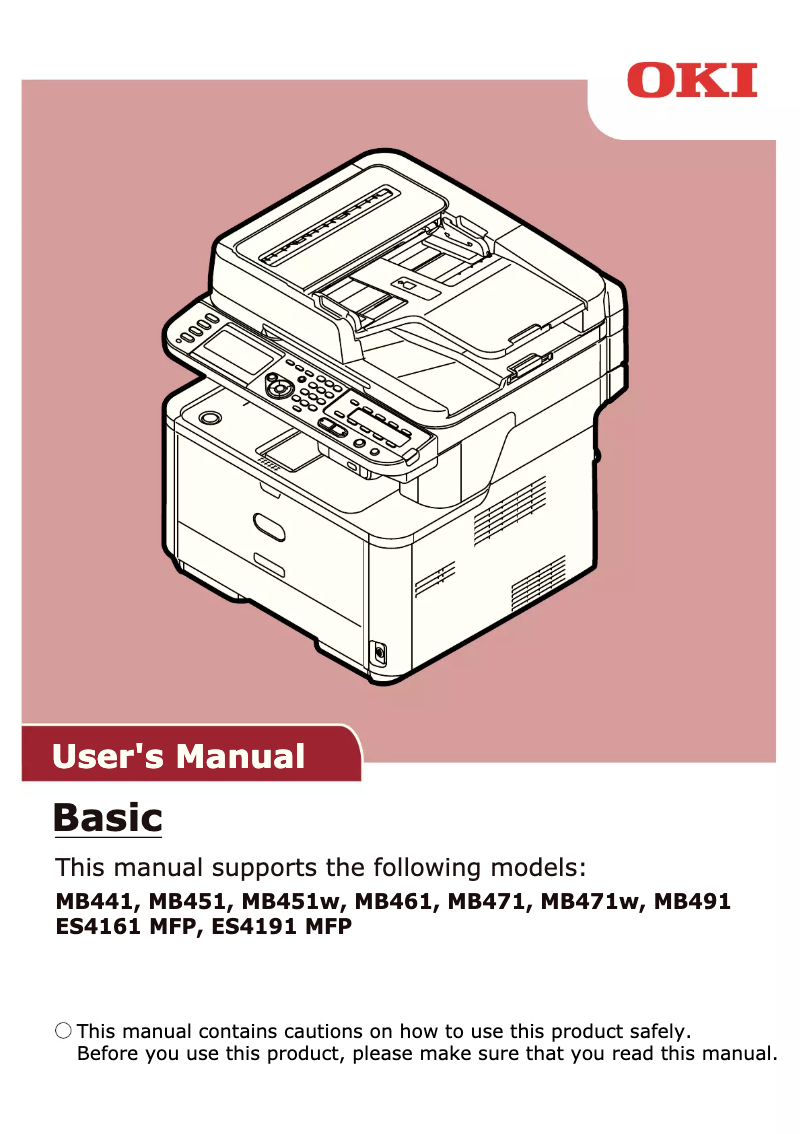
Manual of product MB451W
Editorial note
The OKI MB451W printer stands out for its ability to deliver high-quality prints, perfectly suited to professional needs. Its versatility allows for handling various types of print media, whether black and white or color documents. Additionally, wireless connectivity provides great flexibility of use, making printing from different devices simple and quick. Energy efficiency is also a major asset, helping to reduce operating costs and environmental impact. However, some aspects deserve to be noted. The cost of consumables, particularly toner cartridges, can be high, thus increasing long-term expenses. Moreover, while convenient, wireless connectivity can sometimes be unstable, which may complicate printing from remote devices. The warm-up time before printing is relatively long, which can disrupt workflow in a professional environment. The user interface, which lacks intuitiveness for some, may also require an adjustment period. Finally, it is worth mentioning that the printer can be noisy during operation, which can be disruptive in offices where silence is required. Despite these drawbacks, the OKI MB451W remains a solid choice for those seeking a high-performing and energy-efficient printer.Score details
User experience
The user experience is generally satisfactory, although the interface may lack intuitiveness, making navigation in the settings a bit complex.
Performance
The printing performance is of high quality, ideal for professional documents, but the warm-up time can slow down the workflow.
connectivity
Wireless connectivity offers great flexibility, but it can sometimes be unstable, complicating printing from remote devices.
Value for money
The cost of consumables is relatively high, which can increase long-term operating costs, thus reducing value for money.
Usability
Ease of use is enhanced by a clear and detailed manual, but some users may require an adjustment period.
noise_level
The printer can be noisy during operation, which can be disruptive in a quiet work environment.
energy_efficiency
Energy efficiency is a strong point, helping to reduce operating costs and environmental impact.
Advantages
Clear and precise prints
Management of various print media
Wireless printing from all devices
Clear and accessible user manual
Reduced energy consumption
Disadvantages
High cost of consumables
Unstable wireless connectivity
Long warm-up time
Non-intuitive user interface
Noisy in operation
Technical Specifications MB451W
General Information
-
ModelMB451W
-
Brand
-
Category
-
Type
-
SKU1368244
-
MPN1368244
Frequently Asked Questions
What is the best method to remove paper jammed in the printer?
Why is my printer not recognizing the original cartridges?
What are the reasons that can explain poor print quality?
What is the difference between a laser printer and an inkjet printer?
Why is my inkjet printer leaving black streaks on prints?
What does the acronym DPI mean?
Is the manual for the OKI MB451W available in French?
Similar products


More product categories from brand OKI
More product types from brand OKI


Presentation of product MB451W specifications from brand OKI
General Information
The OKI MB451W printer, manufactured by the renowned brand OKI, stands out for its build quality and technological innovations in the printing device sector. This model, the MB451W, is designed to deliver reliable performance and an enhanced user experience. The EAN code 4949443150124 allows for unique identification of the product in the distribution network.
Advantages
High-quality printing: The OKI MB451W produces sharp and precise prints, ideal for professional documents and presentations.
Versatility: This printer supports various types of printing media, thus meeting diverse needs, whether for black and white or color prints.
Wireless connectivity: With its built-in Wi-Fi function, the OKI MB451W allows for quick and easy printing from multiple devices, offering great flexibility of use.
Ease of use: A clear and detailed user manual accompanies the product, making the setup and handling of the printer simple and accessible.
Energy efficiency: Designed to consume less energy, this printer helps reduce operating costs while decreasing its environmental impact.
Disadvantages
Cost of consumables: The toner cartridges can be expensive, thus increasing the long-term usage cost.
Occasionally unstable connectivity: The wireless function may encounter stability issues, which can complicate printing from mobile devices or remote computers.
Warm-up time: The printer may require a relatively long warm-up time before it starts printing, thus slowing down workflow in an office.
User interface: Some users may find the interface less intuitive, making navigation through settings and functions more complex.
Noise level: The operation of the printer can be loud, which may be disruptive in quiet work environments.


