

Manual of product MC351dn
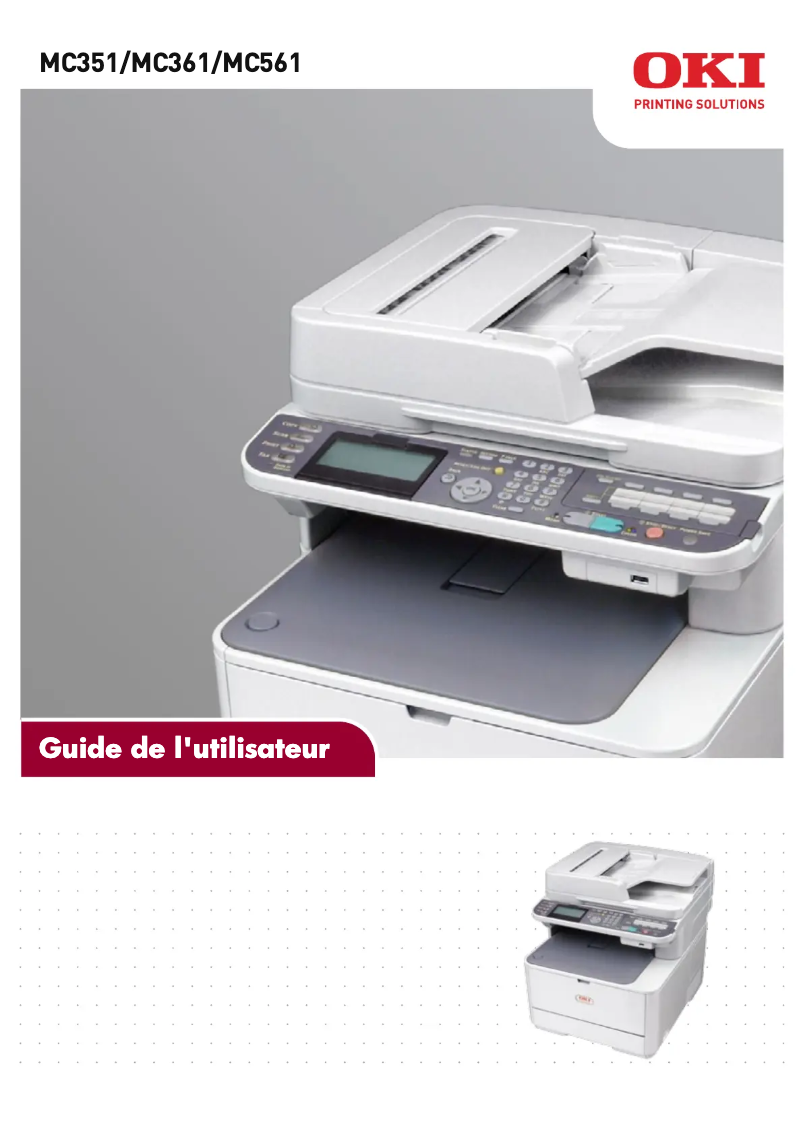
Editorial note
The OKI MC351dn printer stands out for its versatility, combining printing, scanning, and copying in a single device. With a printing speed of 24 ppm in black and 22 ppm in color, it effectively meets the demands of intensive work environments. Its maximum resolution of 1200 x 600 DPI ensures good quality prints, although it may seem lower than that of some competitors. However, this model also has some drawbacks. Its weight of 29 kg can pose mobility issues, making installation difficult in tight spaces. Additionally, the lack of Wi-Fi connectivity limits its flexibility of use, while the noise level of 52 dB during printing could be disruptive in noise-sensitive environments. Finally, although its maximum input capacity of 880 sheets is adequate for many offices, it may not be sufficient for those with very high printing needs. In terms of connectivity, the OKI MC351dn is equipped with Ethernet, facilitating its integration into an office network. The value for money is reasonable considering the features offered, but users must assess whether its specifications meet their specific needs. In summary, the OKI MC351dn is a solid option for professionals looking for a high-performance printer, although some limitations should be taken into account.Score details
User experience
The user experience is generally positive thanks to the versatility of the OKI MC351dn, which combines printing, scanning, and copying in a single device.
Performance
With a printing speed of 24 ppm in black and 22 ppm in color, this printer offers a good level of performance for demanding work environments.
Design
The design is functional, but the high weight of 29 kg can pose mobility issues in tight spaces.
Value for money
The value for money is reasonable given the features offered, although the print resolution may be lower than that of some competitors.
Usability
The lack of Wi-Fi connectivity limits usage flexibility, but Ethernet connectivity facilitates integration into an office environment.
Robustness
The OKI MC351dn is designed to handle large print volumes, with a maximum input capacity of 880 sheets, although this may not be sufficient for very high-volume offices.
Advantages
Fast printing: 24 ppm black, 22 ppm color
Exceptional print quality: 1200 x 600 DPI
Multiple functions: printing, scanning, copying
Input capacity: 880 sheets
Ethernet connectivity for shared office
Disadvantages
Heavy, difficult to move.
No Wi-Fi connectivity.
Noise level of 52 dB.
Input capacity limited to 880 sheets.
Print resolution lower than the competition.
Technical Specifications MC351dn
General Information
-
ModelMC351DN
-
Brand
-
Category
-
Type
-
SKU1514714
-
MPN1514714
Print speed
-
Printing technology-
-
Print speed (black, normal quality, A4/US Letter)24 ppm
-
Print speed (color, normal quality, A4/US Letter)22 ppm
-
Copy time for the first page (Black, normal)8.5 s
-
Copy time for the first page (color, normal)9 s
-
Maximum resolution1200 x 600 DPI
-
PrintingColor printing
Representation / realization
-
Built-in memory card reader-
-
Processor frequency533 MHz
-
Internal memory256 MB
-
Maximum internal memory768 MB
-
Sound pressure level (impression)52 dB
-
Sound pressure level (copy)54 dB
-
Integrated into the processorYes
Digitization
-
Type of scanner-
-
Optical scanning resolution1200 x 1200 DPI
-
Scanning speed (color)20 ppm
-
Scanner speed (black)30 ppm
-
Input color display depth48 bit
-
Output color display depth24 bit
-
Support for text formatsPDF, XPS
-
Supported image formatsJPG
-
Scan toCIFS, E-mail, FTP, HTTP, TWAIN, USB
-
DigitizationColor scanning
Copier
-
Resizing copy25 - 400 %
-
Maximum number of copies
-
Max. resolution of copies99 copies
-
Copy
-
Release time of the first print (black, normal)600 x 600 DPI
-
Release time of the first print (color, concept)
-
Color copy
-
-
12 s
-
-
14 s
Design
-
ScreenLCD
-
Screen resolution320 x 120 pixels
-
Product colorWhite
-
Built-in screenYes
-
Market positionProfessional
Network
-
Mobile printing technologies-
-
Ethernet/LANYes
-
LAN Ethernet: data transfer rate10, 100 Mbit/s
-
WifiNo
-
Wiring technology10/100Base-T(X)
Connectivity
-
Direct printing-
-
Standard interfacesEthernet, USB 2.0
-
USB portYes
Features
-
Digital sender-
-
Languages of the page descriptionPCL 5c
-
Service cycle (Maximum)PCL 6
-
Printer fontsPostScript 3
-
Bitmap fonts- pages per month
-
PCL® FontsBarcode
-
PostScript® FontsBitmap
-
PCL
-
PostScript
-
OCR-A
-
OCR-B
-
87
-
80
Minimum system requirements
-
Support for the Mac operating systemYes
-
Support for the Mac operating systemYes
Other features
-
Included fontsYes
Input and output capacity
-
Total power capacity250 sheets
-
Input capacity of multi-purpose trays100 sheets
-
Automatic document feeder capacity50 sheets
-
Maximum input capacity880 sheets
-
Total output capacity150 sheets
Paper management
-
Type of paper tray support-
-
Maximum ISO A series paper sizeA4
-
ISO, Format Series A (A0...A9)A4, A5, A6
-
ISO, Formats Series-B (B0...B9)B5
-
Envelope sizes9, 10, C5, DL, Monarch
-
Photo paper sizes4x6, 5x7 "
-
Weight of paper tray support64 - 176 g/m²
-
Weight of the multifunctional tray support64 - 220 g/m²
-
Weight of the media, automatic document feeder60 - 105 g/m²
Environmental conditions
-
Operating temperature10 - 32 °C
-
Operating relative humidity (H-H)20 - 80 %
-
Temperature out of operation-10 - 43 °C
-
Relative humidity rate (storage)10 - 90 %
Power
-
AC input voltage220 - 240 V
-
AC input frequency50 - 60 Hz
-
Consumption (max)1170 W
-
Energy consumption (eco mode)20 W
-
Electricity consumption (average operation)- W
Weight and dimensions
-
Width427 mm
-
Depth509 mm
-
Height444 mm
-
Weight29000 g
Fax
-
FaxNo
Frequently Asked Questions
What is the weight of the OKI MC351dn printer?
What is the recommended method for removing paper jammed in the printer?
Why is my printer not accepting original cartridges?
What are the possible reasons for poor print quality?
What is the difference between a laser printer and an inkjet printer?
Why is my inkjet printer producing black lines on prints?
What does the term DPI mean?
What is the height of the OKI MC351dn printer?
What is the resolution of the screen on the OKI MC351dn printer?
What is the width of the OKI MC351dn printer?
What is the depth of the OKI MC351dn printer?
Is the manual for the OKI MC351dn printer available in French?
Similar products


More product categories from brand OKI
More product types from brand OKI


Presentation of product MC351dn specifications from brand OKI
General Information
The OKI MC351dn printer, known for its reliability and innovation, is part of the range of devices from the OKI brand, a leader in printing technology. The MC351dn | 01291401 model is designed to deliver high performance and ease of use. Identified by the EAN code 5031713049883, this device is easily recognizable in distribution systems.
Print Speed
With a print speed of 24 pages per minute (ppm) in black and 22 ppm in color, the OKI MC351dn proves to be an efficient choice for demanding work environments. The first page print time is 8.5 seconds for black documents and 9 seconds for color prints. Its maximum resolution of 1200 x 600 DPI ensures remarkably clear prints, ideal for professional documents. The printer also supports color printing, allowing for vibrant and accurate prints.
Performance / Achievement
The OKI MC351dn is equipped with a processor running at 533 MHz, ensuring responsive and efficient performance. Its internal memory of 256 MB, expandable up to 768 MB, allows for the management of a large volume of data. With a sound pressure level of 52 dB during printing, this device is designed to minimize noise disturbances while maintaining high productivity.
Scanning
Scanning is also a strong point of the OKI MC351dn, with an optical resolution of 1200 x 1200 DPI. The scanning speed reaches 20 ppm in color and 30 ppm in black, ensuring efficient document management. This model supports various formats such as PDF and JPG, as well as multiple scanning modes, including email and FTP, offering appreciated flexibility of use.
Copier
As a copier, the OKI MC351dn allows resizing of copies from 25 to 400%, with a maximum of 99 copies per operation. The resolution of copies reaches 600 x 600 DPI, ensuring print quality faithful to the original documents. The first print output times are 12 seconds for black and 14 seconds for color, optimizing responsiveness during printing tasks.
Design
Equipped with a 320 x 120 pixel LCD screen, the OKI MC351dn offers a clear and intuitive user interface. Coated with a modern white finish, this printer easily integrates into any office environment. Primarily aimed at professionals, it combines an elegant design with robust features.
Network
The network connectivity of the OKI MC351dn is ensured by an Ethernet/LAN interface, allowing easy sharing among multiple users. Although it does not offer Wi-Fi connectivity, its data transfer rate of 10/100 Mbit/s guarantees a fast and reliable connection for office needs. Mobile printing technologies are also integrated, facilitating printing from mobile devices.
Connectivity
This printer features standard interfaces that ensure easy integration with various devices. It includes a USB port for quick connection, although direct printing is not specified.
Features
The OKI MC351dn supports several page description languages, including PCL 5c, PCL 6, and PostScript 3, thus adapting its operation to user preferences. Although the maximum service cycle is not specified, this device is designed for intensive use with various fonts for optimal print quality.
Minimum System Requirements
Compatible with Windows and Mac operating systems, the OKI MC351dn ensures a smooth user experience for both platforms, facilitating its integration into various computing environments.
Input and Output Capacity
This printer has a total paper capacity of 250 sheets and can accommodate up to 880 sheets in its trays. The automatic document feeder can hold 50 sheets, while the output capacity is 150 sheets, ensuring efficient management of print volumes.
Paper Management
Compatible with standard ISO A series paper sizes, the OKI MC351dn can print on various sizes ranging from A4 to B5. It supports paper weights from 64 to 176 g/m², offering flexibility for different types of documents.
Environmental Conditions
Designed to operate within a temperature range of 10 to 32 °C and a relative humidity of 20 to 80%, the OKI MC351dn is suitable for various office environments. It can also withstand temperatures ranging from -10 to 43 °C when not in operation.
Power
The OKI MC351dn operates with an AC input voltage of 220 to 240 V and a frequency of 50 to 60 Hz. Its maximum consumption is 1170 W, while in energy-saving mode, it consumes only 20 W, thus contributing to more responsible energy use.
Weight and Dimensions
With dimensions of 427 mm in width, 509 mm in depth, and 444 mm in height, this printer fits into most workspaces. Weighing 29 kg, it may require several people for installation, especially in confined environments.
Fax
The OKI MC351dn does not have a fax function, thus limiting its communication capabilities to printing, scanning, and copying.


