
Manual of product CD285
Editorial note
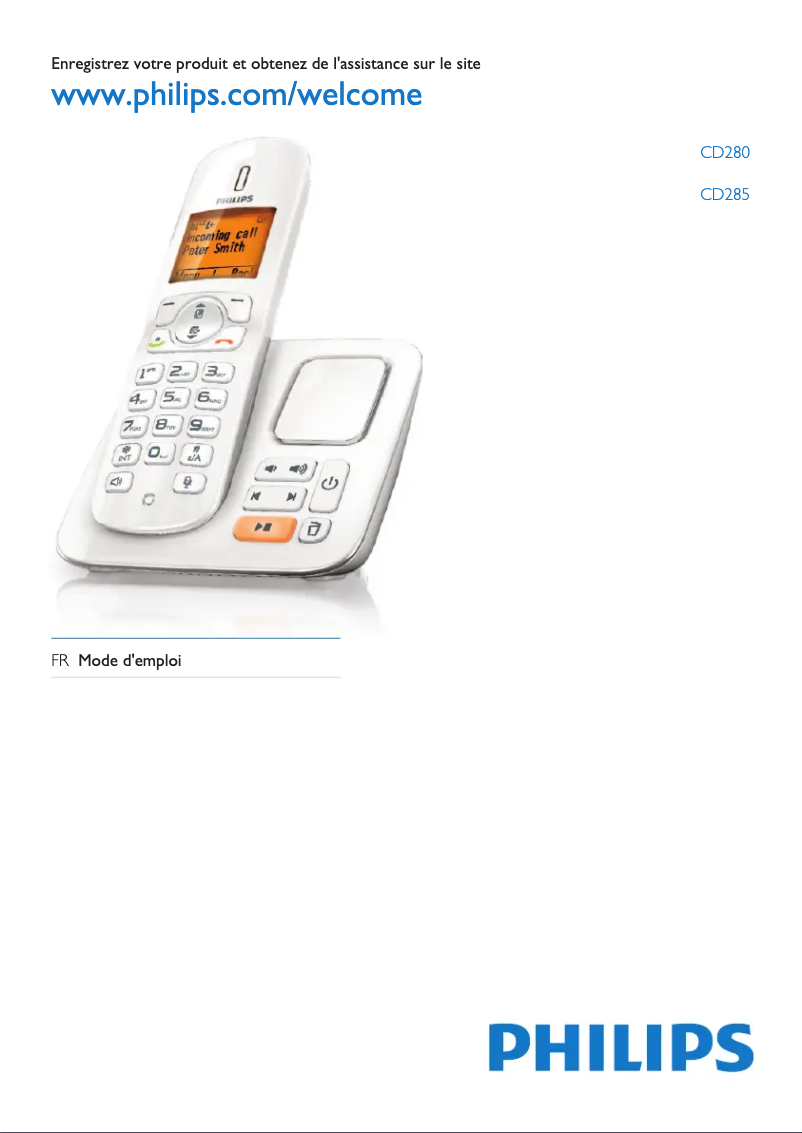
The Philips CD285 phone stands out for its ease of use, making it an ideal choice for everyone, especially for the elderly. Its ergonomic design is pleasant to handle, contributing to daily comfort of use. With a usability score of 85, it is clear that handling is facilitated, even for those who are not familiar with modern technologies. In terms of performance, the Philips CD285 ensures optimal results for common tasks, with a score of 75. However, it is important to note that it lacks certain modern features, such as Bluetooth connectivity, which may limit it in a constantly evolving technological environment. Regarding design, although the phone is ergonomic, its appearance may seem dated compared to other contemporary models. This aspect gives it a design score of 65, which may deter users looking for a device with a modern look. Finally, the Philips CD285 offers excellent value for money, with a score of 80. The reputation of the Philips brand for reliability and durability enhances the appeal of this model. In summary, the Philips CD285 is a reliable phone, easy to use, but could benefit from some updates in terms of features and design.Score details
User experience
The user experience is generally positive due to its ease of use, but the interface may be considered unintuitive by some.
Performance
The performance of the Philips CD285 is optimal for everyday tasks, but it may lack some modern features.
Design
The ergonomic design is pleasant, but it may seem dated and less attractive compared to contemporary models.
Value for money
The Philips CD285 offers good value for money, benefiting from the Philips brand's reputation for reliability.
Usability
Its ease of use makes it an ideal choice for everyone, including elderly people.
Advantages
Philips quality and reliability
Optimal performance for a smooth experience
User manual included for ease of use
Ergonomic design for daily comfort
Easy to use, ideal for everyone
Disadvantages
No modern Bluetooth connectivity
Unintuitive user interface
Limited sound quality in noisy environments
Outdated design compared to competitors
No touchscreen or built-in apps
Frequently Asked Questions
How can I set the date and time on my Philips CD285 phone?
What is the procedure to add a new contact on my Philips CD285 phone?
How do I adjust the ringtone volume on my Philips CD285 phone?
What is the way to retrieve my voicemail messages on my Philips CD285 phone?
How do I reset my Philips CD285 phone to factory settings?
Is the manual for the Philips CD285 available in French?
Similar products


More product categories from brand Philips
Audio Philips
Home appliances Philips
Personal care Philips
Household appliances Philips
Interior Philips
Phones Philips
Other Philips
Garden and outdoor Philips
Software Philips
More product types from brand Philips


Presentation of product CD285 specifications from brand Philips
General Information
The Philips CD285 is a landline phone from the brand Philips, renowned for its reputation for excellence and innovation in the home appliance sector. This model, the CD285, stands out for its robust design and optimized performance, providing a pleasant user experience.
Designed for user comfort, the Philips CD285 features an ergonomic design that makes it easy to hold. Its use is simplified, making it a wise choice for everyone, including the elderly or those looking for an intuitive phone.
However, it is important to note that the Philips CD285 may not be equipped with certain modern features, such as Bluetooth connectivity, which may limit its interaction with recent devices. Additionally, its user interface may seem less intuitive to some, making navigation through the menus sometimes less smooth.
Regarding sound quality, while generally satisfactory, it may not meet the expectations of some users, especially in noisy environments. Finally, its design may appear dated compared to other more contemporary models, and the lack of advanced features, such as a touchscreen or integrated applications, may make it less versatile for some users.
Technical Specifications
The Philips CD285 is a landline phone that ensures reliable and durable performance, suitable for daily use. Although it may lack some modern technologies, it remains a solid choice for those seeking a simple and effective device.


