
Manual of product D125
Editorial note
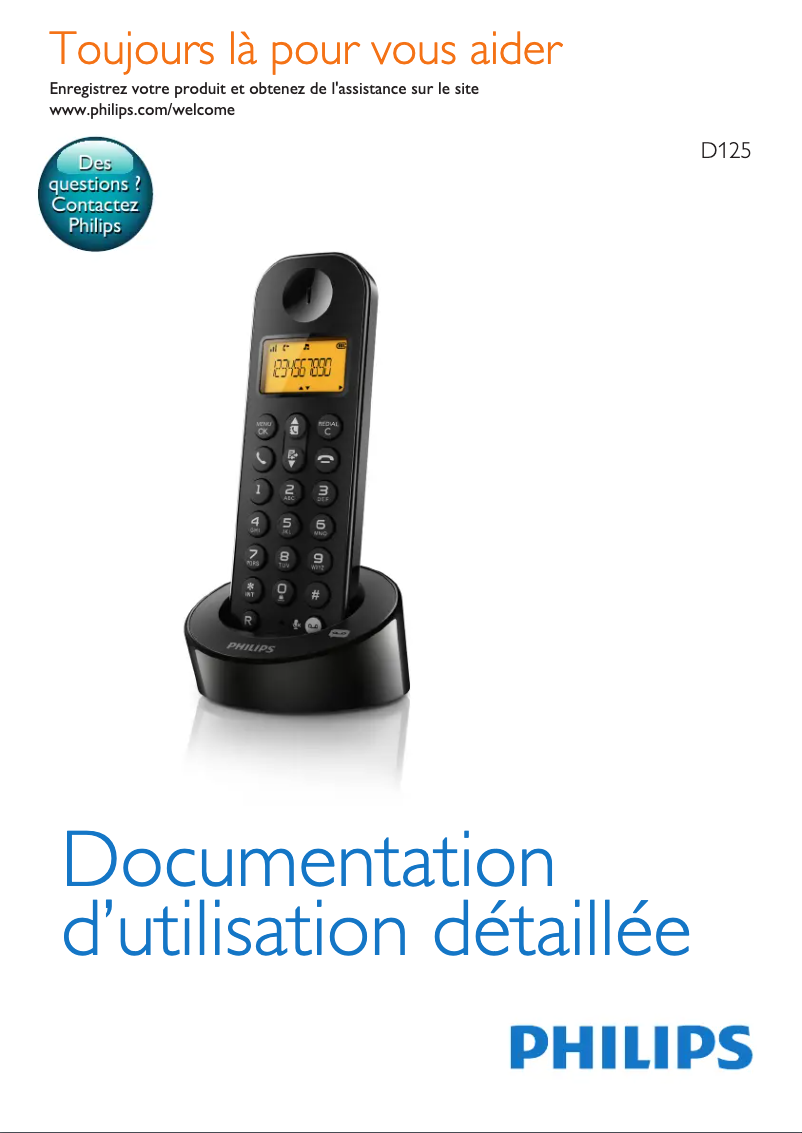
The Philips D125 is a phone that reflects the reliability of the Philips brand, known for the quality of its household appliances. With optimal performance for basic tasks, it proves to be a wise choice for those looking for a simple and effective phone. Its ergonomic and intuitive design makes it easy to handle, making the overall user experience satisfactory, even if the lack of advanced features may make it less interactive. However, the Philips D125 has some limitations. It does not have Bluetooth or Wi-Fi connectivity, which restricts its use in a modern environment. Additionally, the absence of a touchscreen and applications may disappoint users looking for a more dynamic experience. The signal range may also pose problems in large houses, and the design, while functional, may seem basic to those who prioritize a contemporary style. Finally, while the battery is adequate for daily use, it may not be sufficient for users with intensive communication needs. In summary, the Philips D125 offers good value for money, ideal for daily use, but it may not meet the expectations of users looking for modern features and a more interactive experience.Score details
User experience
The user experience is generally satisfactory due to an ergonomic and intuitive design, but the lack of advanced features may make it less interactive.
Performance
The performance of the Philips D125 is adequate for basic tasks, but its lack of modern features may limit its effectiveness in a connected environment.
Battery life
The battery is acceptable for daily use, but may not be sufficient for users with intensive communication needs.
Design
The design is simple and may seem basic to those looking for a more contemporary style, although it is ergonomic.
Value for money
The Philips D125 offers good value for money due to the reliability of the brand and its optimal performance for daily use.
Features
The features are limited, with no options such as Bluetooth or Wi-Fi connectivity, which may disappoint modern users.
Advantages
Philips brand synonymous with quality and innovation.
Optimal performance for a pleasant use.
Manual included for easy handling.
Ergonomic design suitable for all users.
Clear and reliable communications.
Disadvantages
No Bluetooth or Wi-Fi
No touchscreen or applications
Limited signal range
Basic and unappealing design
Insufficient battery life
Frequently Asked Questions
How can I set the date and time on my Philips D125 phone?
How do I change the ringtone volume on my Philips D125 phone?
How can I add contacts to my Philips D125 phone?
How can I view the call log on my Philips D125 phone?
How do I set up speed dialing on my Philips D125 phone?
Is the user manual for the Philips D125 available in French?
Similar products


More product categories from brand Philips
Audio Philips
Home appliances Philips
Personal care Philips
Household appliances Philips
Interior Philips
Phones Philips
Other Philips
Garden and outdoor Philips
Software Philips
More product types from brand Philips


Presentation of product D125 specifications from brand Philips
General Information
The Philips D125 is a phone from the Philips brand, known for its commitment to quality and innovation in the home appliance sector. This model, the D125, is designed to offer reliable performance and a smooth user experience, thus meeting daily communication needs.
Advantages
Among the strengths of the Philips D125, we note:
- Brand reliability: Philips is synonymous with quality and innovation.
- Optimal performance: The D125 model ensures a pleasant and seamless user experience.
- User manual included: This facilitates the handling and use of the phone for everyone.
- Ergonomic design: Suitable for all users, regardless of their experience level.
- Reliable technology: Ensures clear and uninterrupted communications.
Disadvantages
Despite its many advantages, the Philips D125 also has some limitations:
- Lack of advanced features: No Bluetooth or Wi-Fi connectivity, which limits its use in a modern environment.
- Less interactive interface: The absence of a touchscreen and applications may make the user experience less intuitive.
- Signal range: May be limited, posing communication issues in large or multi-level homes.
- Basic design: May seem unappealing to those seeking contemporary style products.
- Battery life: While acceptable for daily use, it may not satisfy users with intensive communication needs.


