

Manual of product MP C3504
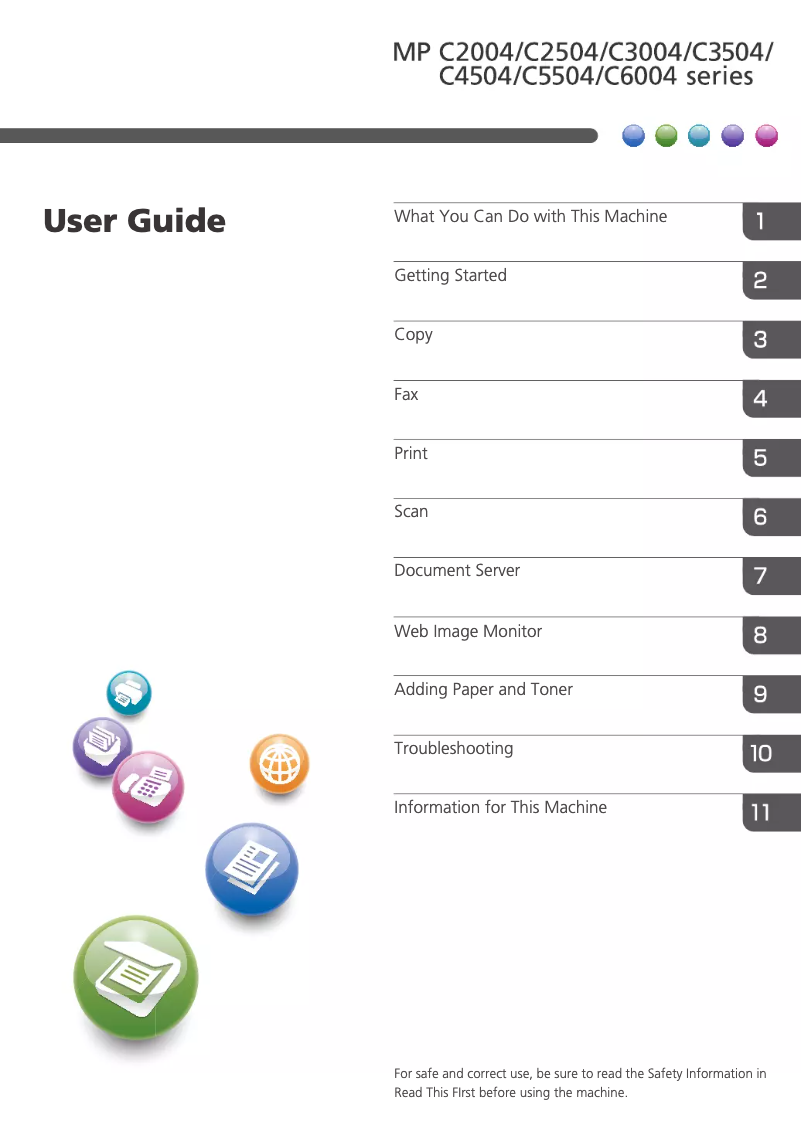
Editorial note
The Ricoh MP C3504 is a multifunction printer that stands out for its impressive performance. With a printing speed of 35 pages per minute and a maximum resolution of 1200 x 1200 DPI, it ensures superior print quality, ideal for demanding work environments. Additionally, its built-in duplex printing feature optimizes paper usage, helping to reduce printing costs. The user experience is generally positive thanks to an intuitive interface and well-thought-out features, such as color scanning with a resolution also of 1200 x 1200 DPI. Modern network connectivity, including support for Ethernet, facilitates integration into connected offices. However, some drawbacks must be considered. The weight of 101 kg can make installation and movement difficult, especially in tight spaces. Furthermore, the operating power consumption of 1584 W is relatively high, which can lead to significant energy costs over the long term. Although the maximum input capacity of 4700 sheets is adequate for many uses, it may not be sufficient in very high-volume environments, requiring frequent reloads. The lack of Wi-Fi connectivity may also limit usage flexibility for those who prefer to print wirelessly. In summary, the Ricoh MP C3504 is a solid choice for professionals looking for a high-performing and feature-rich printer, while remaining aware of potential operating costs and limitations related to its weight and connectivity.Score details
User experience
The user experience is overall positive thanks to an intuitive interface and well-thought-out features, such as integrated duplex printing.
Performance
The performance is excellent with a printing speed of 35 ppm and superior print quality thanks to 1200 x 1200 DPI laser technology.
Battery life
The power consumption during operation of 1584 W is relatively high, which can lead to significant energy costs in the long term.
Design
The design is modern and functional, but the weight of 101 kg can make installation and movement complicated in tight spaces.
Features
The features are rich, including color scanning capability and modern network connectivity, but the lack of Wi-Fi may limit flexibility.
Value for money
Although the product offers good performance, the operating cost can be high due to its energy consumption and the need for frequent replacements.
Advantages
Fast printing at 35 pages per minute
Laser print quality, 1200 x 1200 DPI
Built-in duplex printing
Color scanning, 1200 x 1200 DPI
Modern Ethernet network connectivity
Disadvantages
Heavy weight, difficult to move
High power consumption
Long preheating time
Limited input capacity
No Wi-Fi connectivity
Technical Specifications MP C3504
General Information
-
ModelMP C3504
-
Brand
-
Category
-
Type
-
SKU894057
-
MPN894057
Print speed
-
Printing technologyLaser
-
PrintingColor printing
-
Print speed (black, normal quality, A4/US Letter)35 ppm
-
Maximum resolution1200 x 1200 DPI
-
Preheating time25 s
-
Copy time for the first page (Black, normal)4.6 s
-
Copy time for the first page (color, normal)7.1 s
-
Preheating time (from standby mode)1 s
-
Double-sided printingYes
Copier
-
CopyColor copy
-
Max. resolution of copies600 x 600 DPI
-
Copy speed (normal quality, black, A4)35 cpm
-
Resizing copy25 - 400 %
-
Maximum number of copies999 copies
Digitization
-
Type of scanner-
-
DigitizationColor scanning
-
Optical scanning resolution1200 x 1200 DPI
-
Maximum scan area297 x 432 mm
-
Scan toE-mail, FTP, File, Memory Card, SMB, TWAIN, USB
-
Supported image formatsJPG
-
Support for text formatsPDF
-
Scan driversTWAIN
Fax
-
FaxColor fax
-
Fax resolution (black)400 x 400 DPI
-
Fax transmission speed2 sec/page
-
Modem speed33.6 Kbit/s
-
Fax Memory4 MB
-
Fax memory320 pages
-
Quick numberingYes
-
Maximum number of shortcuts for numbers2000
-
Fax coding methodsJBIG, JPEG, MH, MMR (Fax coding method), MR
Design
-
Screen size10.1 "
-
Built-in screen
-
Product colorYes
-
Built-in screenBlack, White
-
Market positionYes
-
Order typeProfessional
-
Touchscreen
Network
-
Wifi-
-
Mobile printing technologies-
-
Contactless paymentYes
-
Contactless paymentYes
-
Support for network protocols (IPv6)TCP/IP
-
Support for network protocols (IPv6)TCP/IP
-
LAN Ethernet: data transfer rate10,100,1000 Mbit/s
-
Security-supported algorithm802.1x RADIUS, SNMPv3
-
Wiring technology10/100/1000Base-T(X)
Features
-
Digital sender-
-
Number of print cartridges4
-
Service cycle (Maximum)- pages per month
-
Printing colorsBlack, Cyan, Magenta, Yellow
-
Service cycle (recommended)0 - 20000 pages per month
-
Languages of the page descriptionPCL 5c, PCL 6
-
Number of printer fonts58
Other features
-
Finishing optionYes
Representation / realization
-
Integrated into the processorYes
-
Compatible memory cardsSD
-
Internal memory2048 MB
-
Maximum internal memory4096 MB
-
Internal storage capacity250 GB
-
Processor frequency1330 MHz
-
Processor familyIntel Atom®
-
Integrated into the processorYes
Weight and dimensions
-
Width668 mm
-
Depth738 mm
-
Height1205 mm
-
Weight101000 g
Sustainability
-
Sustainability certificatesENERGY STAR
Certificate
-
CertificationEPEAT Gold
Power
-
Electricity consumption (average operation)1584 W
-
Energy consumption (in standby mode)0.83 W
-
Energy Star, typical electrical consumption (TEC)1.3 kWh/week
Connectivity
-
Direct printing-
-
Standard interfacesEthernet, USB 2.0
-
Quantity of USB 2.0 Ports3
-
USB connectorUSB Type-A
-
USB portYes
Input and output capacity
-
Total power capacity1100 sheets
-
Maximum input capacity4700 sheets
-
Paper feed typePaper bin
-
Total output capacity500 sheets
-
Total number of power supply units2
-
Maximum number of feed bins4
-
Total output capacity500 sheets
-
Maximum output capacity1625 sheets
-
Automatic Document Feeder (ADF)Yes
Paper management
-
Maximum ISO A series paper sizeA3
-
Type of paper tray supportBond paper
-
ISO, Format Series A (A0...A9)Card stock
-
Support width customizationCoated paper
-
Customization of support lengthEnvelopes
-
Weight of paper tray support (imperial)Labels
-
Weight of media duplexLetterhead
-
Automatic Document Feeder (ADF) Paper weightPlain paper
-
Weight of paper tray supportPre-Printed
-
Weight of the media, automatic document feederRecycled paper
-
Support weight supported in duplex modeA3
-
A4
-
A5
-
A6
-
90 - 230 mm
-
148 - 1260 mm
-
16 - 166 kg
-
14 - 142 kg
-
11 - 34 kg
-
60 - 300 g/m²
-
40 - 128 g/m²
-
52 - 256 g/m²
Minimum system requirements
-
Support for the Windows operating systemWindows 7 Enterprise
-
Support for the server operating systemWindows 7 Enterprise x64
-
Support for the Mac operating systemWindows 7 Home Basic
-
Support for other operating systemsWindows 7 Home Basic x64
-
Support for other operating systemsWindows 7 Home Premium
-
Windows 7 Home Premium x64
-
Windows 7 Professional
-
Windows 7 Professional x64
-
Windows 7 Starter
-
Windows 7 Starter x64
-
Windows 7 Ultimate
-
Windows 7 Ultimate x64
-
Windows 8
-
Windows 8 Enterprise
-
Windows 8 Enterprise x64
-
Windows 8 Pro
-
Windows 8 Pro x64
-
Windows 8 x64
-
Windows Vista Business
-
Windows Vista Business x64
-
Windows Vista Enterprise
-
Windows Vista Enterprise x64
-
Windows Vista Home Basic
-
Windows Vista Home Basic x64
-
Windows Vista Home Premium
-
Windows Vista Home Premium x64
-
Windows Vista Ultimate
-
Windows Vista Ultimate x64
-
Windows XP Home
-
Windows XP Home x64
-
Windows XP Professional
-
Windows XP Professional x64
-
Windows Server 2003
-
Windows Server 2003 R2
-
Windows Server 2008
-
Windows Server 2008 R2
-
Windows Server 2012
-
Windows Server 2012 R2
-
Mac OS X 10.10 Yosemite
-
Mac OS X 10.11 El Capitan
-
Mac OS X 10.12 Sierra
-
Mac OS X 10.6 Snow Leopard
-
Mac OS X 10.7 Lion
-
Mac OS X 10.8 Mountain Lion
-
Mac OS X 10.9 Mavericks
-
Yes
-
Yes
Frequently Asked Questions
What is the weight of the Ricoh MP C3504?
What is the recommended method for removing paper jams from the printer?
Why is my printer not accepting original cartridges?
What could be the reasons for poor print quality?
What is the difference between a laser printer and an inkjet printer?
Why is my inkjet printer producing black streaks?
What does the acronym DPI mean?
What certifications does the Ricoh MP C3504 have?
How many cartridges can the Ricoh MP C3504 hold?
What is the size of the screen on the Ricoh MP C3504?
What is the height of the Ricoh MP C3504?
What is the width of the Ricoh MP C3504?
What is the depth of the Ricoh MP C3504?
What is the storage capacity of the Ricoh MP C3504?
How can I resolve a paper jam in my Ricoh MP C3504?
How do I replace the toner cartridge in my Ricoh MP C3504?
How do I set up my printer to print double-sided?
How do I fix print quality issues, such as faint prints or streaks?
How do I connect my printer to a wireless network?
Does the Ricoh MP C3504 have a touchscreen?
Is the Ricoh MP C3504 compatible with SD memory cards?
Does the Ricoh MP C3504 offer Ethernet LAN connectivity?
Is the Ricoh MP C3504 ENERGY STAR certified?
What is the average power consumption of the Ricoh MP C3504 during operation?
Is the manual for the Ricoh MP C3504 available in French?
Similar products


More product categories from brand Ricoh
More product types from brand Ricoh



Presentation of product MP C3504 specifications from brand Ricoh
General Information
The Ricoh MP C3504 model, manufactured by the renowned brand Ricoh, stands out for its reliable performance and innovation in the field of printers. Designed to meet the needs of professional users, this device ensures exceptional print quality and an enhanced user experience.
Print Speed
Equipped with laser printing technology, the Ricoh MP C3504 offers color printing with stunning results. With a print speed of 35 pages per minute for black and white documents, it is particularly suited for dynamic work environments. Its maximum resolution of 1200 x 1200 DPI ensures remarkable image clarity. The warm-up time is 25 seconds, while the first page print delay for black is only 4.6 seconds and 7.1 seconds for color prints. Additionally, the printer supports duplex printing, optimizing paper usage.
Copier
The Ricoh MP C3504 is also a high-performance copier, capable of producing high-quality color copies with a maximum resolution of 600 x 600 DPI. Its copy speed is 35 copies per minute in black and white, and it offers resizing flexibility from 25 to 400 %. It allows for up to 999 copies in a single operation, making it particularly efficient for large printing needs.
Scanning
This model offers a color scanning function with an optical resolution of 1200 x 1200 DPI, ensuring faithful reproductions of your documents and images. The maximum scan area is 297 x 432 mm, suitable for various types of documents. It supports multiple scanning modes, including E-mail, FTP, and USB, and supports image formats such as JPG and PDF, providing great flexibility.
Fax
The Ricoh MP C3504 is equipped with a color fax function, allowing for the quick sending and receiving of documents. Its black fax resolution is 400 x 400 DPI, and it has a transmission speed of 2 seconds per page. With a fax memory of 320 pages and the ability to speed dial up to 2000 contacts, it facilitates communication management.
Design
With a 10.1-inch touchscreen, the Ricoh MP C3504 offers a user-friendly and intuitive interface. Its modern design, available in black and white, fits perfectly into a professional environment. This model is designed for heavy use, meeting the demands of modern offices.
Network
The Ricoh MP C3504 supports Ethernet/LAN connectivity, providing easy integration into connected office environments. Although it does not include Wi-Fi, it ensures an optimal data transfer rate of 10/100/1000 Mbit/s, and uses advanced security protocols to protect your data.
Features
With a recommended service cycle of 0 to 20000 pages per month, this device is designed for high print volumes. It uses four toner cartridges (black, cyan, magenta, yellow) to ensure superior print quality. The Ricoh MP C3504 also supports a wide variety of paper sizes, ranging from A3 to A6, and various media such as recycled paper and labels.
Weight and Dimensions
The Ricoh MP C3504 measures 668 mm wide, 738 mm deep, and 1205 mm high, with a weight of 101 kg. These dimensions make it a robust device, ideal for installation in spacious offices.
Durability
This model is certified ENERGY STAR, demonstrating its energy efficiency and commitment to the environment.
Connectivity
The Ricoh MP C3504 is equipped with three USB 2.0 ports for quick and efficient connection with other devices. It also offers a direct printing option, simplifying the printing process from various devices.
Input and Output Capacity
With a total feeding capacity of 1100 sheets and a maximum input capacity of 4700 sheets, this device is designed to handle large workloads without interruption. The automatic document feeder can hold up to 500 sheets.
Paper Management
Paper management is optimized with trays that can hold a variety of media ranging from 60 to 300 g/m². Customizing paper sizes allows for adaptation to different formats according to printing needs.
Minimum System Requirements
The Ricoh MP C3504 is compatible with various operating systems, including several versions of Windows, Mac OS, and Linux, ensuring smooth integration into diverse computing environments.


