

Manual of product WB700

Editorial note
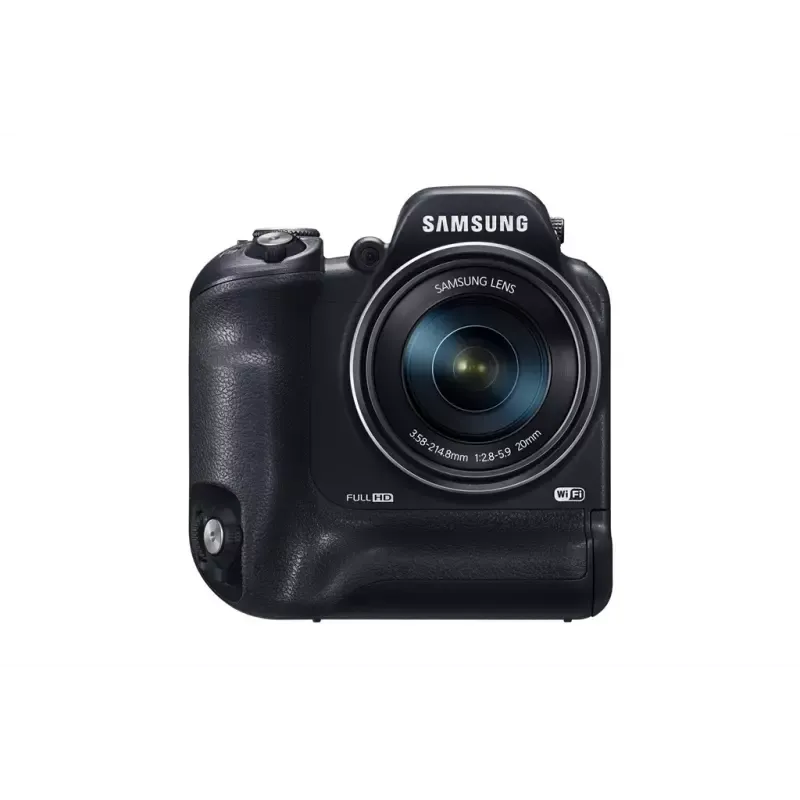
The Samsung WB700 is a compact camera that stands out for its exceptional image quality thanks to its 14.2 MP CCD sensor. This allows for capturing precise details and vibrant colors, making this device an interesting choice for photography enthusiasts. Additionally, its 18x digital zoom and equivalent focal length of 24 to 432 mm offer great flexibility for photographing distant subjects, thus enriching the user experience. However, some drawbacks are worth mentioning. The lack of image stabilization can lead to blurry photos, especially during handheld shooting. Furthermore, the limited internal memory and the maximum capacity of the 8 GB memory card can restrict the amount of photos and videos that can be stored, necessitating frequent transfers. The maximum video resolution is also lower than that of many competing models, which may disappoint users seeking high recording quality. In terms of design, the Samsung WB700 is lightweight and compact (203 g), making it easy to carry. Its modern silver appearance adds to its visual appeal. In terms of performance, the 1050 mAh battery capacity allows for prolonged use of about 1.8 hours, which is satisfactory for photography sessions. Despite its strengths, manual focus may not suit all users, particularly those who prefer a more advanced autofocus system. In summary, the Samsung WB700 offers good value for money for amateur photographers, but it is important to consider its limitations before making a choice.Score details
User experience
The user experience is quite positive thanks to various shooting modes and a 3-inch LCD screen. However, the lack of image stabilization may affect the quality of photos taken in motion.
Performance
The performance is good for photography, with a 14.2 MP CCD sensor ensuring quality images. However, the maximum video resolution is lower than that of many competitors.
Battery life
The 1050 mAh battery capacity allows for extended use of about 1.8 hours, which is satisfactory for photography sessions.
Design
The design is lightweight and compact (203 g), making it easy to carry. Its modern silver appearance is also attractive.
Value for money
Despite its strengths, the limited internal memory and the maximum memory card capacity of 8 GB may restrict usage without frequent file transfers.
Features
The 18x digital zoom and focal length of 24 to 432 mm offer good flexibility, but manual focus may not suit all users.
Advantages
14.2 MP CCD sensor for precise details
18x zoom for photographing distant subjects
Various modes for different lighting conditions
3-inch LCD screen, clear viewing
Compatibility with SD and SDHC cards
Lightweight and compact design, easy to carry
Disadvantages
No image stabilizer, blurry photos.
Limited internal memory, 8 GB card.
Video resolution lower than the competition.
3-inch LCD screen too small.
Manual focus impractical.
Technical Specifications WB700
General Information
-
ModelWB700
-
Brand
-
Category
-
Type
-
SKU180129
-
MPN180129
Image quality
-
Megapixel14.2 MP
-
Camera typeCompact camera
-
Image sensor size1/2.33 "
-
Sensor typeCCD (charge-coupled device)
-
Maximum image resolution4320 x 3240 pixels
-
Photo capture resolution1920 x 1080, 3648 x 2736, 4320 x 2432, 4320 x 2880, 4320 x 3240
-
Image stabilizerNo
Objective system
-
Optical zoom- x
-
Digital zoom18 x
-
Focal length4.06 - 73.08 mm
Other features
-
Equivalent focal length in 35 mm24 - 432 mm
-
Opening range3.2 - 5.8
-
Camera shutter speed1/8 ~ 1/2000 s
-
Video possibilitiesYes
-
Video possibilitiesYes
-
Quantity of HDMI ports1
-
Digital SLRNo
Tuning
-
TuningTTL
-
Auto Focusing (AF) ModesCenter weighted Auto Focus, Multi Point Auto Focus, Selective Auto Focus
-
Focusing Area, normal0.54 - ∞ m
-
Macro focus area (Tele)1.5 - 2 m
-
Focusing area in macro (Wide angle)0.03 - 0.5 m
-
Manual focus area (Tele)1.5 - ∞ m
-
Manual focus area (Wide angle)0.03 - ∞ m
-
Minimum focusing distance0.03 m
-
Normal focus range (wide angle)0.8 - ∞ m
-
Normal focus range (tele)3.5 - ∞ m
-
Face centeringYes
Exposure to light
-
ISO Sensitivity80
-
Type of exposure100
-
Light exposure control200
-
Correction of light exposure400
-
800
-
1600
-
3200
-
Aperture priority AE
-
Auto
-
Manual
-
Shutter priority AE
-
Programme AE
-
± 2EV (1/3EV step)
Flash
-
Flash modesAuto
-
Flash range (wide)Fill-in
-
Flash range (tele)Flash off
-
Flash recharge timeRed-eye reduction
-
Slow synchronization
-
0.3 - 5 m
-
0.5 - 3 m
-
4 s
Camera
-
White balanceCar, Cloudy, Custom modes, Daylight, Fluorescent, Tungsten
-
Shooting modes
-
Scene modesAperture priority, Auto, Manual, Movie, Program, Scene, Shutter priority
-
Camera playback
-
Automatic delay deviceBacklight, Dawn, Documents, Dusk, Night, Night portrait, Portrait, Landscape (scenery)
-
Compatible with tripod mounting
-
Photographic effectsMovie, Single image, Slide show, Thumbnails
-
Image editing
-
2, 10 s
-
-
Yes
-
-
Negative film
-
-
Resizing, Rotating, Trimming
Video
-
Maximum video resolution- pixels
-
Video resolutions320 x 240,640 x 480,1280 x 720 pixels
-
Supported video formatH.264
-
Motion JPEG frame rate30 fps
-
Analog signal format systemNTSC
-
Type HDNot supported
Audio
-
Built-in microphoneYes
Memory
-
Internal memory- Mo
-
Compatible memory cardsSD, SDHC
-
Maximum memory card size8 Go
Screen
-
ScreenLCD
-
Screen size3 "
-
Digital display resolution230000 pixels
Connectivity
-
USB Version2.0
-
PictBridgeYes
-
PictBridgeYes
Design
-
Product colorMoney
Weight and dimensions
-
Width105 mm
-
Depth24.9 mm
-
Height58.9 mm
-
Weight203 g
Battery
-
Battery capacity1050 mAh
-
Maximum battery life1.8 h
-
Battery typeSLB-10A
Environmental conditions
-
Operating temperature0 - 40 °C
-
Operating relative humidity (H-H)5 - 85 %
Packaging contents
-
Power adapter includedYes
-
Cables includedAV, USB
Frequently Asked Questions
What is the weight of the Samsung WB700?
What is the screen size of the Samsung WB700?
What is the height of the Samsung WB700?
What is the width of the Samsung WB700?
What is the depth of the Samsung WB700?
Does the Samsung WB700 have image stabilization?
What is the maximum resolution of images captured by the Samsung WB700?
How many autofocus modes are available on the Samsung WB700?
What is the minimum focusing distance of the Samsung WB700?
What is the ISO sensitivity range of the Samsung WB700?
What should I do if the camera specifications do not match its actual performance?
How to troubleshoot wireless connection issues with the camera?
How to resolve interface issues on the camera?
How to diagnose inconsistencies between camera specifications and performance?
How to resolve connection issues to a wireless network?
What to do if the MobileLink and other features are not working properly?
How to troubleshoot interface issues with the camera?
How to resolve software-related issues with the camera?
Is the manual for the Samsung WB700 available in French?
Similar products




More product categories from brand Samsung
Television and multimedia Samsung
Home appliances Samsung
Household appliances Samsung
Phones Samsung
Audio Samsung
Other Samsung
Interior Samsung
Tools Samsung
Software Samsung
More product types from brand Samsung


Presentation of product WB700 specifications from brand Samsung
General Information
The Samsung WB700 camera is designed by the renowned brand Samsung, known for its quality and innovation in the electronics sector. The model WB700 | EC-WB700ZBPSGB offers optimal performance for an enriching user experience. It is uniquely identified by the EAN code 5711045166006, 8806071288567, 8806071340593, and 8806071213460, facilitating its identification in the distribution system.
Image Quality
With a resolution of 14.2 MP, the Samsung WB700 guarantees images of exceptional quality, allowing for precise detail capture and vibrant colors. This compact camera is equipped with a 1/2.33" image sensor, using CCD technology, which ensures optimal light management. The maximum image resolution reaches 4320 x 3240 pixels, offering remarkable clarity. It is worth noting that this device does not have image stabilization, which may result in blurry photos during motion shots.
Lens System
The Samsung WB700 is equipped with an 18x digital zoom, allowing for detail capture from a distance. The focal length ranges from 4.06 to 73.08 mm, providing great flexibility for photographing various subjects.
Other Features
The lens system has a 35mm equivalent focal length of 24 to 432 mm, allowing for perspective adjustments based on shooting conditions. The aperture range of 3.2 to 5.8 ensures satisfactory results in different lighting conditions. The shutter speed ranges from 1/8 to 1/2000 s, facilitating the capture of sharp images even in low light. The WB700 is equipped with a built-in flash, useful for challenging lighting conditions, and also offers video options, enhancing the user experience. This model includes an HDMI port for connectivity with other devices.
Focusing
The focus is manual, providing precise control according to the user's needs. Additionally, the WB700 offers several autofocus modes, including Multi Point Auto Focus, Single Auto Focus, and Tracking Auto Focus, ensuring optimal responsiveness for capturing sharp images. The focus areas vary, allowing for close-up photography with a macro range of 0.03 to 0.5 m.
Light Exposure
The ISO sensitivity of the Samsung WB700 ranges from 80 to 3200, allowing for flexible use in various lighting conditions. The available exposure types include Aperture priority AE, Auto, Manual, and Shutter priority AE, offering complete control over depth of field and shutter speed.
Flash
The WB700 offers various flash modes, such as Auto, Fill-in, red-eye reduction, and slow sync, adapting to shooting conditions. Its flash range extends from 0.3 to 5 m, providing effective illumination for distant shots.
Camera
The white balance includes several options, allowing for color temperature adjustments for true-to-life images. The different shooting modes, such as Aperture priority, Auto, Manual, and Scene, allow for settings adjustments based on situations. Additionally, it offers practical features like a self-timer and various photographic effects to enrich the shooting experience.
Video
The maximum video resolution is 1280 x 720 pixels, ensuring optimal quality for your recordings. The supported video format is H.264, ensuring smooth and high-quality playback.
Audio
The Samsung WB700 is equipped with a built-in microphone, allowing for clear audio capture, ideal for recordings and calls.
Memory
This model has limited internal memory, but it is compatible with SD and SDHC memory cards, allowing for storage capacity expansion up to 8 Go.
Screen
The Samsung WB700 features a 3-inch LCD screen, offering a resolution of 230,000 pixels for pleasant viewing of captured images.
Connectivity
The USB 2.0 version allows for quick connection with various devices, and it is also compatible with PictBridge for direct printing from the device.
Design
With its silver finish, the WB700 camera presents a modern and elegant look.
Weight and Dimensions
The Samsung WB700 has compact dimensions with a width of 105 mm, a depth of 24.9 mm, and a height of 58.9 mm. Its lightweight of 203 g makes it easy to carry and use on the go.
Battery
The battery capacity is 1050 mAh, offering a maximum autonomy of about 1.8 h, ideal for extended use. The model uses a battery type SLB-10A.
Environmental Conditions
The Samsung WB700 operates within an operating temperature range of 0 to 40 °C and supports a relative humidity of operation of 5 to 85 %, ensuring optimal use in various environments.
Package Contents
The product includes a power adapter, allowing for immediate use, as well as a cable to ensure optimal electrical connection.


