

Manual of product ML-3051N
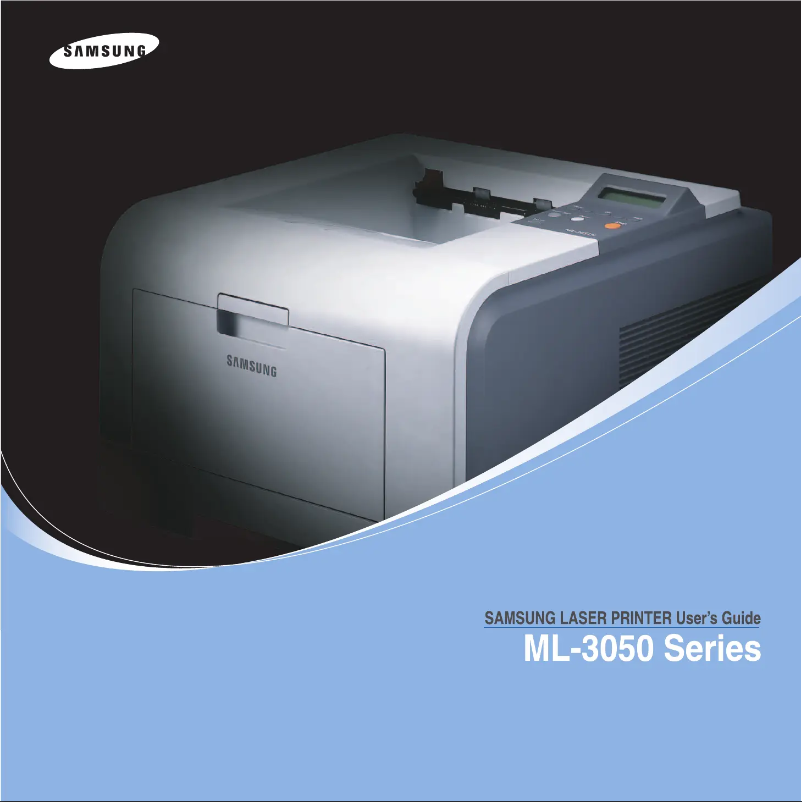
Editorial note
The Samsung ML-3051N printer stands out with its printing speed of 28 pages per minute and a resolution of 1200 x 1200 DPI, ensuring clear and quality prints, ideal for demanding work environments. Its total paper capacity of 250 sheets allows for handling a large volume of documents without interruption, which is an asset for frequent users. Additionally, the economical printing function helps reduce costs while maintaining optimal print quality. However, some drawbacks should be noted. The printer is not compatible with Mac operating systems, which limits its use for those users. Furthermore, while the printing speed is satisfactory, it may not be suitable for very high-demand environments. The capacity of paper tray 2 is relatively low (50 sheets), which can lead to frequent reloads, and the sound pressure level during printing (54 dB) can be bothersome in contexts where silence is required. Finally, the internal memory of 64 MB may restrict certain features during more complex prints. In terms of performance, the user experience is generally positive thanks to an intuitive interface and reliable network connectivity. The printer's value for money is considered good, offering quality printing at a reasonable cost. However, the limited internal memory and lack of compatibility with Mac may pose issues for some users. In summary, the Samsung ML-3051N is a high-performing and economical laser printer that suits standard printing needs well, but it has limitations for specific users, particularly those working on Mac or requiring advanced printing capabilities.Score details
User experience
The user experience is generally satisfactory thanks to an intuitive interface and reliable network connectivity, although Mac compatibility is limited.
Performance
Performance is good with a printing speed of 28 ppm and a resolution of 1200 x 1200 DPI, but may be insufficient for very high-demand environments.
Features
The printer's features are solid, with economical printing and a 250-sheet paper capacity, but the low capacity of tray 2 may require frequent refills.
Design
The design is functional, but the dimensions and weight may pose space issues for some users.
Usability
The usage is generally smooth, although the 64 MB internal memory may limit some features during complex prints.
Value for money
The value for money is good, offering quality printing at a reasonable cost, but the lack of compatibility with Mac may be a drawback for some.
Advantages
Print speed of 28 pages per minute.
Print resolution of 1200 x 1200 DPI.
Precise and durable laser print quality.
250-sheet capacity for high volumes.
Cost-effective printing to reduce expenses.
Ethernet connectivity for collaborative use.
Disadvantages
Not compatible with Mac systems.
Paper tray 2 limited to 50 sheets.
Insufficient printing speed for large volumes.
High noise level at 54 dB.
Insufficient internal memory of 64 MB.
Technical Specifications ML-3051N
General Information
-
ModelML-3051N
-
Brand
-
Category
-
Type
-
SKU120088
-
MPN120088
Print speed
-
Maximum resolution1200 x 1200 DPI
-
ColorNo
-
Print speed (black, normal quality, A4/US Letter)28 ppm
-
Economic printingYes
-
Copy time for the first page (Black, normal)8.5 s
-
Printing technologyLaser
Representation / realization
-
Internal memory64 MB
-
Processor modelSamsung
-
Processor frequency400 MHz
-
Sound power level (standby)39 dB
-
Sound pressure level (impression)54 dB
-
Maximum internal memory320 MB
-
Integrated into the processorYes
Paper management
-
Maximum print format210 x 297 mm
-
Accepted types of mediaPlain paper
-
Maximum ISO A series paper sizeTransparencies
-
Labels
-
Post Cards
-
Envelopes
-
A4
Features
-
Number of print cartridges1
-
Service cycle (Maximum)100,000 pages per month
Input and output capacity
-
Total power capacity250 sheets
-
Paper tray 2 feed capacity50 sheets
-
Total output capacity150 sheets
Other features
-
Mac CompatibilityYes
-
Compatible operating systemsWindows 98/Me/NT4.0/2000/XP/2003 Server
-
Network featuresLinux OS (Red Hat 8-9, Fedora Core 1-3, Mandrake 9.2-10.1, SuSE 8.2~9.2) Mac OS 10.3
-
EmulationsEthernet 10/100Base-TX
-
Maximum support size (custom)PostScript3, PCL6, IBM ProPrinter, EPSON
-
Memory increase(76 x 127mm) - (216 x 356mm)
-
Yes Go
Weight and dimensions
-
Dimensions (LxWxH)400 x 433 x 285 mm
-
Weight10600 g
Network
-
Ready-to-use networkYes
Frequently Asked Questions
What is the weight of the Samsung ML-3051N printer?
What is the recommended method for removing paper jammed in the printer?
Why is my printer not accepting genuine cartridges?
What could be the reasons if my prints are of poor quality?
How is a laser printer different from an inkjet printer?
Why is my inkjet printer printing black streaks?
What does the abbreviation DPI mean?
How many cartridges can the Samsung ML-3051N hold?
Is the manual for the Samsung ML-3051N available in French?
Similar products




More product categories from brand Samsung
Television and multimedia Samsung
Home appliances Samsung
Household appliances Samsung
Phones Samsung
Audio Samsung
Other Samsung
Interior Samsung
Tools Samsung
Software Samsung
More product types from brand Samsung


Presentation of product ML-3051N specifications from brand Samsung
General Information
The Samsung ML-3051N printer, from the renowned brand Samsung, is recognized for its reliability and innovation in the field of printing. This model, identified by the EAN codes 635753624243, 8808979759552, 8808979794744, and 0635753624243, ensures quality performance and an enhanced user experience. The technical specifications of this device make it a wise choice for various work environments.
Print Speed
With a maximum resolution of 1200 x 1200 DPI, the Samsung ML-3051N guarantees prints of exceptional clarity. Although it does not offer color printing, its print speed can reach 28 pages per minute in black and white, making this model particularly suitable for frequent use. Additionally, it incorporates an economical printing function, allowing for cost reduction while maintaining optimal print quality. The first page is printed in just 8.5 seconds, making it an ideal choice for demanding work environments.
Performance / Execution
Equipped with an internal memory of 64 MB, the ML-3051N offers efficient data management. Its processor, with a frequency of 400 MHz, ensures rapid task execution. Regarding noise, the sound level in standby is 39 dB, while in print mode, it reaches 54 dB, which could be a drawback in particularly quiet environments. The internal memory can be expanded up to 320 MB, allowing for better performance during complex tasks.
Paper Management
The Samsung ML-3051N can print documents in a maximum size of 210 x 297 mm and accepts various types of media, such as plain paper, transparencies, labels, postcards, and envelopes. With a standard paper size of A4, it is perfectly compatible with common office equipment.
Features
This printer uses a single cartridge for printing, and its monthly duty cycle can reach 100,000 pages, which is ideal for users with intensive printing needs.
Input and Output Capacity
The total feed capacity of the ML-3051N is 250 sheets, providing optimized print management. The secondary paper tray can hold 50 sheets, while the output capacity is 150 sheets, ensuring robust performance for frequent use.
Other Features
It is important to note that the Samsung ML-3051N is not compatible with Mac operating systems but works perfectly with Windows XP, Vista, and 7. Its 10/100Base-TX Ethernet network allows for fast and reliable connectivity, facilitating collaborative use. It is also equipped with various emulation modes, such as PostScript3, PCL6, IBM ProPrinter, and EPSON, for extended compatibility.
Weight and Dimensions
The dimensions of the printer are 400 x 433 x 285 mm, allowing it to fit easily into various workspaces. With a weight of 10,600 g, it remains light enough for easy handling.
Network
Finally, the Samsung ML-3051N is ready to use with hassle-free network setup, ensuring immediate connectivity upon startup.


