Thumbnail of product QAA 75.611 from brand Siemens
Logo of brand Siemens

Uncategorized Siemens QAA 75.611

The Siemens QAA 75.611 is a product from the Siemens brand, known for its quality and innovation in the field of household appliances. This model, the QAA 75.611, is designed to deliver optimal performance and an enhanced user experience.

With a sleek design and advanced technology, the Siemens QAA 75.611 meets the needs of users looking for reliability and efficiency. It comes with a user manual to help you make the most of its features.

This product stands out for its ability to easily integrate into various environments, ensuring practical and efficient use on a daily basis. Whether for home or professional use, the Siemens QAA 75.611 is a wise choice.

Manual of product QAA 75.611
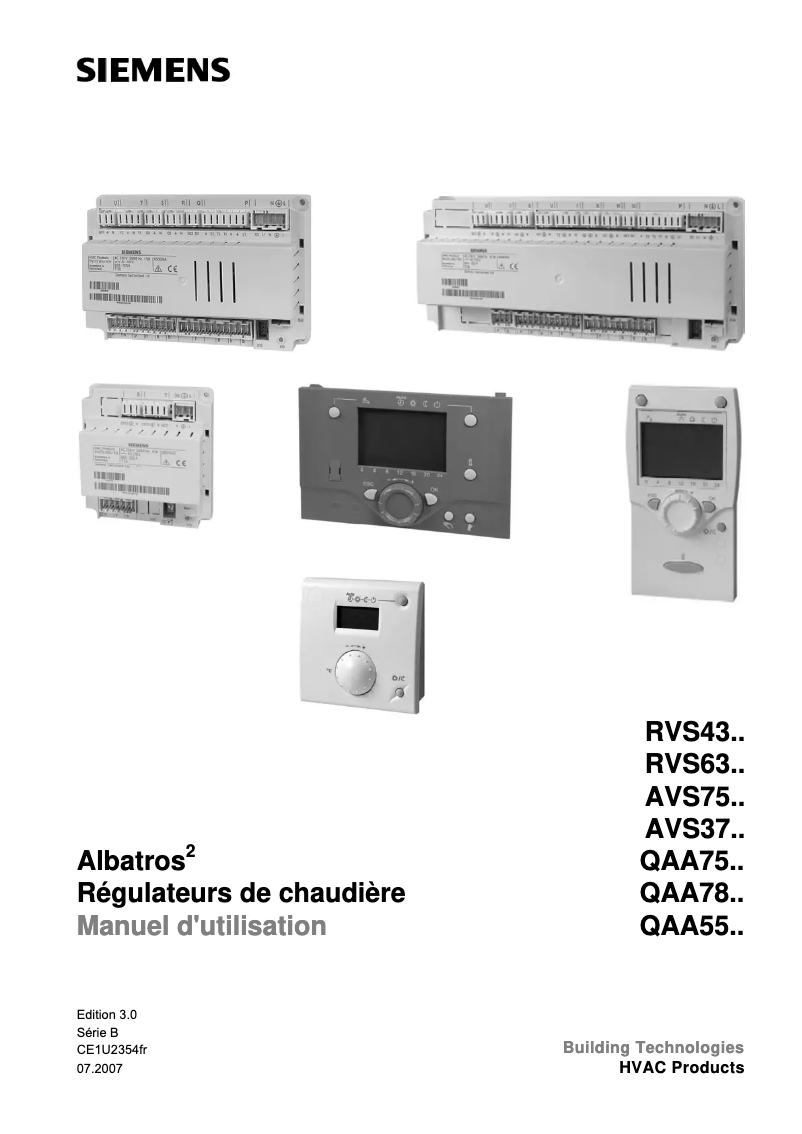
7 10

Editorial note

The Siemens QAA 75.611 stands out for the quality and innovation that characterize the Siemens brand, thus ensuring optimal performance and an enhanced user experience. Its intuitive interface facilitates its integration into daily life, making its use enjoyable and efficient. Moreover, the modern technical features guarantee an advanced level of performance, making it an interesting choice for users seeking reliability. However, the product may have some drawbacks. Its relatively high cost compared to other similar models may not suit all budgets. Additionally, the limited availability of spare parts and repair services could pose a problem in case of a breakdown. The absence of user manual versions in multiple languages could also complicate the handling for some users, especially those less familiar with advanced technologies. Finally, its design, while functional, may not match all interior decoration styles, which could restrict its appeal. In summary, the Siemens QAA 75.611 is a quality product, offering satisfactory performance and user experience. However, its price and some limitations in terms of support and design should be considered before purchase.

Score details

User experience

The user experience is enhanced by an intuitive and efficient interface, making it easier to integrate into daily life.

Performance

The performance is optimal, with modern technical features ensuring advanced performance.

Documentation

The documentation is accessible through a user manual, although its lack of translations in multiple languages may complicate the learning process.

Value for money

The product can be expensive compared to other similar models, which may not suit all budgets.

repairability

The availability of spare parts and repair services may be limited, which could pose a problem in case of a breakdown.

Design

The design may not suit all interior decoration styles, limiting its appeal to some consumers.


Advantages

Reliability of the Siemens brand

Intuitive and efficient use

Accessible user manual

Modern and high-performance technology

Siemens' ecological commitment

Disadvantages

High price compared to other models

Hard-to-find spare parts

Missing and poorly detailed user manual

Learning curve for advanced features

Design not suitable for all interiors

Technical Specifications QAA 75.611

General Information

Frequently Asked Questions

How to correct temperature measurement errors with the Siemens QAA 75.611?
To correct temperature measurement errors on the Siemens QAA 75.611, follow these steps: 1. Check the type of temperature sensor used. The QAA 75.611 is compatible with CTN and Pt 1000 type sensors. Ensure you have the correct sensor installed. 2. Check the calibration of the temperature sensor. The manual provides instructions for adjusting the measurement value. Follow these instructions to calibrate the sensor if necessary. 3. Ensure that the sensor is properly connected to the QAA 75.611. Check that the wired connections are secure and correctly installed. 4. Examine external factors that may influence temperature measurements. Ensure that the sensor is not exposed to direct sunlight, drafts, or other heat or cold sources that could affect its accuracy. 5. If errors persist, contact Siemens customer support for further assistance. They can provide additional troubleshooting steps or arrange for an inspection by a technician. Be sure to consult the Siemens QAA 75.611 manual for detailed instructions and specific information about your device.
What to do if the wired configuration of the Siemens QAA 75.611 is not working?
If the wired configuration of the Siemens QAA 75.611 is not working, try the following steps: 1. Check the power supply: Ensure that the QAA 75.611 is powered and that the power source is functioning correctly. 2. Examine the wired connections: Check the connections between the QAA 75.611 and other components. Ensure that the cables are properly connected and inserted into the appropriate terminals. 3. Inspect the wires for any damage: Check the cables for loose or damaged wires. If issues are detected, repair or replace the affected wires. 4. Ensure component compatibility: Verify that the wired components, such as sensors or actuators, are compatible with the QAA 75.611. Refer to the manual for compatibility information. 5. Perform a system reset: If the wired configuration still does not work, try resetting the system. This may resolve software or configuration issues. Consult the manual for reset instructions. If the problem persists, contact Siemens customer service for further assistance.
How to resolve mounting issues with the Siemens QAA 75.611?
To resolve mounting issues with the Siemens QAA 75.611, follow these steps: 1. Ensure that the device is mounted in the main room, considering the following: - To avoid temperature measurement errors, place it away from direct sunlight or other heat or cold sources, about 1.5 meters off the ground. - If mounted on a wall, leave enough space above for easy removal and reinstallation. 2. Check that the power supply is properly connected. 3. Ensure that the device is securely fixed and properly aligned. Check that all mounting brackets or screws are tight. 4. If the device is detached from its base, it will not function. Verify that it is securely attached to the base. 5. If you encounter difficulties or have questions regarding the mounting, contact Siemens customer service for assistance. These steps are based on the information provided in the Siemens QAA 75.611 manual.
What should I check if the terminals of the Siemens QAA 75.611 are not functioning correctly?
To troubleshoot issues with the terminals of the Siemens QAA 75.611, follow these steps: 1. Check the power supply: Ensure that the QAA 75.611 is receiving adequate power. Verify that the power source is plugged in and functioning correctly. 2. Examine the wired connections: Check the connections to the terminals of the QAA 75.611. Ensure that the wires are securely connected and properly inserted into the terminals. 3. Ensure compatibility of connected devices: Verify that the devices connected to the terminals of the QAA 75.611 are compatible and correctly configured. Refer to the manual for compatibility information. 4. Inspect the wires for damage: Examine the wiring for loose or damaged wires. If issues are detected, repair or replace the affected wires. 5. Perform a system reset: If terminal issues persist, try resetting the system. This may help resolve software or configuration issues. Consult the manual for instructions on how to reset the QAA 75.611. If problems persist despite these steps, contact Siemens customer support for further assistance.
How to resolve issues related to the optional user interface of the Siemens QAA 75.611?
To resolve issues with the optional user interface of the Siemens QAA 75.611, follow these steps: 1. Check the power supply: Ensure that the QAA 75.611 is receiving adequate power. Verify that the power source is connected and functioning as expected. 2. Restart the user interface: If issues arise, try restarting the optional user interface to resolve any temporary software problems. Consult the manual for restart instructions. 3. Check the connection: Ensure that the user interface is properly connected to the QAA 75.611. Check the wired connections to ensure they are secure. 4. Reset the user interface settings: If the interface is not functioning correctly, you may try resetting its settings. Consult the manual for reset instructions. 5. Contact Siemens customer support: If the previous steps do not resolve the issues, it is advisable to contact customer support for further assistance. They can provide troubleshooting advice or arrange for a technician inspection. These steps are based on the information provided in the Siemens QAA 75.611 manual.
Is the manual for the Siemens QAA 75.611 available in French?
Yes, the manual for the Siemens QAA 75.611 is available in French.

Similar products


Discover the technical sheet of Beach from Sunny and its manuals...
Available manuals:
Discover the technical sheet of HZ86D000 from Siemens and its manuals...
Available manuals:
Discover the technical sheet of KA95FBI2P from Siemens and its manuals...
Available manuals:
Discover the technical sheet of HZ25920 from Siemens and its manuals...
Available manuals:
Discover the technical sheet of KA95NVW3P from Siemens and its manuals...
Available manuals:
Discover the technical sheet of HZ392800 from Siemens and its manuals...
Available manuals:
Discover the technical sheet of KG36NVW4A from Siemens and its manuals...
Available manuals:
Discover the technical sheet of A030.139.01 from Sunny and its manuals...
Available manuals:
Discover the technical sheet of NV Goggles from Yukon and its manuals...
Available manuals:
Discover the technical sheet of Sandy from Sunny and its manuals...
Available manuals:
Discover the technical sheet of SZ-JB02 from Zojirushi and its manuals...
Available manuals:
Discover the technical sheet of A030.139.00 from Sunny and its manuals...
Available manuals:

Presentation of product QAA 75.611 specifications from brand Siemens

General Information

The Siemens QAA 75.611 is an iconic product from the Siemens brand, renowned for its commitment to quality and innovation in the home appliance sector. This model, the QAA 75.611, has been designed to deliver optimal performance while enhancing the user experience. Its modern design and advanced technical features make it a relevant choice for those seeking efficiency and reliability.

Advantages

Among the strengths of the Siemens QAA 75.611, we note:

  • Brand reliability: Siemens is synonymous with durability and performance, ensuring product longevity.
  • Intuitive use: This model is designed to easily integrate into your daily life, making its use simple and effective.
  • Accessible documentation: A user manual is available, facilitating quick familiarization and a clear understanding of its features.
  • Advanced technology: The modern features of the QAA 75.611 ensure superior performance in its application area.
  • Environmental commitment: Siemens adopts sustainable practices, thus contributing to reducing the environmental impact of its products.

Disadvantages

However, some points may be considered disadvantages:

  • Cost: The price of the QAA 75.611 may be higher than that of similar models, which may not suit all budgets.
  • Availability of parts: Spare parts and repair services can sometimes be difficult to obtain.
  • User manual: The lack of a detailed manual in multiple languages may complicate familiarization for some users.
  • Advanced features: Some characteristics may require a learning curve, which could discourage less tech-savvy users.
  • Design: The product's style may not harmonize with all types of interior decor, thus limiting its appeal to some consumers.