

Manuals of product DT200i+

Editorial note
The Godex DT200i+ printer stands out for its optimal performance, delivering high-quality print results, making it an ideal choice for users seeking sharp and professional documents. Its intuitive design enhances the user experience, facilitating the management of printing tasks without complexity. Additionally, the provided documentation, including a user manual and a brochure, aids in optimal use from the start. However, it is worth noting that the price of the printer may be relatively high compared to other options on the market, which could deter some users. Furthermore, the initial setup may prove complicated for those unfamiliar with printers, requiring an adjustment period. Moreover, technical support and online resources are limited, which can pose challenges in resolving potential issues. Some users have also reported that the printer can be noisy during operation, which may be disruptive in quiet work environments. Finally, the printer's compatibility with certain operating systems may restrict its use on newer or less common devices, which is a point to consider before purchase. Overall, the Godex DT200i+ is a solid investment for those who prioritize print quality and durability, but it may not be suitable for everyone due to its cost and certain technical limitations.Score details
User experience
The user experience is enhanced through intuitive design, allowing for efficient management of printing tasks without complexity.
Performance
The printer's performance is optimal, delivering high-quality print results with sharp and professional documents.
Documentation
The documentation is comprehensive, including a user manual and a brochure, which helps for optimal use from the start.
Robustness
The printer is designed to be robust and durable, ensuring a long lifespan and a good investment for users.
Value for money
The price may be relatively high compared to other options, which may deter some users looking for more affordable solutions.
Support
Technical support and online resources are limited, which can make troubleshooting difficult for some users.
Usability
The initial setup can be complicated for less experienced users, requiring an adjustment period.
noise
The printer can be noisy during operation, which can be disruptive in quiet work environments.
compatibility
Compatibility with certain operating systems can be problematic, limiting its use on newer or less common devices.
Advantages
High-quality printing
Brand recognized for reliability
Ease of use
Comprehensive documentation provided
Durability and robustness
Disadvantages
High price compared to the competition
Complicated installation for beginners
Limited technical support and scarce resources
Noisy in quiet environments
Compatibility issues with certain systems
Technical Specifications DT200i+
General Information
-
ModelDT200I+
-
Brand
-
Category
-
Type
-
SKU1804402
-
MPN1804402
Frequently Asked Questions
What is the recommended method for removing a jammed paper from the printer?
Why is my printer refusing to accept original cartridges?
What are the possible reasons for poor print quality?
How does a laser printer differ from an inkjet printer?
Why does my inkjet printer leave black streaks on prints?
What does the acronym DPI mean?
Is the manual for the Godex DT200i+ available in French?
Similar products


More product categories from brand Godex


Presentation of product DT200i+ specifications from brand Godex
General Information
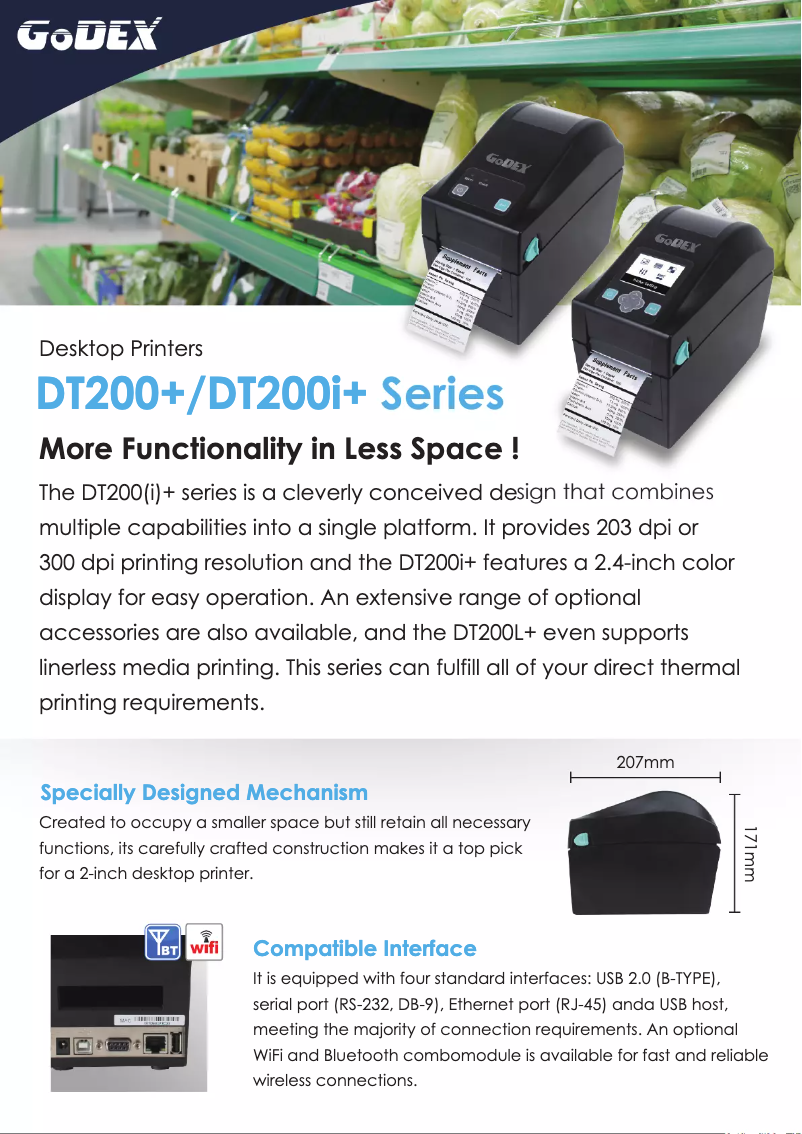
The Godex DT200i+ model is a printer from the Godex brand, known for its commitment to quality and innovation in the printing device sector. Designed to deliver high-level performance, the DT200i+ ensures a smooth and enhanced user experience, suitable for both professionals and individuals.
Advantages
Optimal performance: The Godex DT200i+ printer stands out for its ability to produce high-quality prints, ensuring clear and professional documents.
Recognized innovation: Thanks to the strong reputation of the Godex brand, the DT200i+ model benefits from innovative and reliable design, making it a popular choice in the printing field.
Improved user experience: This model has been designed to facilitate its use, allowing users to manage their printing tasks with ease.
Comprehensive documentation: The printer comes with a user manual and an informative brochure, providing valuable tips for optimal use from the start.
Robustness and durability: Its careful design ensures appreciable longevity, thus representing a wise investment for those seeking a reliable printer.
Disadvantages
Cost: The Godex DT200i+ may be considered relatively expensive compared to other competing models, which could deter some users looking for more economical solutions.
Initial setup: The installation and configuration of the printer can be complex for less experienced users, requiring some adjustment time.
Technical support: Online support resources and technical assistance may be limited, making problem-solving more difficult for users.
Noise during operation: Some users have reported that the printer can produce significant noise during use, which can be disruptive in quiet work environments.
Compatibility: Compatibility with certain operating systems may pose issues, limiting its use on newer or less common devices.


