

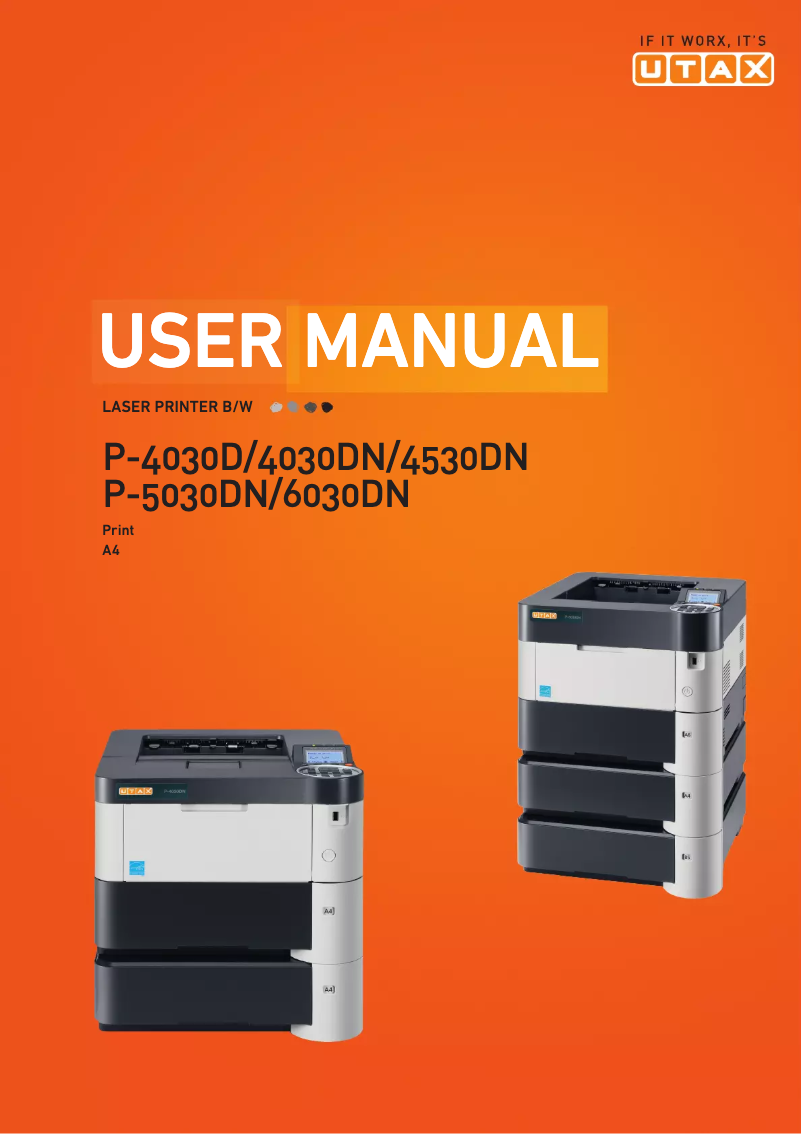
Manual of product P-4030D
Editorial note
The Utax P-4030D printer stands out with its high printing speed of 40 pages per minute and a maximum resolution of 1800 x 600 DPI, thus providing superior quality prints suitable for demanding professional environments. Additionally, the built-in duplex printing function helps optimize paper usage, which can reduce printing costs. Its 500-sheet paper capacity is also an advantage, allowing for the management of a large volume of documents without interruption. However, there are some drawbacks to consider. The lack of Ethernet and Wi-Fi connectivity limits connection options, which can be problematic in modern environments where wireless printing is preferred. Furthermore, although the printing speed is impressive, the fact that the printer only supports A4 format can be restrictive for users needing to print larger format documents. The weight of 13.5 kg can also complicate handling and moving the device within an office. In terms of value for money, the Utax P-4030D offers robust features, but its paper capacity may require frequent replenishments in high-volume environments. The internal memory limited to 128 MB could also restrict the management of complex documents, making printing less smooth in high workload situations. Overall, the Utax P-4030D is a solid choice for those seeking a fast and quality printer, but users should be aware of its limitations regarding connectivity and paper size.Score details
User experience
The user experience is generally positive due to the high printing speed and the built-in duplex printing feature, but the lack of wireless connectivity may be a drawback for some users.
Performance
The performance is impressive with a printing speed of 40 pages per minute and a maximum resolution of 1800 x 600 DPI, although the limited internal memory may restrict the handling of complex documents.
Design
The design is functional, but the weight of 13.5 kg can make handling difficult in some office environments.
Value for money
The value for money is fair with robust features, but the 500-sheet paper capacity may require frequent refills in high-volume environments.
Usability
Although the printer is compatible with various operating systems, the lack of Ethernet and Wi-Fi connectivity may limit its use in modern environments.
Features
Features such as duplex printing and support for multiple printing languages are a plus, but the paper format limited to A4 may be restrictive for some users.
Advantages
Fast printing at 40 pages per minute
Built-in duplex printing
Maximum resolution of 1800 x 600 DPI
500-sheet paper capacity
Compatible with Windows, Mac, and Linux
Disadvantages
No Ethernet or Wi-Fi connectivity
Limited to A4 format only
Heavy weight, difficult to move
Paper capacity of 500 sheets
Internal memory of only 128 MB
Technical Specifications P-4030D
General Information
-
ModelP-4030D
-
Brand
-
Category
-
Type
-
SKU270611
-
MPN270611
Print speed
-
ColorNo
-
Maximum resolution1800 x 600 DPI
-
Double-sided printingYes
-
Printing technologyLaser
-
Print speed (black, normal quality, A4/US Letter)40 ppm
-
Preheating time15 s
-
Copy time for the first page (Black, normal)9 s
-
Duplex printing speed (Black, normal quality, A4/US Letter)21 ppm
Features
-
Service cycle (Maximum)- pages per month
-
Number of print cartridges1
-
Languages of the page descriptionDiablo 630, Epson LQ, PCL 5e, PCL 6, PCL XL, PDF 1.5
Input and output capacity
-
Total power capacity500 sheets
-
Total output capacity250 sheets
Paper management
-
ISO, Format Series A (A0...A9)A4
-
Type of paper tray supportGlossy paper
-
ISO, Format Series A (A0...A9)Matte paper
-
Support weight supported in duplex modePlain paper
-
Weight of the multifunctional tray supportA4
-
Support weight supported in duplex mode60 - 120 g/m²
-
60 - 220 g/m²
-
60 - 120 g/m²
Network
-
Mobile printing technologies-
-
WifiNo
-
WifiNo
-
Ready-to-use networkYes
Connectivity
-
Standard interfacesUSB 2.0
-
Optional connectivityWireless LAN
Representation / realization
-
Internal memory128 MB
-
Maximum internal memory1152 MB
-
Compatible memory cardsSD
-
Built-in memory card readerYes
-
Sound pressure level (impression)53 dB
-
Sound power level (standby)30 dB
Design
-
Product colorBlack
-
Built-in screenWhite
-
Yes
Power
-
AC input voltage220 - 240 V
-
AC input frequency50 Hz
-
Average power consumption in Print mode564 W
-
Energy consumption (standby mode)11.5 W
-
Energy consumption (eco mode)3 W
Minimum system requirements
-
Support for the Windows operating systemWindows 7 Home Basic
-
Support for the Mac operating systemWindows 7 Home Basic x64
-
Support for the Linux operating systemWindows 7 Home Premium
-
Support for the server operating systemWindows 7 Home Premium x64
-
Support for other operating systemsWindows 7 Professional
-
Windows 7 Professional x64
-
Windows 7 Starter
-
Windows 7 Starter x64
-
Windows 7 Ultimate
-
Windows 7 Ultimate x64
-
Windows Vista Business
-
Windows Vista Business x64
-
Windows Vista Enterprise
-
Windows Vista Enterprise x64
-
Windows Vista Home Basic
-
Windows Vista Home Basic x64
-
Windows Vista Home Premium
-
Windows Vista Home Premium x64
-
Windows Vista Ultimate
-
Windows Vista Ultimate x64
-
Windows XP Home
-
Windows XP Home x64
-
Windows XP Professional
-
Windows XP Professional x64
-
Mac OS X 10.0 Cheetah
-
Mac OS X 10.1 Puma
-
Mac OS X 10.2 Jaguar
-
Mac OS X 10.3 Panther
-
Mac OS X 10.4 Tiger
-
Mac OS X 10.5 Leopard
-
Mac OS X 10.6 Snow Leopard
-
Mac OS X 10.7 Lion
-
Mac OS X 10.8 Mountain Lion
-
Mac OS X 10.9 Mavericks
-
Yes
-
Windows Server 2003
-
Windows Server 2003 R2
-
Windows Server 2003 x64
-
Windows Server 2008
-
Windows Server 2008 R2
-
Windows Server 2008 x64
-
Windows Server 2012
-
Windows Server 2012 R2
-
Windows Server 2012 R2 x64
-
Windows Server 2012 x64
-
Novell NetWare 3.x
-
Novell NetWare 4.x
-
Novell NetWare 5.x
-
Novell NetWare 6.x
-
Novell Open Enterprise Server
Weight and dimensions
-
Width390 mm
-
Depth410 mm
-
Height285 mm
-
Weight13500 g
Frequently Asked Questions
What is the weight of the Utax P-4030D?
How can I remove the jammed paper from the printer?
Why is my printer not recognizing the original cartridges?
Why is the quality of my prints poor?
What is the difference between a laser printer and an inkjet printer?
Why does my inkjet printer leave black streaks on prints?
What does the acronym DPI mean?
How many cartridges can be inserted into the Utax P-4030D?
What is the height of the Utax P-4030D?
What is the width of the Utax P-4030D?
What is the depth of the Utax P-4030D?
Is the manual for the Utax P-4030D available in French?
Similar products



More product categories from brand Utax
More product types from brand Utax

Presentation of product P-4030D specifications from brand Utax
General Information
The Utax P-4030D printer is a reliable model from the Utax brand, known for its innovations and quality in the field of printing devices. This model, designated by the reference P-4030D | 4434000001, offers high performance and an enhanced user experience.
Print Speed
This printer does not offer color printing, making it ideal for tasks requiring monochrome output. Its maximum resolution of 1800 x 600 DPI ensures prints of exceptional clarity, for both professional and personal needs. The duplex printing option is integrated, allowing for paper savings and reduced printing costs. Thanks to its laser printing technology, the P-4030D delivers precise and high-quality results.
The print speed reaching 40 pages per minute for A4/US Letter size, along with a warm-up time of only 15 seconds, allows for efficient use in demanding work environments. The first page print delay in black mode is 9 seconds, and the duplex print speed is 21 pages per minute, thus optimizing your printing time.
Features
The maximum service cycle of the Utax P-4030D is suitable for heavy users, although the maximum number of pages is not specified. It uses a single print cartridge, simplifying consumable management. Additionally, the printer is compatible with several page description languages, including Diablo 630, Epson LQ, PCL 5e, PCL 6, PCL XL, and PDF 1.5, allowing for flexible use.
Input and Output Capacity
The feed capacity of 500 sheets and the output capacity of 250 sheets ensure efficient document management, minimizing interruptions during printing.
Paper Management
The P-4030D supports paper sizes up to A4, which is standard for office environments. It is compatible with various types of media, including glossy, matte, and plain paper, and can handle paper weights ranging from 60 to 120 g/m² for the main tray and 60 to 220 g/m² for the multifunction tray.
Network
This printer does not have Ethernet/LAN connectivity or Wi-Fi, thus limiting connection options for users wishing to print wirelessly. However, it is ready for immediate connection and offers various mobile printing technologies.
Connectivity
The P-4030D is equipped with standard interfaces ensuring easy integration with different devices. Optional connectivity includes wireless LAN, expanding usage possibilities.
Representation / Performance
With an internal memory of 128 MB and a maximum capacity of 1152 MB, the printer is capable of handling a significant amount of data. It is also compatible with SD memory cards and has a built-in card reader for convenient data management. The noise level during printing is 53 dB, ensuring relatively quiet operation, while in standby, it drops to 30 dB.
Design
The design of the Utax P-4030D, available in black and white, gives it a modern and professional appearance. Its built-in screen facilitates user interaction, making it intuitive to use.
Power
This printer operates on an AC input voltage of 220 - 240 V with a frequency of 50 Hz, ensuring compatibility with standard electrical systems. Its power consumption in print mode is 564 W, while in standby, it consumes only 11.5 W. In energy-saving mode, it further reduces its consumption to 3 W, contributing to energy savings.
Minimum System Requirements
The P-4030D supports a wide range of operating systems, including several versions of Windows, Mac OS X, and Linux, ensuring extensive compatibility for users. It is also compatible with various server operating systems.
Weight and Dimensions
The dimensions of the printer are 390 mm wide, 410 mm deep, and 285 mm high, with a weight of 13.5 kg. These features facilitate its integration into various workspaces while ensuring easy handling.


