

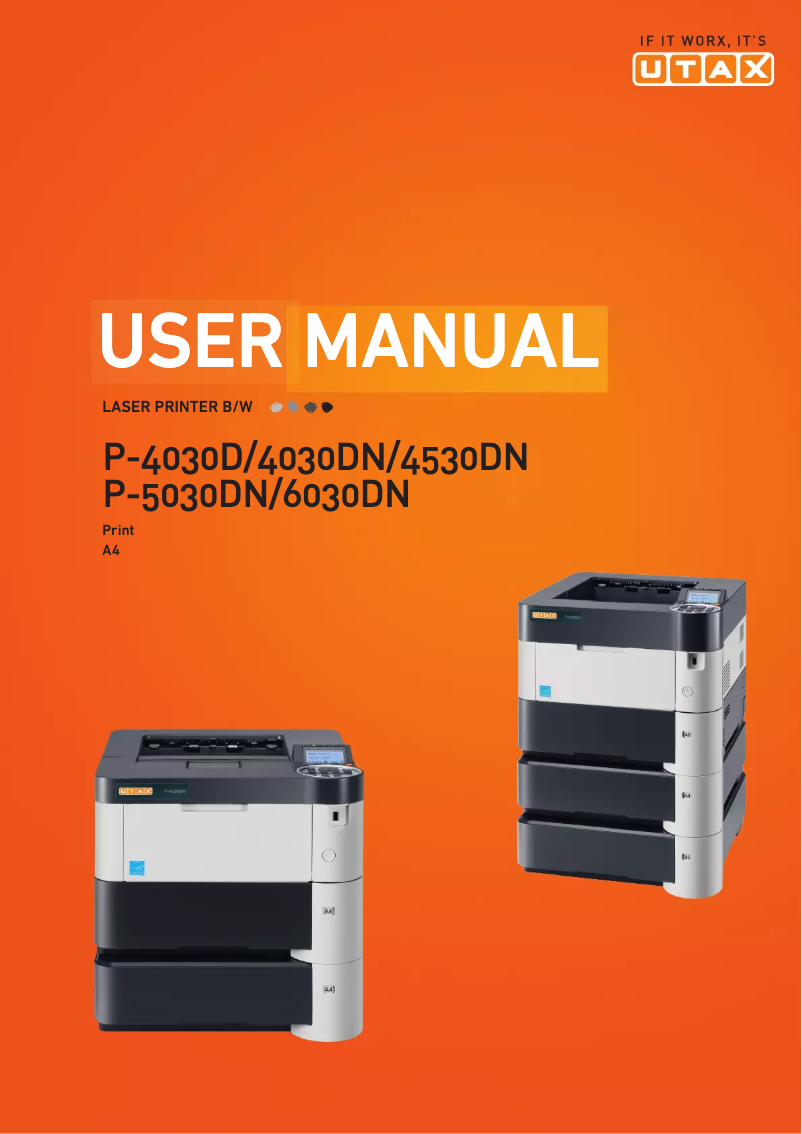
Manual of product P-6030DN
Editorial note
The Utax P-6030DN printer stands out with its impressive printing speed of 60 pages per minute, making it an ideal choice for demanding work environments. Its maximum resolution of 1800 x 600 DPI ensures clear prints, perfect for professional documents. Additionally, the built-in duplex printing helps optimize paper consumption, thus contributing to savings on printing costs. Its 500-sheet paper capacity is also appreciated, allowing for the management of a large volume of documents without interruption. However, some drawbacks are worth noting. The lack of Wi-Fi functionality limits wireless connectivity, which may be a hindrance for users wishing to print directly from mobile devices. Furthermore, with a weight of 14.6 kg, the printer may pose challenges during installation or relocation. Although the warm-up time of 25 seconds is acceptable, it may frustrate those seeking instant printing. Finally, the paper capacity, while reasonable, may not be sufficient in high-volume printing environments. Regarding the scores, the user experience is generally positive (80), thanks to well-thought-out features. The printer's performance is also high (85), while the energy consumption in standby mode is reasonable (70). The functional design receives a score of 75, although the weight is a drawback. The value for money is considered acceptable (78), but the paper capacity could be an area for improvement. Lastly, features such as compatibility with various operating systems are well-rated (80), although the resolution may not meet expectations for high-end graphic prints. In summary, the Utax P-6030DN is a high-performing and efficient printer for everyday printing needs, but certain aspects, such as connectivity and portability, could be improved to maximize its appeal.Score details
User experience
The user experience is overall positive thanks to well-thought-out features like integrated duplex printing and a user-friendly interface.
Performance
The printing speed of 60 pages per minute and a maximum resolution of 1800 x 600 DPI ensure optimal performance for demanding work environments.
Battery life
Although the power consumption in standby mode is reasonable, the lack of Wi-Fi functionality limits wireless usage flexibility.
Design
The design is functional, but the weight of 14.6 kg can pose portability and installation issues.
Value for money
The value for money is acceptable, but the 500-sheet paper capacity may be insufficient for very high-volume printing environments.
Features
Features like duplex printing and compatibility with various operating systems are major assets, although some users may find the resolution limited for graphic prints.
Advantages
Fast printing of 60 pages per minute
Double-sided printing for paper savings
Clear resolution of 1800 x 600 DPI
500-sheet paper capacity
Compatible with Windows, Mac, and Linux
Disadvantages
No Wi-Fi connectivity
Weight of 14.6 kg, not very portable
Preheating time of 25 seconds
Limited paper capacity of 500 sheets
Insufficient maximum resolution for photos
Technical Specifications P-6030DN
General Information
-
ModelP-6030DN
-
Brand
-
Category
-
Type
-
SKU270613
-
MPN270613
Print speed
-
ColorNo
-
Maximum resolution1800 x 600 DPI
-
Double-sided printingYes
-
Printing technologyLaser
-
Print speed (black, normal quality, A4/US Letter)60 ppm
-
Preheating time25 s
-
Copy time for the first page (Black, normal)9 s
-
Duplex printing speed (Black, normal quality, A4/US Letter)43 ppm
Features
-
Service cycle (Maximum)- pages per month
-
Number of print cartridges1
-
Languages of the page descriptionDiablo 630, Epson LQ, PCL 6, PDF 1.5, PostScript 3
Input and output capacity
-
Total output capacity500 sheets
-
Paper feed typeCassette
-
Total output capacity500 sheets
Paper management
-
ISO, Format Series A (A0...A9)A4
-
Type of paper tray supportGlossy paper, Matte paper
-
ISO, Format Series A (A0...A9)A4
-
Support weight supported in duplex mode60 - 120 g/m²
-
Weight of the multifunctional tray support60 - 220 g/m²
-
Support weight supported in duplex mode60 - 120 g/m²
Network
-
Mobile printing technologies-
-
Ready-to-use networkYes
-
WifiNo
-
Ready-to-use networkYes
Connectivity
-
Standard interfacesEthernet
-
USB 2.0
Representation / realization
-
Internal memory256 MB
-
Memory locations1
-
Maximum internal memory1280 MB
-
Integrated into the processorYes
-
Sound pressure level (impression)57 dB
-
Sound power level (standby)30 dB
-
Processor familyPowerPC
-
Processor model465
-
Integrated into the processorYes
Design
-
Product colorBlack
-
Built-in screenWhite
-
Yes
Power
-
AC input voltage220 - 240 V
-
AC input frequency50 Hz
-
Average power consumption in Print mode757 W
-
Energy consumption (standby mode)13.1 W
Minimum system requirements
-
Support for the Windows operating systemWindows 7 Home Basic
-
Support for the Mac operating systemWindows 7 Home Basic x64
-
Support for the Linux operating systemWindows 7 Home Premium
-
Support for the server operating systemWindows 7 Home Premium x64
-
Support for other operating systemsWindows 7 Professional
-
Windows 7 Starter
-
Windows 7 Starter x64
-
Windows 7 Ultimate
-
Windows 7 Ultimate x64
-
Windows Vista Business
-
Windows Vista Business x64
-
Windows Vista Enterprise
-
Windows Vista Enterprise x64
-
Windows Vista Home Basic
-
Windows Vista Home Basic x64
-
Windows Vista Home Premium
-
Windows Vista Home Premium x64
-
Windows Vista Ultimate
-
Windows Vista Ultimate x64
-
Windows XP Home
-
Windows XP Home x64
-
Windows XP Professional
-
Windows XP Professional x64
-
Mac OS X 10.0 Cheetah
-
Mac OS X 10.1 Puma
-
Mac OS X 10.2 Jaguar
-
Mac OS X 10.3 Panther
-
Mac OS X 10.4 Tiger
-
Mac OS X 10.5 Leopard
-
Mac OS X 10.6 Snow Leopard
-
Mac OS X 10.7 Lion
-
Mac OS X 10.8 Mountain Lion
-
Mac OS X 10.9 Mavericks
-
Yes
-
Windows Server 2003
-
Windows Server 2003 R2
-
Windows Server 2003 x64
-
Windows Server 2008
-
Windows Server 2008 R2
-
Windows Server 2008 x64
-
Novell NetWare 3.x
-
Novell NetWare 4.x
-
Novell NetWare 5.x
-
Novell NetWare 6.x
-
Novell Open Enterprise Server
Weight and dimensions
-
Width390 mm
-
Depth410 mm
-
Height320 mm
-
Weight14600 g
Frequently Asked Questions
What is the weight of the Utax P-6030DN printer?
What is the recommended method for removing paper jammed in the printer?
Why is my printer not accepting original cartridges?
What are the possible reasons for poor print quality?
What is the difference between a laser printer and an inkjet printer?
Why is my inkjet printer producing black streaks?
What does the acronym DPI mean?
How many cartridges can be installed in the Utax P-6030DN?
What is the height of the Utax P-6030DN?
What is the width of the Utax P-6030DN?
What is the depth of the Utax P-6030DN?
Is the manual for the Utax P-6030DN available in French?
Similar products



More product categories from brand Utax
More product types from brand Utax

Presentation of product P-6030DN specifications from brand Utax
General Information
The Utax P-6030DN printer is a device from the Utax brand, known for its commitment to quality and innovation in the office equipment sector. This model, referenced P-6030DN | 4436000000, is designed to deliver optimal performance while enhancing the user experience.
Print Speed
This printer is monochrome, making it suitable for professional printing. With a maximum resolution of 1800 x 600 DPI, it produces documents with remarkable clarity. The Utax P-6030DN is equipped with a duplex printing function, allowing for efficient paper use and reduced printing costs. Thanks to its laser printing technology, it achieves a print speed of 60 pages per minute in black, which is ideal for high-demand work environments. The warm-up time is 25 seconds, and the time to print the first page is only 9 seconds. In duplex mode, the print speed is 43 pages per minute.
Features
This printer is designed for a high service cycle, meeting the needs of intensive users. It operates with a single print cartridge, ensuring consistent quality. Additionally, it supports various page description languages, such as Diablo 630, Epson LQ, PCL 6, PDF 1.5, and PostScript 3, providing flexibility in use.
Input and Output Capacity
The paper feed capacity of the Utax P-6030DN is 500 sheets, facilitating the management of a high volume of documents without interruption. The feed type is cassette, optimizing workflow. Furthermore, the output capacity is also 500 sheets, ensuring reliable performance.
Paper Management
This printer is compatible with ISO A series paper sizes, up to A4, making it suitable for office standards. It supports various types of paper, including glossy and matte paper. The accepted paper weights range from 60 to 120 g/m² for the main tray and up to 220 g/m² for the multifunction tray, ensuring optimal print quality.
Network
The Utax P-6030DN is equipped with Ethernet/LAN connectivity, facilitating integration into a local network. However, it does not have Wi-Fi capabilities. The network is ready to use, allowing for quick setup. Additionally, it supports mobile printing technologies, offering flexibility in use.
Connectivity
This printer features standard interfaces, ensuring smooth connectivity with various devices and systems, thus facilitating its integration into a work environment.
Representation / Performance
With an internal memory of 256 MB, the Utax P-6030DN allows for efficient data usage. It has a memory slot and can reach a maximum memory of 1280 MB. An integrated memory card reader provides a convenient storage solution. The noise level during printing is 57 dB, while in standby mode, it is 30 dB, making its use discreet. It uses a processor from the PowerPC family, model 465, ensuring good performance.
Design
The design of the Utax P-6030DN is modern, available in black and white, and features a built-in screen that enhances the user experience.
Power
This printer operates on an alternating current of 220 to 240 V and has an input frequency of 50 Hz. In print mode, its power consumption is 757 W, while in standby, it consumes only 13.1 W, contributing to energy savings.
Minimum System Requirements
The Utax P-6030DN is compatible with various operating systems, including several versions of Windows, Mac OS X, and Linux, allowing it to easily integrate into different computing environments. It also supports server operating systems like Windows Server and Novell NetWare, providing great flexibility for users.
Weight and Dimensions
This printer measures 390 mm in width, 410 mm in depth, and 320 mm in height, with a weight of 14.6 kg. These dimensions and weight make its installation and use practical while fitting into a standard workspace.


