

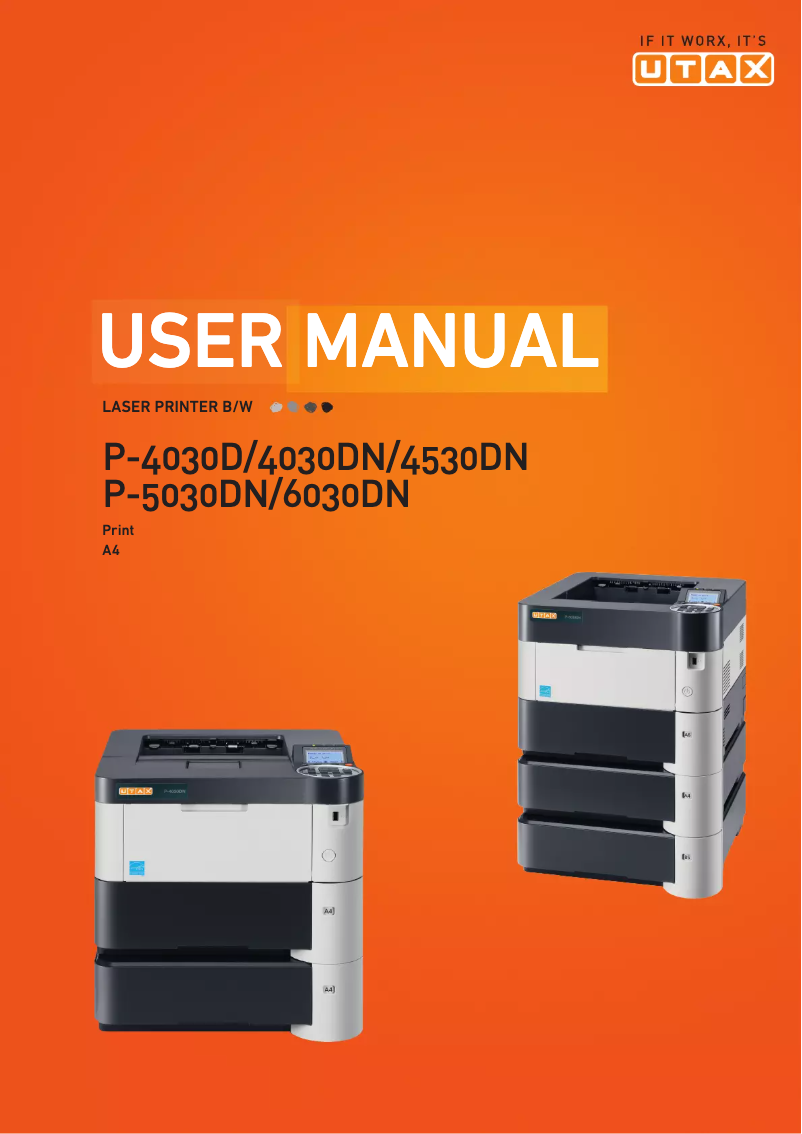
Manual of product P-5030DN
Editorial note
The Utax P-5030DN printer stands out for its high printing speed, reaching 50 pages per minute, which is ideal for demanding work environments. Its print quality is also remarkable, with a maximum resolution of 1800 x 600 DPI, ensuring clear and precise results. Additionally, the automatic duplex printing feature helps reduce paper consumption, making this device an eco-friendly choice. Its 500-sheet paper capacity and compatibility with various operating systems add to its practicality. However, some drawbacks are worth noting. The lack of Wi-Fi connectivity limits usage flexibility, which can be a hindrance in modern workspaces where wireless printing is often preferred. Furthermore, the printer does not offer color printing options, which may not suit all users. Its weight of 14.6 kg can make moving it difficult, and while the paper capacity is adequate, it may require frequent refills in high-volume environments. Finally, the 20-second warm-up time may seem long for those who need immediate prints. Overall, the Utax P-5030DN offers good value for money, with solid performance and useful features. Although some improvements could be made, particularly in terms of connectivity and weight, this device effectively meets the printing needs of professional users.Score details
User experience
The user experience is overall positive thanks to the intuitive interface and well-thought-out features, but the lack of Wi-Fi connectivity limits usage flexibility.
Performance
With a printing speed of 50 pages per minute, the Utax P-5030DN offers high performance, ideal for demanding work environments, although it does not offer color printing options.
Design
The design is modern, but the weight of 14.6 kg can make moving the printer difficult.
Value for money
The value for money is good with high-quality prints, although the 500-sheet paper capacity may require frequent refills.
Features
Features like automatic duplex printing and compatibility with various operating systems add great value to this product.
Support
The user manual is comprehensive, but additional support could enhance the user experience.
Documentation
The documentation is well-structured and covers all the printer's features, although it may seem dense with 312 pages.
Advantages
Fast printing at 50 pages per minute
Automatic eco-friendly double-sided printing
Print quality of 1800 x 600 DPI
Paper capacity of 500 sheets
Compatible with Windows, Mac, and Linux
Disadvantages
No Wi-Fi connectivity
Black and white printing only
Weight of 14.6 kg
Paper capacity limited to 500 sheets
Preheating time of 20 seconds
Technical Specifications P-5030DN
General Information
-
ModelP-5030DN
-
Brand
-
Category
-
Type
-
SKU270612
-
MPN270612
Print speed
-
ColorNo
-
Maximum resolution1800 x 600 DPI
-
Double-sided printingYes
-
Printing technologyLaser
-
Print speed (black, normal quality, A4/US Letter)50 ppm
-
Preheating time20 s
-
Copy time for the first page (Black, normal)9 s
-
Duplex printing speed (Black, normal quality, A4/US Letter)37 ppm
Features
-
Service cycle (Maximum)- pages per month
-
Number of print cartridges1
-
Languages of the page descriptionDiablo 630, Epson LQ, PCL 5e, PCL 6, PCL XL, PDF 1.5, PostScript 3
Input and output capacity
-
Total output capacity500 sheets
-
Total output capacity500 sheets
Paper management
-
ISO, Format Series A (A0...A9)A4
-
Type of paper tray supportGlossy paper
-
ISO, Format Series A (A0...A9)Matte paper
-
Support weight supported in duplex modePlain paper
-
Weight of the multifunctional tray supportA4
-
Support weight supported in duplex mode60 - 120 g/m²
-
60 - 220 g/m²
-
60 - 120 g/m²
Network
-
Mobile printing technologies-
-
Ready-to-use networkYes
-
WifiNo
-
Ready-to-use networkYes
Connectivity
-
Standard interfacesEthernet
-
USB 2.0
Representation / realization
-
Internal memory256 MB
-
Maximum internal memory1280 MB
-
Integrated into the processorYes
-
Sound pressure level (impression)55 dB
-
Sound power level (standby)30 dB
-
Processor familyPowerPC
-
Processor model465
-
Integrated into the processorYes
Design
-
Product colorBlack
-
Built-in screenWhite
-
Yes
Power
-
AC input voltage220 - 240 V
-
AC input frequency50 Hz
-
Average power consumption in Print mode677 W
-
Energy consumption (standby mode)12.8 W
-
Energy consumption (eco mode)1.6 W
Minimum system requirements
-
Support for the Windows operating systemWindows 7 Home Basic
-
Support for the Mac operating systemWindows 7 Home Basic x64
-
Support for the Linux operating systemWindows 7 Home Premium
-
Support for the server operating systemWindows 7 Home Premium x64
-
Support for other operating systemsWindows 7 Professional
-
Windows 7 Professional x64
-
Windows 7 Starter
-
Windows 7 Starter x64
-
Windows 7 Ultimate
-
Windows 7 Ultimate x64
-
Windows Vista Business
-
Windows Vista Business x64
-
Windows Vista Enterprise
-
Windows Vista Enterprise x64
-
Windows Vista Home Basic
-
Windows Vista Home Basic x64
-
Windows Vista Home Premium
-
Windows Vista Home Premium x64
-
Windows Vista Ultimate
-
Windows Vista Ultimate x64
-
Windows XP Home
-
Windows XP Home x64
-
Windows XP Professional
-
Windows XP Professional x64
-
Mac OS X 10.0 Cheetah
-
Mac OS X 10.1 Puma
-
Mac OS X 10.2 Jaguar
-
Mac OS X 10.3 Panther
-
Mac OS X 10.4 Tiger
-
Mac OS X 10.6 Snow Leopard
-
Mac OS X 10.7 Lion
-
Mac OS X 10.8 Mountain Lion
-
Mac OS X 10.9 Mavericks
-
Yes
-
Windows Server 2003
-
Windows Server 2003 R2
-
Windows Server 2003 x64
-
Windows Server 2008
-
Windows Server 2008 R2
-
Windows Server 2008 x64
-
Novell NetWare 3.x
-
Novell NetWare 4.x
-
Novell NetWare 5.x
-
Novell NetWare 6.x
-
Novell Open Enterprise Server
Weight and dimensions
-
Width390 mm
-
Depth410 mm
-
Height320 mm
-
Weight14600 g
Frequently Asked Questions
What is the weight of the Utax P-5030DN printer?
What is the recommended procedure for clearing a paper jam in the printer?
Why is my printer not recognizing the original cartridges?
What could be the reasons for poor print quality?
How does a laser printer differ from an inkjet printer?
Why is my inkjet printer producing black streaks?
What does the acronym DPI mean?
How many cartridges can be installed in the Utax P-5030DN printer?
What is the height of the Utax P-5030DN printer?
What is the width of the Utax P-5030DN printer?
What is the depth of the Utax P-5030DN printer?
Is the manual for the Utax P-5030DN printer available in French?
Similar products



More product categories from brand Utax
More product types from brand Utax

Presentation of product P-5030DN specifications from brand Utax
General Information
The model Utax P-5030DN is a monochrome printer from the brand Utax, known for its innovation and reliability in the field of office equipment. This model is designed to deliver robust performance, ensuring an optimal user experience in various professional environments.
Print Speed
The Utax P-5030DN does not offer color printing, but its maximum resolution of 1800 x 600 DPI allows for documents of remarkable clarity, suitable for both professional and personal prints. With a print speed of up to 50 pages per minute in black and white mode, this device is particularly well-suited for work environments requiring quick document processing. Additionally, the automatic duplex printing feature helps reduce paper consumption while improving printing efficiency. The warm-up time is 20 seconds, and the delay to print the first page is 9 seconds, which is satisfactory for heavy use.
Features
The monthly duty cycle of the Utax P-5030DN is designed to meet the needs of demanding users, even though the exact number of pages is not specified. This printer uses a single print cartridge, ensuring quality prints. Furthermore, it supports multiple page description languages, including PostScript 3 and PCL 6, thus offering increased compatibility.
Input and Output Capacity
With a paper capacity of 500 sheets, the Utax P-5030DN can handle a large volume of documents without interruption. This capacity is also present for output, ensuring reliable performance during printing.
Paper Management
This printer is compatible with ISO A series paper sizes, including A4. It can handle various media types such as glossy paper, matte paper, and plain paper, with a media weight ranging from 60 to 120 g/m² for the main tray and 60 to 220 g/m² for the multifunction tray. This allows for flexible use for various printing needs.
Network
The Utax P-5030DN is equipped with Ethernet/LAN connectivity but does not offer Wi-Fi connection. Nevertheless, it is ready for easy network integration, allowing users to print directly from their mobile devices using various mobile printing technologies.
Connectivity
This printer features standard interfaces that facilitate its connection with various devices, ensuring smooth integration into your work environment.
Representation / Performance
The internal memory of the Utax P-5030DN is 256 MB, expandable up to 1280 MB, allowing for efficient management of printing tasks. It is also equipped with a built-in memory card reader, providing a convenient solution for data storage. The noise level during printing is 55 dB, ensuring relatively quiet operation, while in standby, it drops to 30 dB.
Design
The design of the Utax P-5030DN features a black and white finish, giving it a modern and sleek appearance. Additionally, it is equipped with a built-in display to facilitate its use.
Power
This printer operates on an AC input voltage of 220 - 240 V and a frequency of 50 Hz. Its power consumption in print mode is 677 W, while in standby, it consumes only 12.8 W. In energy-saving mode, it further reduces its consumption to 1.6 W, contributing to energy savings.
Minimum System Requirements
The Utax P-5030DN is compatible with several operating systems, including various versions of Windows, Mac OS, and Linux, thus offering great flexibility for users in different computing environments.
Weight and Dimensions
The dimensions of the Utax P-5030DN are as follows: width of 390 mm, depth of 410 mm, and height of 320 mm. With a weight of 14.6 kg, it can be relatively difficult to move, but remains suitable for stationary use in an office.


