

Manual of product P-C5580DN

Editorial note
The Utax P-C5580DN stands out for its remarkable printing speed, capable of reaching up to 55 pages per minute, and its impressive resolution of 9600 x 600 DPI, ensuring high-quality prints for both professional and personal use. The printer also offers an automatic duplex printing feature, which helps save paper and optimize resource usage. Its 500-sheet paper capacity and flexibility to print on various formats, including A3+, make it a suitable choice for demanding work environments. However, the Utax P-C5580DN has some drawbacks. Its weight of 111 kg can make moving and installing it difficult, especially in tight spaces. Additionally, the lack of Wi-Fi connectivity limits usage flexibility, requiring network cabling for wireless printing. The high power consumption in printing mode, which reaches 1210 W, can also lead to significant energy costs with frequent use. Finally, the 30-second warm-up time and the noise level of 74 dB during printing can be points to consider for those seeking a quiet and fast solution. Overall, the user experience is satisfactory thanks to an intuitive interface and extensive compatibility with multiple operating systems, including Windows, Mac, and Linux. However, the wait time for warm-up and the noise level may detract from the user experience.Score details
User experience
The user experience is satisfactory with an intuitive interface. However, the lack of Wi-Fi connectivity limits usage flexibility.
Performance
The printing speed is impressive at up to 55 pages per minute, and the resolution of 9600 x 600 DPI ensures excellent print quality.
Battery life
The power consumption in printing mode is high (1210 W), which can lead to significant energy costs with frequent use.
Design
The weight of 111 kg makes moving and installing difficult, especially in tight spaces, which can be a disadvantage for users.
Features
Automatic duplex printing and the flexibility of paper handling with a 500-sheet feed capacity are major assets.
Usability
Compatibility with multiple operating systems (Windows, Mac, Linux) ensures easy use in various environments, but the 30-second warm-up time can be frustrating.
Robustness
The device is designed for heavy use, but its noise level of 74 dB during printing can be disruptive in noise-sensitive environments.
Advantages
Fast printing up to 55 pages per minute
Automatic duplex printing to save paper
Print resolution of 9600 x 600 DPI
500-sheet paper capacity
Printing on various formats, including A3+
Compatibility with Windows, Mac, and Linux
Disadvantages
Heavy weight, difficult to move
No Wi-Fi, requires wiring
High power consumption during printing
Preheating time of 30 seconds
High noise level of 74 dB
Technical Specifications P-C5580DN
General Information
-
ModelP-C5580DN
-
Brand
-
Category
-
Type
-
SKU270692
-
MPN270692
Print speed
-
Double-sided printingYes
-
Maximum resolution9600 x 600 DPI
-
Double-sided printingYes
-
Printing technologyLaser
-
Print speed (color, normal quality, A4/US Letter)50 ppm
-
Print speed (color, draft quality, A4/US Letter)55 ppm
-
Print speed (color, draft quality, A4/US Letter)55 ppm
-
Print speed (color, normal quality, A4/US Letter)50 ppm
-
Print speed (color, normal quality, A3)25 ppm
-
Print speed (color, normal quality, A3)25 ppm
-
Color resolution600 x 600 DPI
-
Preheating time30 s
-
Copy time for the first page (Black, normal)4.9 s
-
Copy time for the first page (color, normal)6.2 s
Features
-
Service cycle (Maximum)- pages per month
-
Number of print cartridges2
Input and output capacity
-
Total output capacity500 sheets
-
Total number of power supply units2
-
Paper feed typeCassette
-
Total output capacity500 sheets
-
Total output capacity500 sheets
Paper management
-
Maximum ISO A series paper sizeA3+
-
Type of paper tray supportBanner, Cut sheet
-
ISO, Format Series A (A0...A9)A3+, A4, A5, A6
-
Support weight supported in duplex mode60 - 256 g/m²
-
Weight of the multifunctional tray support60 - 300 g/m²
-
Support weight supported in duplex mode60 - 256 g/m²
Network
-
Mobile printing technologies-
-
Ready-to-use networkYes
-
WifiNo
-
Ready-to-use networkYes
-
Management protocolsTCP/IP, IPX/SPX, Net BEUI, EtherTalk
Connectivity
-
Standard interfacesUSB
Representation / realization
-
Internal memory1024 MB
-
Memory locations1
-
Maximum internal memory2048 MB
-
Internal storage capacity160 GB
-
Compatible memory cardsCF
-
Integrated into the processorYes
-
Sound pressure level (impression)74 dB
-
Sound power level (standby)40 dB
-
Processor frequency750 MHz
-
Processor familyPowerPC
-
Processor model750GL
-
Integrated into the processorYes
-
Storage mediaHDD
Design
-
Built-in screen-
-
Product colorGray
Power
-
AC input voltage220 - 240 V
-
AC input frequency50 - 60 Hz
-
Average power consumption in Print mode1210 W
-
Consumption (max)1800 W
-
Energy consumption (standby mode)170 W
-
Electricity consumption (stop)15 W
Minimum system requirements
-
Support for the Windows operating systemWindows 7 Home Basic
-
Support for other operating systemsWindows 7 Home Basic x64
-
Support for other operating systemsWindows 7 Home Premium
-
Support for the server operating systemWindows 7 Home Premium x64
-
Support for other operating systemsWindows 7 Professional
-
Windows 7 Professional x64
-
Windows 7 Starter
-
Windows 7 Starter x64
-
Windows 7 Ultimate
-
Windows 7 Ultimate x64
-
Windows Vista Business
-
Windows Vista Business x64
-
Windows Vista Enterprise
-
Windows Vista Enterprise x64
-
Windows Vista Home Basic
-
Windows Vista Home Basic x64
-
Windows Vista Home Premium
-
Windows Vista Home Premium x64
-
Windows Vista Ultimate
-
Windows Vista Ultimate x64
-
Windows XP Home
-
Windows XP Home x64
-
Windows XP Professional
-
Windows XP Professional x64
-
Yes
-
Yes
-
Windows Server 2003
-
Windows Server 2008
-
Yes
Weight and dimensions
-
Width672 mm
-
Depth787 mm
-
Height744 mm
-
Weight111000 g
Frequently Asked Questions
What is the weight of the Utax P-C5580DN?
What is the best method to remove paper jammed in the printer?
Why does my printer not recognize the original cartridges?
Why is the quality of my prints poor?
What is the difference between a laser printer and an inkjet printer?
Why does my inkjet printer leave black streaks on prints?
What does the acronym DPI mean?
How many cartridges can be installed in the Utax P-C5580DN?
What is the height of the Utax P-C5580DN?
What is the width of the Utax P-C5580DN?
What is the depth of the Utax P-C5580DN?
What is the storage capacity of the Utax P-C5580DN?
Is the manual for the Utax P-C5580DN available in French?
Similar products



More product categories from brand Utax
More product types from brand Utax

Presentation of product P-C5580DN specifications from brand Utax
General Information
The model Utax P-C5580DN is a product of the Utax brand, known for its commitment to quality and innovation in the office equipment sector. This model is designed to deliver optimal performance, making its use enjoyable and efficient.
Print Speed
This printer is capable of printing in color, which meets various aesthetic needs. With a maximum resolution of 9600 x 600 DPI, it ensures prints of exceptional clarity, ideal for both professional and personal documents. The P-C5580DN model also includes an automatic duplex printing function, allowing for paper savings and reduced printing costs.
The laser printing technology of the Utax P-C5580DN guarantees optimal print quality. Its print speed reaches 50 ppm in black and normal quality for A4/US Letter formats, while in draft mode, it can reach 55 ppm. For color prints, the speed is 50 ppm in normal quality and 55 ppm in draft mode. For A3 format, the speed is 25 ppm for both black and color prints. The warm-up time is 30 seconds, and the copy delay for the first page in black is 4.9 seconds, compared to 6.2 seconds for color prints.
Features
The maximum service cycle of the Utax P-C5580DN is designed to meet the demands of heavy users. It requires 2 print cartridges to operate efficiently, ensuring consistent print quality.
Input and Output Capacity
This printer has a paper feed capacity of 500 sheets, allowing it to handle a large volume of documents without interruption. It is equipped with 2 paper trays for efficient paper management, with a cassette feed type. The output capacity is also 500 sheets, ensuring optimal performance for all your printing needs.
Paper Management
The P-C5580DN supports paper sizes up to A3+ and is compatible with various media types, including cut sheets and banners. It can handle paper weights ranging from 60 to 256 g/m² in the paper tray and up to 300 g/m² in the multifunction tray, ensuring high print quality on a variety of papers.
Network
This printer features Ethernet/LAN connectivity, making it easy to integrate into networked work environments. However, it does not have Wi-Fi connectivity. Ready to use, it offers instant network access through various management protocols such as TCP/IP and IPX/SPX. It also supports mobile printing technologies for increased flexibility.
Connectivity
The Utax P-C5580DN model is equipped with standard interfaces, ensuring smooth connectivity and facilitating integration with other devices.
Representation / Performance
With an internal memory of 1024 MB and a maximum capacity of up to 2048 MB, the Utax P-C5580DN allows for smooth and efficient operation. It also has an internal storage space of 160 GB and is compatible with CF memory cards. An integrated card reader facilitates reading and writing data directly on memory cards.
Design
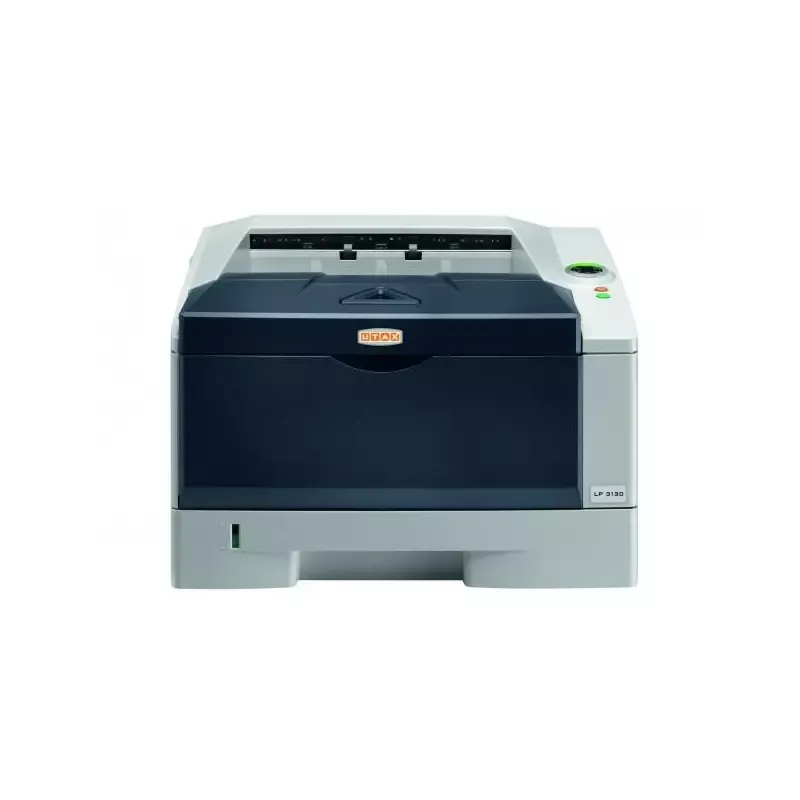
The design of the Utax P-C5580DN is modern, with a gray finish that easily fits into any office environment. Additionally, it is equipped with a built-in screen for simplified use.
Power
The AC input voltage of the Utax P-C5580DN is 220 - 240 V, with an input frequency of 50 - 60 Hz, ensuring optimal compatibility with standard electrical systems. The power consumption in print mode is 1210 W, while the maximum consumption can reach 1800 W. In standby mode, it consumes 170 W, and only 15 W when turned off.
Minimum System Requirements
The Utax P-C5580DN is compatible with various operating systems, including Windows (including several versions of Windows 7 and XP), Mac, and Linux, offering great flexibility for users. It also supports server operating systems like Windows Server 2003 and 2008.
Weight and Dimensions
The dimensions of the Utax P-C5580DN are: 672 mm in width, 787 mm in depth, and 744 mm in height. Its weight is 111 kg, which can make its movement and installation more complex, especially in tight spaces.


